

Retrieval Practice Spacing Effect Study Plan: A How-To Guide

Goal: Use a retrieval practice spacing effect study plan to strengthen long-term memory

A retrieval practice spacing effect study plan helps you remember more reliably by combining two evidence-based ideas: (1) actively pulling information from memory (retrieval practice) and (2) spreading study sessions over time so learning is reactivated repeatedly (spacing effect). This guide shows you how to set up a workable schedule, run each session correctly, and avoid the common traps that make many study plans feel productive but don’t produce durable recall.
You’ll end with a repeatable system you can apply to any subject—vocabulary, concepts, formulas, lecture material, or problem-solving steps. The plan is designed to be practical: you can run it with paper, a notebook, or simple digital tools.
Preparation: Set up materials, time blocks, and a tracking method
Before you schedule anything, prepare a few essentials so your plan stays consistent and measurable.
- Choose your target content: Define what you will learn (chapters, lesson modules, topic lists, problem types, or question sets). Break it into discrete “units” (e.g., a concept + its key definition, or a set of related problems).
- Create retrieval prompts: Turn each unit into questions you can answer without looking at notes. Examples: “What are the three steps of X?” “Solve for Y given these conditions.” “Explain why this happens in one paragraph.”
- Set your session length: Pick a realistic study block (for example, 30–60 minutes). Consistency matters more than hero sessions.
- Decide how you’ll track intervals: Use a simple spreadsheet, a notes app, or a checklist. You need to record when each unit was last retrieved and when it should return.
- Prepare a “no peeking” rule: Have a place to keep notes out of reach during retrieval. If you use a laptop, close tabs or use a focus mode.
- Optional but useful tools: A flashcard app can help you manage intervals and review history (for example, Anki). A timer app helps you keep retrieval and correction phases short and intentional.
Step-by-step: Build your retrieval practice spacing effect study plan

Follow these steps in order. Each step is designed to produce a schedule that forces retrieval at expanding intervals while keeping difficulty appropriate.
1) Partition your material into retrieval units
Break the syllabus or notes into units small enough to test quickly. Aim for units that you can answer in 1–3 minutes during a retrieval attempt.
Practical example: In biology, a unit might be “Explain the role of insulin in glucose regulation” or “List the sequence of events in glycolysis.” In math, a unit might be “Solve a quadratic by factoring when the equation is factorable.”
2) Write “testable” prompts for each unit
For each unit, create at least one prompt that requires recall. Avoid prompts that are too easy or too vague.
Better prompts: “Define X and give one real-world example.” “What is the next step in this derivation?” “What are the common error types for this problem?”
Less effective prompts: “Read about X.” “Look at the notes.” “Understand this section.”
3) Choose a spacing schedule you can maintain
Select a spacing pattern for returning units. A common, workable approach is to use expanding intervals: the more successfully you retrieve, the longer the delay before the next attempt.
Example interval set for a first pass:
- After initial learning, schedule the next retrieval in 1 day
- Then in 3 days
- Then in 7 days
- Then in 14 days
- Then in 30 days
You can adjust to your timeline, but keep the idea: increasing delays for items you retrieve well, shorter delays for items you miss.
4) Run a session with two phases: retrieval first, then correction
Each study session should follow the same structure so you consistently practice retrieval rather than passive review.
Phase A: Retrieval (primary work)
- Start by closing notes.
- Attempt each prompt from memory.
- Limit time per prompt (for example, 60–120 seconds). If you can’t answer, mark it as missed and move on.
Phase B: Correction (targeted learning)
- For missed or weak items, open notes and correct your answer.
- Write a short “next time” note: what you forgot, the key phrase, or the exact step you missed.
- Do not turn correction into a full reread. Your goal is to fix the gap quickly so the next retrieval is stronger.
5) Decide how many units to include per session
Overstuffing a session reduces quality and can make your correction phase too long. A practical target is to include enough units to feel meaningful but not so many that you can’t correct them properly.
Rule of thumb: Choose a number of prompts you can retrieve for the full session without rushing the correction step.
Practical example: If you have 45 minutes, you might do 20–30 retrieval prompts where each prompt averages 60–90 seconds including quick correction for missed items.
6) Classify each prompt outcome and adjust its next interval
After each prompt, record a simple outcome. You don’t need complex scoring; you need consistent decision rules.
Use three categories:
- Easy/Fluent: You retrieved quickly and accurately.
- Hard/Partial: You got some parts but missed key details.
- Missed: You couldn’t retrieve the answer or it was largely wrong.
Adjust scheduling:
- Easy/Fluent: Move it to the next longer interval (e.g., from 3 days to 7 days).
- Hard/Partial: Keep it at a shorter interval than you planned (e.g., from 7 days back to 3–5 days).
- Missed: Shorten the delay and plan an earlier reattempt (e.g., back to 1 day or 2 days).
This is where the spacing effect becomes functional: you’re not just spacing; you’re spacing based on retrieval strength.
7) Use a “minimum retrieval” rule to preserve spacing integrity
If you miss a session, don’t abandon the schedule. Instead, apply a minimum retrieval rule: when you return, retrieve the items that are due first, even if you can’t complete everything.
Practical approach: On your next study day, do due items first. Then proceed to new items only after you’ve completed the retrieval of overdue prompts.
8) Add new material gradually so the plan doesn’t collapse
Many study plans fail because they add too much new content too quickly, overwhelming the review load. Start with a small “new unit” quota per day or per week.
Simple quota: Add only a fixed number of new units per session (for example, 5–10 prompts), while spending the majority of time on due retrievals.
Practical example: If you’re preparing for an exam in 6 weeks, you might add new units early on, then reduce new additions later while increasing retrieval of previously learned units.
9) Track three numbers to tune the plan
To optimize your retrieval practice spacing effect study plan, you need feedback. Track these metrics weekly:
- Due completion rate: What percentage of due prompts did you retrieve?
- Missed rate: How many prompts were missed or mostly wrong?
- Correction time: How long did corrections take on average?
If completion drops, reduce new items or shorten sessions. If missed rate is high, shorten intervals or improve prompt quality. If correction time is excessive, your prompts may be too broad or your units too large.
Common mistakes that weaken the spacing effect
Even a well-designed schedule can fail if you fall into predictable patterns. Watch for these issues and adjust quickly.
- Rereading instead of retrieving: If you spend most of your time reviewing notes, you may feel familiar but won’t build strong recall. Retrieval should be the primary activity.
- Looking immediately after a failed attempt without correction: If you peek too fast, you don’t learn from the gap. Attempt first, then correct with a clear “what I missed” note.
- Scheduling long intervals after a fluke: If you guessed correctly or recognized an answer only because it looked familiar, treat it as hard and schedule sooner.
- Overloading sessions: Too many prompts leads to rushed retrieval and incomplete correction, which increases future misses.
- Using prompts that are not truly testable: “Understand chapter 4” doesn’t measure recall. Convert statements into questions or tasks.
- Ignoring overdue items: Letting due items pile up eventually breaks the spacing structure. Retrieve due items first.
- Changing the rules constantly: Keep the session structure stable: retrieval first, correction second, then scheduling based on outcome.
Additional practical tips to optimize your plan
Use these techniques to make retrieval more effective and your spacing more sustainable.
Make prompts specific enough to trigger recall
Specific prompts improve the quality of retrieval. If you notice you can answer “part of it” but not the key detail, rewrite the prompt so it targets that detail.
Practical example: Instead of “Explain photosynthesis,” use “What is the purpose of the light-dependent reactions?” and “Where does the Calvin cycle occur and what does it produce?”
Use a short “confidence check” after each attempt
After retrieving, quickly note whether you were confident. Confidence helps you decide whether an item truly deserves a longer interval.
- If you were confident but wrong: treat it as missed and shorten the interval.
- If you were unsure: treat it as hard and schedule sooner.
Include “interleaving” within the same session when appropriate
Interleaving means mixing related subtopics or problem types in a session so you practice choosing the right approach. This can strengthen discrimination between similar concepts.
How to do it: When you build your prompt list, don’t group everything by chapter. Mix units that are related but distinct, and schedule them with the same retrieval rules.
Strengthen answers with minimal generation, not long writing
For many subjects, you don’t need essays during retrieval. Aim for “complete enough” recall. If you’re studying explanations, try a 2–4 sentence response that includes the key mechanism or steps.
Practical example: For chemistry, generate the reaction description and the products. For history, generate the event cause-effect chain in a few sentences.
Use digital tools to reduce scheduling friction
If you prefer automation, a spaced repetition app can manage intervals and due items. For example, Anki supports scheduling algorithms and trackable review history. The key is still your retrieval behavior: attempt first, then correct, and only then allow the tool to schedule the next review.
If you use paper or a spreadsheet, keep the same logic: record due dates (or interval steps) and outcomes, then update them consistently.
Run a weekly “plan audit” rather than a daily redesign
Adjusting your plan every day often causes inconsistency. Instead, review your metrics once per week and make one or two changes.
Examples of weekly adjustments:
- If you missed many due items: reduce new units per session by 20–30%.
- If missed rate is rising: shorten the intervals for hard/missed categories.
- If correction time is ballooning: split large units into smaller retrieval prompts.
Use “final checks” for exam readiness without replacing retrieval
As the exam approaches, you may want to add timed practice. Keep retrieval practice central, but you can add timing to simulate test conditions. After timed attempts, still correct and reschedule weak items.
Practical example: If you’re studying problem-solving, do a short timed set from your prompt list. Then review missed steps and reattempt the related prompts later using the spacing schedule.
Putting it all together: Example weekly schedule you can replicate
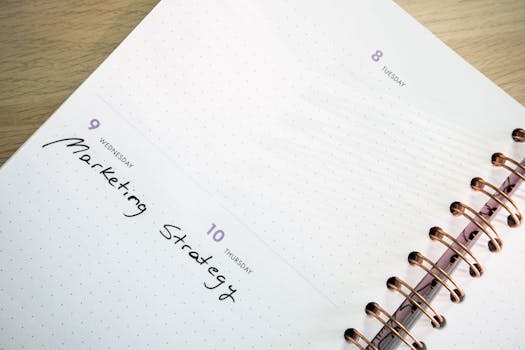
Below is a concrete pattern that demonstrates how retrieval practice and spacing work together. Adjust the number of prompts to match your time.
- Day 1 (new + due): Learn a small set of new units, then immediately run retrieval prompts for them. Schedule easy items for 3 days, hard items for 1–2 days, missed items for 1 day.
- Day 2 (retrieval): Do all items due from Day 1. Add a small number of new units only if due retrieval is on track.
- Day 3 (retrieval): Retrieve due items (including those scheduled for 3 days). Correct misses. Schedule forward based on outcome.
- Day 4 (light): Keep it manageable. Retrieve due items and avoid adding too many new units.
- Day 5 (retrieval + expansion): Retrieve due items, correct, and schedule next intervals. Add new units if your due completion rate stayed high.
- Day 6–7 (buffer): Use these days for catch-up retrieval if needed, not for rereading. Keep the “due first” rule.
This schedule creates repeated retrieval across increasing delays, which is the core mechanism behind the spacing effect. Over time, your “due list” becomes a map of what your memory needs next.
How to know your plan is working
You don’t need elaborate testing to see progress. Look for these signs:
- Your missed rate decreases for items that were scheduled correctly.
- Hard items stop staying hard after a few retrieval-correction cycles.
- You can answer prompts with less time and fewer partial gaps.
- Your due completion rate stays high, meaning your schedule is sustainable.
If performance isn’t improving, don’t assume you “need more time.” Usually the issue is prompt quality, unit size, interval adjustments after misses, or session overload. Fix those first, then continue with the same retrieval-first structure.
Common adjustments when your schedule goes off track
- You have less time than planned: Keep sessions shorter but preserve retrieval-first order. Reduce new items; keep due retrieval.
- You’re missing too many items: Split units smaller and shorten intervals for hard/missed categories.
- You’re spending too long correcting: Narrow prompts, add “next time” notes, and avoid rereading entire sections.
- You’re getting bored or disengaged: Increase difficulty slightly by using “why/how” prompts or mixing similar units in the same session.
These adjustments protect the two mechanisms—retrieval and spacing—so your study time translates into durable recall.
03.02.2026. 08:29