

Weekly Recovery Dashboard: HRV, RHR, Sleep & SpO2 Maintenance

Why this maintenance matters for your weekly recovery dashboard
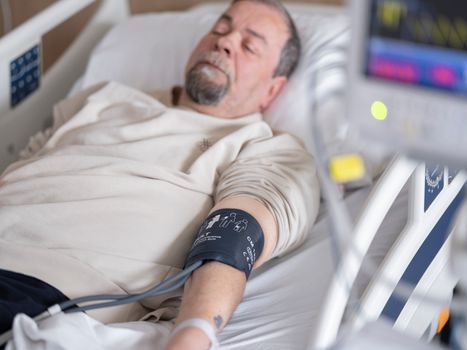
Your weekly recovery dashboard is only useful if the inputs are consistent. HRV, RHR, sleep, and SpO2 are sensitive to small changes—sensor fit, skin prep, firmware updates, app sync behavior, even how you interpret “rested” days. When the data pipeline degrades, your trends can look “real” while being wrong.
Maintenance here isn’t about polishing a screen. It’s about protecting the reliability of the measurements that drive your decisions about training load, recovery timing, and sleep habits. If you’re using your dashboard to decide when to push, back off, or focus on recovery, you need clean, stable data every week.
A practical way to think about it: you’re maintaining a system. The system includes your wearable hardware, the way it contacts your skin, the device’s internal tracking, the app that syncs it, and the dashboard that summarizes it weekly.
Below is a maintenance-focused routine you can run on autopilot. It’s written for a “maintenance” mindset: small, regular actions that prevent drift and reduce the chances your dashboard starts telling you misleading stories.
Step-by-step maintenance process (cleaning, setup, and data hygiene)
1) Clean the sensor contact area (2 minutes, right after you remove it)
After a workout or a long day, sweat and skin oils can build up where the sensor touches your body. That film can reduce signal quality and increase noise—especially for HRV and SpO2 readings.
Do this every day you wear the device:
- Remove the device and wipe the sensor area with a soft, dry cloth.
- If you notice residue, use a slightly damp cloth (water only). Avoid soaking the sensor module.
- Let the contact area air-dry for 5–10 minutes before re-wearing.
If your band is fabric or has a textured underside, clean it more thoroughly. A quick daily wipe is helpful, but it doesn’t replace periodic washing.
2) Clean the band properly (weekly deep clean, 10–15 minutes)
Once per week, do a deeper clean so the band doesn’t become a grime reservoir. This matters because skin contact quality affects HRV, RHR, and SpO2 more than most people expect.
- Detach the band if your setup allows it.
- Wash according to the band material guidance (typically mild soap and water for many bands; avoid harsh cleaners).
- Rinse thoroughly so soap doesn’t leave a slick coating.
- Dry completely—give it at least 2–4 hours to fully dry before your next long wear (especially overnight).
Real-world example: If you wear your device nightly and you live in a humid climate, sweat can linger under the band. After 3–4 weeks without a deep clean, many people notice more “gaps” in sleep tracking and more variability in SpO2. A weekly deep clean usually restores stable signal quality.
3) Check the fit and placement (30 seconds, before sleep and after workouts)
Placement is a major driver of measurement consistency. For HRV and RHR trends, you want the same placement and tension most days.
- Wear it snug but not tight. You should be able to slide a finger under the band with light resistance.
- Keep placement consistent (same location on the wrist/arm or same strap position).
- Before bed, do a quick “fit check” after you’ve settled—if it shifts during the night, your sleep and SpO2 data can degrade.
Action tip: If you have a habit of adjusting the band frequently during the day, try setting a “no-touch window” for 30 minutes after you put it on. Your skin needs time to stabilize and the sensor needs consistent contact.
4) Verify sync and data completeness (5 minutes, 2–3 times per week)
Even clean sensor contact can’t fix broken data flow. If your wearable isn’t syncing reliably, your weekly recovery dashboard may show missing hours, partial sleep windows, or stale HRV summaries.
Do a quick check:
- Open your tracking app and confirm the device synced within the last 1–3 days.
- Check that today’s sleep or overnight data appears after it finishes processing (often the morning after).
- Look for obvious gaps. One missing night is common; repeated gaps are a maintenance signal.
Practical scenario: You train hard on Thursday, sleep poorly, then notice on Friday morning that your dashboard’s weekly HRV chart looks “too smooth.” A sync delay can cause that. By checking sync status 2–3 times per week, you catch these issues before you make recovery decisions.
5) Review weekly summaries for “data quality flags” (3 minutes, once per week)
Before you plan your next training week, scan your weekly recovery dashboard for signs that the data might be compromised. You’re not trying to diagnose; you’re checking for patterns that suggest measurement problems.
- Look for unusually low or high HRV values that don’t match your perceived stress or sleep.
- Watch for RHR spikes that persist for 3+ days without a clear cause (illness, travel, big stress).
- Check sleep stages for repeated truncation (short sleep windows or missing segments).
- For SpO2, look for frequent low readings or inconsistent coverage during sleep.
If you see repeated anomalies, treat it as a maintenance issue: clean, refit, and verify syncing. Then wait 48–72 hours for stabilization before drawing conclusions.
6) Keep firmware and app settings stable (monthly, 15 minutes)
Updates can improve accuracy, but they can also change how data is processed. The goal is controlled change, not constant churn.
- Once per month, check whether firmware or app updates are available.
- Only update when you can wear the device consistently for the next 2–3 days (ideally not right before a travel day).
- After updating, do one or two extra sync checks that week.
Soft product integration: If you use a dedicated docking or charging setup, keep it clean and dry. A charging contact that’s slightly dirty can lead to intermittent charging, which can indirectly affect tracking continuity. Wiping the charging pins with a dry cloth during monthly maintenance is a small habit that pays off.
Recommended maintenance schedules and routines
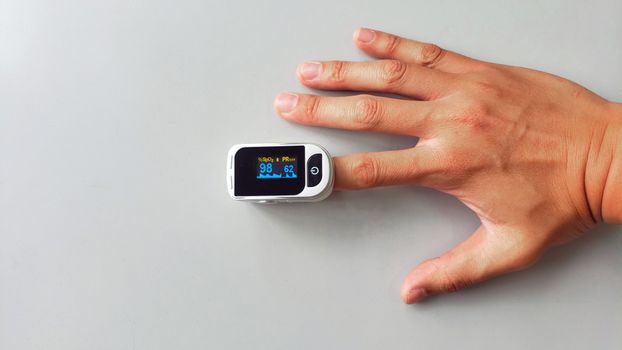
Daily micro-routine (5 minutes total)
- After wearing: Wipe sensor contact area (30–60 seconds).
- Before sleep: Quick fit check and ensure the band is fully dry (1–2 minutes).
- After workouts: If you sweat heavily, do a quick wipe before you put it back on or before bed.
Keep it simple. Your goal is to prevent buildup and maintain consistent contact quality.
Weekly routine (20–30 minutes)
- Deep clean band: 10–15 minutes plus drying time.
- Check placement: Confirm consistent location and tension (2 minutes).
- Sync audit: Open the app and confirm recent sync history (3–5 minutes).
- Weekly dashboard quality scan: Review HRV, RHR, sleep coverage, and SpO2 stability (3–5 minutes).
Anchor this to a specific day. For example, Sunday evening is a great time because you’re naturally looking at your weekly recovery dashboard anyway.
Monthly routine (15–25 minutes)
- Firmware/app check: Update only if it won’t disrupt your next 2–3 days of consistent wear (15 minutes).
- Charging/contact check: If your setup has charging pins or a dock, wipe contacts with a dry cloth (2–3 minutes).
- Battery and wear consistency: Confirm you’re wearing it consistently enough for HRV and sleep baselines to remain meaningful.
Monthly maintenance is also a good time to notice whether the band material is degrading (stretching, cracking, or losing texture). A worn band can reduce contact quality even if the device itself is functioning normally.
Quarterly routine (30–45 minutes)
- Replace worn bands: If your band shows stiffness changes or persistent odor even after cleaning, consider a replacement.
- Re-check your baseline week: Review a full week of HRV, RHR, sleep, and SpO2 and confirm the trends look stable when your routine is stable.
- Revisit fit habit: If your lifestyle changed (more strength training, more heat exposure, weight changes), re-check placement and tension.
This keeps your weekly recovery dashboard from silently drifting due to hardware wear or lifestyle changes.
Prevention methods to reduce future problems
Protect signal quality during sleep
Sleep data is where HRV and SpO2 often become most meaningful. Prevention is about contact consistency and minimizing disruption.
- Put the device on after you’ve settled into your pre-bed routine (not mid-chaos). Your body temperature and skin moisture stabilize.
- Avoid sleeping with the band too loose. If it shifts during the night, your dashboard may show inconsistent SpO2 coverage and more variable HRV.
- If your skin gets dry, consider a consistent skin-prep approach. Don’t overdo creams right before bed; residue can interfere with contact. A light, consistent routine that you can repeat is better than random changes.
Reduce “false trend” days
Your dashboard can show changes that are real, but not always from recovery. Prevention means reducing the number of days where measurement quality is compromised.
- After travel, do a short “stabilization window.” For the first 2 nights, treat dashboard changes as informational rather than decision-making.
- If you’re sick, focus on consistency rather than perfection. Clean and fit-check more often, then compare week-over-week once you’re back to baseline.
- During heavy sweating workouts, wipe the sensor area before bed even if you’ll wash later. That prevents buildup from sitting overnight.
Maintain consistent habits for RHR and HRV
RHR and HRV are influenced by your routine. You can’t control stress and illness, but you can control measurement consistency.
- Keep your “morning routine” similar: try to put the device on the same time and check your typical wake-up window.
- Don’t re-tighten the band repeatedly during the night. If you need to adjust, do it early in the evening and then leave it.
- Use the dashboard as a weekly tool, not a single-morning tool. One day is noise; a week is signal.
Keep your app environment stable
Data hygiene is partly about your phone and settings.
- Ensure background app permissions are enabled so syncing doesn’t get throttled.
- Keep Bluetooth on if your setup uses it for sync.
- When you notice repeated sync delays, restart the app and re-check permissions rather than immediately changing ten settings at once.
Prevention isn’t dramatic. It’s about minimizing the number of moving parts that can break your weekly recovery dashboard.
Common maintenance mistakes and how to avoid them
Skipping cleaning because “it looks fine”
Many people clean only when the band looks dirty. The problem is invisible residue. Oils can accumulate without obvious discoloration.
Avoid it: Do the daily wipe. Then do the weekly deep clean even if the device “seems okay.”
Over-tightening the band
A tight band can improve contact initially, but too much pressure can affect comfort and potentially alter readings. It can also increase skin irritation, which then changes contact quality over time.
Avoid it: Use snug, not tight. If your skin leaves a strong mark after overnight wear, loosen slightly.
Not drying fully after cleaning
Putting a damp band back on can irritate the skin and reduce sensor stability. It can also lead to persistent odor.
Avoid it: After weekly cleaning, dry for 2–4 hours before overnight use. If you’re short on time, use a spare band if you have one and keep the cleaned band drying.
Updating firmware right before a critical week
Updates can change processing behavior. If you update on Monday before a key training block, you might misinterpret a shift in HRV or SpO2 patterns.
Avoid it: Schedule updates monthly when you can wear the device consistently for 48–72 hours afterward.
Ignoring repeated data gaps
One missing night can happen. Repeated gaps suggest a maintenance problem: fit, skin contact, battery/charging, or sync issues.
Avoid it: When you see 2+ nights with truncated sleep windows or missing SpO2 coverage within a week, stop and run the maintenance sequence: clean, refit, sync check, then reassess after 2–3 days.
Charging habits that degrade contact reliability
Dirty charging contacts can lead to intermittent charging. Intermittent charging can result in tracking interruptions that show up as missing data.
Avoid it: During monthly maintenance, wipe charging contacts with a dry cloth. Don’t use metal tools or wet cleaning on charging pins.
Making recovery decisions from a single metric day
If you treat one morning’s HRV dip as a definitive recovery failure, you’ll overreact to noise. Maintenance helps reduce noise, but it won’t eliminate it.
Avoid it: Use weekly patterns. Pair HRV with RHR, sleep consistency, and SpO2 coverage. If multiple signals line up across the week, that’s a stronger basis for action than one reading alone.
Put it into practice: a maintenance week example for HRV, RHR, sleep, and SpO2
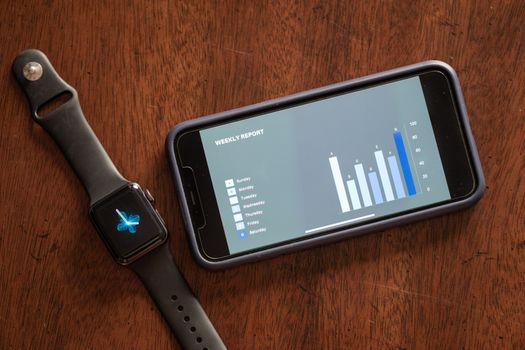
Here’s a realistic “maintenance-first” week you can copy.
Monday
You put the wearable on after a shower and do a 30-second fit check. You wear it consistently during the day and wipe the sensor contact after you remove it at night.
Tuesday
After a sweaty workout, you do an extra wipe. In the evening, you confirm the band is dry before bed. You don’t change placement repeatedly—your goal is consistent contact.
Wednesday
In the morning, you open the app and confirm the device synced the night’s sleep data. You don’t try to “fix” anything unless you see a clear gap.
Thursday
Midweek, you do a quick sync audit again. If the dashboard shows complete sleep coverage, you keep your routine steady.
Friday
You notice your dashboard’s weekly recovery summary is slightly more variable than usual. Instead of panicking, you treat it as a maintenance check: you wipe the sensor area and do a placement consistency check. You also pay attention to skin irritation—if it’s present, you reduce friction by keeping the band clean and dry.
Saturday
You do a quick band wipe and let it air dry after cleaning if needed. You don’t experiment with new creams or random band adjustments right before sleep.
Sunday (weekly maintenance + dashboard quality scan)
You deep clean the band (10–15 minutes, then dry). You also scan the weekly recovery dashboard for HRV stability, RHR trend behavior, sleep window completeness, and SpO2 coverage during sleep. If you see consistent coverage and reasonable alignment with your perceived recovery, you proceed with your training plan. If not, you rerun the cleaning and fit-check steps and wait 48–72 hours before making major changes.
This approach keeps your weekly recovery dashboard grounded in reliable measurement instead of guesswork.
How to maintain long-term accuracy without overthinking it
If you want your weekly recovery dashboard to be dependable, your maintenance needs to be repeatable. You don’t need to do everything every day. You need a system you can follow even when life is busy.
Start with the basics: daily sensor wipe, weekly deep clean, consistent fit, and a couple of sync checks per week. Then add monthly updates and quarterly band inspections. Over time, your HRV, RHR, sleep, and SpO2 trends will become more stable—and your decisions will feel less like interpretation and more like confident planning.
When something looks off, don’t jump straight to conclusions. Treat it like maintenance first: clean contact, verify fit, confirm syncing, and give the system a short stabilization window. That’s how you protect the value of your weekly recovery dashboard—and keep your recovery strategy focused on what’s actually happening.
14.01.2026. 11:45