

EMF meter workflow map for RF hotspots in the bedroom

Goal: build an EMF meter workflow map for RF hotspots in the bedroom
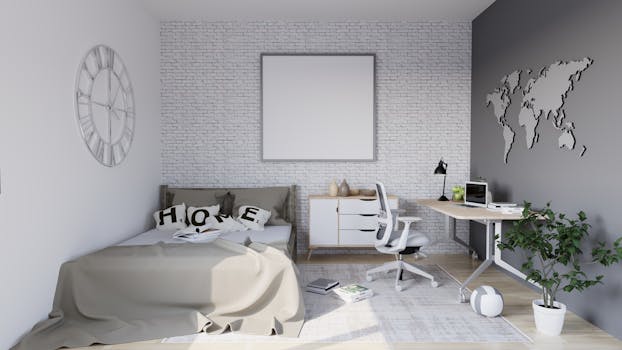
RF (radiofrequency) exposure in a bedroom is often driven by nearby transmitters and wireless devices—Wi‑Fi routers, smart speakers, cordless phones, baby monitors, Bluetooth devices, and even building wiring or external cell coverage. A reliable way to understand your actual exposure pattern is to create a simple workflow map: you measure at consistent locations, record readings, and then translate the results into a “hotspot map” you can act on.
This guide walks you through an EMF meter workflow map focused specifically on RF hotspots in a bedroom. You will set up measurement conditions, scan in a repeatable grid, identify hotspots, and validate whether they are caused by indoor devices or external sources.
Required preparation, tools, and setup
Before you start measuring, prepare your space and measurement workflow so results are meaningful and repeatable. The goal is not to chase one-off peaks; it’s to understand where elevated RF levels persist.
- EMF meter capable of RF measurement: Choose a meter that can detect RF fields (commonly labeled as RF/EMF meter, broadband RF meter, or 3D RF meter). If your device offers frequency bands, note them; if it offers dBm, V/m, or µW/m², record the units.
- Notebook or digital log: A spreadsheet or checklist works well. You need a place to record location, time, meter mode, and readings.
- Measuring tape (or room dimensions): Used to define a grid for consistent sampling.
- Floor plan sketch: Draw the bedroom layout—bed position, nightstands, outlets, doors, windows, and any known wireless devices.
- Optional tripod or stand: Helps keep the meter at a consistent height. If you don’t have one, use a stable surface and mark the height.
- Three consistent measurement heights (recommended): 0.3–0.5 m (standing torso), 1.0–1.2 m (seated/upper body), and 1.5–1.8 m (head level when standing). For bed-focused mapping, you can also measure close to pillow height when lying down.
- Power and device checklist: List all wireless devices in the room and nearby rooms that could be contributing (router, smart TV, speakers, powerline adapters, cordless base stations, etc.).
- Time consistency: Note the time of day and whether other people are using devices (streaming, calls, downloads).
If you use a meter such as a broadband RF device (for example, a meter that reads RF in a single combined value), your workflow will still be valid. The key is consistency: same mode, same distance, same height, same averaging approach.
Step-by-step: create your bedroom RF hotspot workflow map
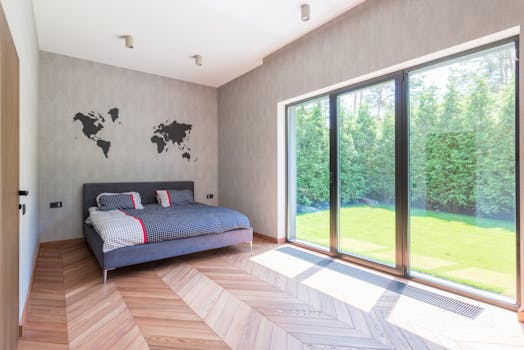
Follow these steps in order. Keep your procedures consistent so you can compare measurements from one location to another and from one device state to another.
- 1) Choose the measurement “grid” and define coordinates. Start by deciding how dense your grid should be. A practical approach for a bedroom is a grid with points every 0.5–1 meter along the main axes. Mark points on your sketch using simple coordinates (for example, A1, A2, B1, B2) or X/Y distances from a fixed corner.
- 2) Set the meter to an appropriate RF mode and record settings. Turn on the EMF meter and select the RF measurement mode (or the closest available setting). If the meter has options such as “peak,” “hold,” or “average,” pick one primary method for mapping and stick to it. Record: mode, sensitivity/range, units, and whether data is peak or average.
- 3) Stabilize conditions for a baseline measurement. Before scanning, decide whether you want a “baseline with everything on” or a “baseline with minimal devices.” For hotspot mapping, you usually want both. Start with the simplest repeatable baseline: keep the bedroom in a known state for at least a few minutes, then measure.
- 4) Measure at the first grid point using a consistent height. Place the meter at your chosen height (for bed-focused mapping, prioritize pillow height and seated/standing torso height). Hold it steady and record the reading. If your meter provides a fast-changing value, use a consistent time window (for example, wait 10–20 seconds and record the stabilized reading or the displayed average).
- 5) Continue point-by-point across the grid. Move systematically from one point to the next without skipping. Record each reading immediately with its coordinate and height. If you detect a sudden jump, pause and confirm that you’re still at the same coordinate and height before continuing.
- 6) Identify preliminary hotspots from the baseline map. After completing the grid, review your log and mark the top few locations with the highest RF readings. These are your candidate hotspots. Don’t assume cause yet—just label them as “elevated points.”
- 7) Validate whether hotspots move when you change device states. Now repeat the grid scan (or at least re-measure the candidate hotspot points) under controlled device changes. Use a step pattern like this:
- Turn off or unplug one category at a time (for example, Wi‑Fi router, smart TV, cordless phone base, baby monitor transmitter, powerline adapters).
- Wait a consistent settling time (for example 2–5 minutes) for wireless activity to drop.
- Re-measure the candidate hotspot points and note whether readings drop, stay similar, or rise.
- 8) Narrow the source location with short-range “sweeps.” Once you have a hotspot coordinate, refine it. Do a smaller sweep around that point—moving in 10–20 cm increments. Keep the same height and orientation. This helps you determine whether the hotspot is a nearby device effect (strong distance dependence) or a more uniform background (less variation).
- 9) Separate bed-level exposure from ambient room exposure. If your goal is sleep-related RF reduction, measure near where your head and torso are during sleep. Re-measure at pillow height and along the mattress line where you typically lie. Record whether the hotspot shifts when you move from standing height to bed height.
- 10) Document likely sources and distances. For each hotspot, note what is nearby: router location, power strips, TV behind the bed, smart speaker positions, charging docks, or even a cordless base station in a drawer. Measure the approximate distance from the hotspot to each candidate source.
- 11) Confirm external vs internal contributors. If you have access to another room or you can measure near a window or hallway junction, do a quick check. Then compare:
- Bedroom baseline
- Bedroom with internal devices minimized
- Near-window reading (if safe and practical)
Common mistakes and issues during EMF meter hotspot mapping
Most “bad maps” come from inconsistent technique or measurement conditions. Avoid these pitfalls to keep your results credible.
- Changing meter settings mid-scan. Even switching from average to peak can make comparisons misleading. Set once, then keep the same mode for the mapping pass.
- Moving the meter height without recording it. RF strength can vary with height, especially near devices. Always record the height (or use a marked stand) and keep it consistent.
- Scanning too quickly for unstable readings. Some meters display rapidly changing values. If you don’t use a consistent averaging or stabilization window, you’ll capture noise as if it were a hotspot.
- Ignoring device activity patterns. Routers and smart devices may transmit intermittently. If you measure one point while a device is actively streaming, your map could overemphasize that spot. Repeat readings at key points at different times if possible.
- Assuming the strongest reading is always the closest cause. Some devices can create interference patterns or reflections. Use short-range sweeps around hotspots and validate with device-off tests.
- Not repeating the hotspot re-check after changes. After you turn off a device, re-measure the same hotspot points. Without re-checking, you can’t confirm cause.
- Mapping only at one height. A hotspot that’s high at standing height might be lower at pillow height (or vice versa). If sleep exposure is your priority, include bed-relevant heights.
- Over-interpreting a single reading. RF meters can be sensitive to orientation and momentary transmission. Look for consistent elevated areas across multiple points or repeated passes.
Additional practical tips and optimisation advice for reducing RF hotspots
Once you have your hotspot map, the workflow should continue with targeted actions. The goal is to reduce exposure while maintaining normal bedroom function—without guessing.
- Re-measure after each change, even if the change seems obvious. Move one element at a time: relocate the router, change the bed position, or adjust device placement. Then re-check hotspot coordinates. This is how you turn your map into a working reduction plan.
- Prioritize distance from the source. If your hotspot map shows a steep decline with distance, focus on moving the bed or moving the transmitter. Even small adjustments (0.5–1 m) can change readings meaningfully.
- Use device state control to reduce “always-on” transmitters. If a cordless base station or baby monitor transmitter is in the room, turning it off when not needed can reduce persistent RF. For Wi‑Fi, consider whether the router can be moved away from the bedroom rather than relying solely on “sleep mode” features.
- Check charging docks and smart hubs. Some devices emit more when actively paired, syncing, or broadcasting. If your hotspot is near a charging area or smart hub, map again while the device is in its typical charging/powering state.
- Consider cable-based alternatives for non-essential wireless. If your hotspot is tied to a specific wireless link (for example, a streaming device or a wireless speaker), switching that link away from the bedroom can reduce RF. Keep this action tied to what your map indicates.
- Document a “before and after” log for credibility. Write down key readings at hotspot coordinates before changes and after changes. This turns the workflow map into evidence you can use later.
- Use a consistent measurement routine for follow-up. When you revisit the bedroom later, repeat the hotspot point checks at the same heights and meter settings. Wireless activity and device placement can change over time.
- Where frequency/band info is available, record it. Some meters provide band or frequency hints. If your meter supports it, note whether hotspots correlate with Wi‑Fi-like ranges or other bands. This helps you narrow the likely device category.
- Be careful with reflections and meter placement. Walls, metal surfaces, and large furniture can influence readings. When you do short-range sweeps, keep the meter orientation consistent and avoid placing it directly against conductive surfaces unless that is part of your grid definition.
Practical example: Suppose your baseline scan shows the highest readings near the nightstand where a smart speaker and a router extension are located. After turning off the smart speaker and unplugging the extension (or powering down the router if that is your controlled test), you re-measure the hotspot coordinate and see a significant drop. You then move the bed so your head is farther from that nightstand and repeat the pillow-height readings. If the hotspot shifts or declines accordingly, your reduction strategy is validated by your own EMF meter workflow map.
Another example: If hotspot readings remain high even after internal devices are off, the source may be external (neighbor Wi‑Fi, cell coverage, or building infrastructure). In that case, focus on bed placement relative to windows and external walls, and consider whole-room mitigation steps such as moving the bed away from the wall with the highest readings. Continue verifying with repeated hotspot checks rather than relying on assumptions.
EMF meter workflow map RF hotspots bedroom checklist for your measurements

- Meter RF mode selected and recorded (units, range, peak/average method).
- Bedroom grid defined with coordinates and distances from a fixed corner.
- Measurement heights chosen and consistently applied (pillow height and torso height recommended).
- Baseline scan performed with a known device state.
- Candidate hotspot points identified from the baseline map.
- Device-off validation performed one category at a time with settling time.
- Short-range sweeps done around each hotspot to locate the strongest area.
- Bed-level exposure checked where you actually sleep.
- Changes made one at a time, with re-measurement of hotspot coordinates.
- Results logged with time, device state, and meter settings.
How to translate your map into a bedroom action plan
Your EMF meter workflow map is only useful if it leads to decisions you can test. Turn your hotspot results into an action plan that is measurable:
- Mark the top 3 hotspot coordinates and always re-check those after any change.
- Assign likely causes based on device-off validation and distance dependence.
- Choose one change at a time (bed movement, device relocation, turning off a transmitter when not needed).
- Re-run hotspot point measurements and compare readings in the same meter mode and height.
- Keep the room functional: aim for reductions where you spend the most time—especially at pillow height and along the mattress line.
When you follow this workflow, you end up with a practical, repeatable bedroom RF hotspot map rather than a collection of random readings. That’s the basis for targeted, evidence-based exposure reduction.
15.02.2026. 07:55