

EMF Mitigation Bedroom Setup: Prioritize What Matters Most

Why your bedroom needs an EMF mitigation plan
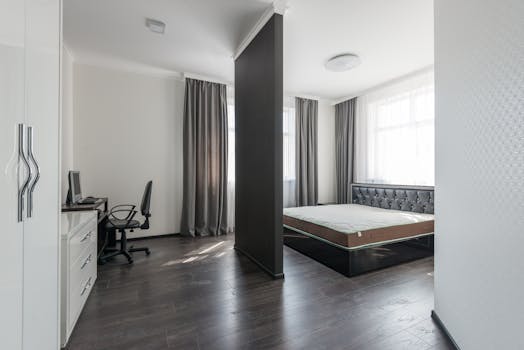
Your bedroom is different from other rooms because you spend a large, consistent block of time there—often 6 to 9 hours nightly. That steady exposure makes small changes matter. An EMF mitigation bedroom setup should not be treated like a one-time cleanup; it’s a structured routine for reducing unnecessary electromagnetic fields (EMFs) while you sleep.
When you prioritize correctly, you focus on the highest-impact sources first: power wiring and grounding issues, nearby electronics, Wi‑Fi/router placement, and how your bed sits relative to walls and panels. You also avoid common mistakes like trying to “shield everything” without first identifying what’s actually driving your exposure.
This guide helps you build an evidence-informed approach. You’ll learn how to assess your bedroom, reduce exposures using distance and layout, and address wiring and device behavior. You’ll also see a practical example you can mirror in your own space.
Start with priorities: what to reduce first for sleep protection
Not all EMF sources in a bedroom have the same effect. A practical EMF mitigation bedroom setup prioritize approach begins with the sources you can change quickly and that typically contribute most to exposure during sleep.
Use this priority logic:
- Proximity matters most: Anything close to your head or torso is usually higher impact than something farther away.
- Time matters: If a device transmits continuously while you sleep, it becomes a larger target than an occasional source.
- Wiring and grounding can be hidden: If your bed is near electrical panels, outlets, or poorly grounded wiring, you may have persistent field levels.
- Wireless signals can be controlled: Wi‑Fi, Bluetooth, DECT phones, and smart devices can often be reduced by placement and scheduling.
In many homes, the highest leverage steps are simple: move the bed away from the most electrically active wall, keep the router out of the bedroom or reduce its operating time, and remove unnecessary chargers and devices from the immediate sleep area. After those, you can consider deeper electrical or shielding actions.
Map the bedroom: identify likely EMF sources before changing anything

Before you buy anything or alter your room, you need a basic map. Even without expensive instrumentation, you can identify likely sources by observation and electrical layout.
Walk through your bedroom and note:
- Where your bed is relative to outlets, light switches, and any exterior wall.
- Any wall-mounted devices (thermostats, smart panels, alarm systems).
- Where the router or access point is and whether it has line-of-sight into the room.
- Charging habits: Where chargers and power bricks sit overnight.
- Power strips and extension cords near your bed.
- Electrical panel proximity if the room is near a breaker box or main service.
If you have access to a meter (even a basic one), take readings at consistent points: beside the pillow area, at chest height, and near the wall you suspect is a major source. Record results before you move anything. This gives you an objective way to confirm that your changes are doing what you intended.
Real-world scenario: Imagine your bed sits with your headboard against a wall that contains two outlets and a thermostat. The router is in the living room about 10 meters away, but a smart speaker and a phone charger are on a nightstand. After you remove the charger, power down the smart speaker at night, and move the bed so your head is at least 1 meter away from that outlet wall, you may notice a meaningful drop at head level. The point isn’t that the router is irrelevant; it’s that the overnight, close-range sources were likely dominating your exposure during sleep.
Distance, orientation, and layout: the highest-impact mitigation moves
For many EMF mitigation bedroom setup prioritize plans, layout changes are the fastest and most reliable. You’re not “shielding” yet—you’re reducing field strength by increasing separation and limiting direct exposure paths.
Move the bed away from the most active wall
Start with the wall behind your head. If that wall has outlets, wiring runs, or a thermostat, consider shifting the bed so your head is not directly adjacent to those elements. A practical target is at least 1 meter (about 3 feet) from the most electrically active wall if your room allows. Even partial improvements can help.
If you can’t move the bed far, consider changing which side of the room you sleep on. Rotate your bed so the headboard is placed on the “quietest” wall based on your observations and any readings you took.
Keep electronics out of the sleep zone
Define your sleep zone as the area within roughly arm’s reach of the bed. That means nightstands, charging areas, and any device that stays powered overnight should be treated carefully.
Common high-impact items include:
- Phone chargers left plugged in all night
- Power strips with multiple devices actively charging
- Smart speakers, baby monitors, and DECT handsets
- Wi‑Fi boosters or mesh nodes placed inside the bedroom
Instead of relying on “turning off” later, adjust your setup so these items are either removed from the bedroom at night or powered down during sleep windows.
Use simple orientation strategies
Electrical wiring in walls emits fields that can vary depending on how close you are and where the wiring runs. If you know where wiring runs (for example, above a baseboard channel or along a specific vertical line), avoid placing your head directly over that path. Even a small lateral shift can reduce your exposure at head level.
Orientation also matters for wireless. If your router or access point has a directional antenna or is mounted on a wall facing your bed, repositioning the bed can reduce direct signal coupling.
Wi‑Fi, Bluetooth, and smart devices: control transmissions during sleep
Wireless signals are often the easiest category to manage because you can change operating schedules, reduce device activity, or relocate the source. Your goal is not to eliminate technology; it’s to reduce unnecessary continuous transmission while you sleep.
Router placement and operating time
If your router is in the bedroom or directly adjacent to it, the sleep exposure can be higher than in rooms farther away. If you can relocate the router, placing it in a central area of the home outside bedrooms often reduces exposure in sleeping spaces. Where relocation isn’t possible, you can still reduce exposure by controlling transmission time.
Many routers support scheduled Wi‑Fi off or “sleep mode” features. A practical approach is to set Wi‑Fi to reduce or turn off during your sleep window. For example, if you sleep from 11:00 p.m. to 7:00 a.m., you can schedule Wi‑Fi to shut down during that period. You’ll still be able to use the connection during waking hours.
If you rely on devices that require overnight connectivity (security systems, medical devices, or specific automation), you can keep those functions active while reducing unnecessary wireless broadcasting where possible.
Phone charging and device behavior
Phone charging is not only about radio signals from the phone. The charger itself draws power and can create fields nearby. A practical rule: charge your phone away from the bed, ideally in a different area, and avoid leaving the charging cable connected to your nightstand overnight.
Also consider:
- Disable Wi‑Fi and Bluetooth on your phone before sleep
- Turn off smart speaker microphones or schedule them off at night
- Reduce background syncing where it isn’t needed overnight
- If you use a smart alarm or monitor, check whether it uses Wi‑Fi or cellular and whether it can be configured for lower transmission
DECT and cordless phones: a special case
Some cordless phones and baby monitors use DECT technology. DECT systems can transmit frequently depending on how they’re configured and whether the handset is in range. If your bedroom includes DECT equipment, consider moving the base station outside the bedroom and using wired alternatives where appropriate.
Power wiring and outlets: address the hidden sources

Electrical wiring can be a persistent source because it’s present continuously. If you’re serious about an EMF mitigation bedroom setup prioritize strategy, electrical management should come after you handle the obvious wireless and close-range electronics.
Identify outlet and switch locations relative to your bed
Outlets and switches are not always where the wiring runs, but they are strong indicators. If your bed head is near an outlet wall, that wall often contains wiring that can contribute to field strength at night.
Practical steps:
- Test alternative bed placements if possible
- Avoid placing your head directly adjacent to an outlet or switch panel
- Keep your sleep posture away from extension cords and power strips
Consider grounding and electrical integrity
Grounding issues don’t just affect safety; they can influence electrical noise and stray fields. If you suspect your home wiring is older, improperly grounded, or has frequent electrical problems, consider having an electrician evaluate the system.
As a safety note, any work involving electrical panels or wiring should be done by a qualified professional. Your mitigation plan should not require you to open breakers or rewire without proper expertise.
Reduce unnecessary power draw near your bed
Anything that stays plugged in overnight can contribute to fields. Even without wireless transmission, power adapters can create localized electromagnetic activity.
Use a consistent overnight routine:
- Unplug chargers after they finish charging
- Turn off desk lamps and devices at the outlet, not just by switch if they remain powered
- Use one power strip for daily electronics and keep it away from the bed
If you have a device that must remain powered, keep it as far as your room layout allows and avoid placing it directly beside your pillow.
Shielding and barriers: when they help and when they mislead
Shielding can reduce certain types of fields, but it’s not a substitute for distance, source control, and wiring management. If you use shielding, treat it as an additional layer applied after you’ve identified the biggest sources.
Recognize what shielding can and can’t do
Shielding materials are more effective for specific field types and frequencies. In real bedrooms, you often have multiple sources at different frequencies: power-frequency fields from wiring, and radiofrequency emissions from wireless devices.
Because of that, shielding may reduce one component while leaving others less affected. That’s why a priority approach matters: you want to lower the total exposure first through layout and device control, then consider barriers as a refinement.
Use shielding thoughtfully around your sleep position
If you choose to use barriers, focus on the area that matters most: your head and torso while you sleep. For example, if your bed must remain near a wall with wiring, you could consider placing a barrier between your head and that wall rather than trying to cover the entire room.
However, avoid relying on shielding alone. If your router remains in the bedroom and transmits continuously, a barrier near your bed may not address the dominant exposure source.
Safety considerations for shielding materials
Some shielding approaches involve conductive layers or materials that should be installed correctly to avoid electrical hazards. If a shielding method requires electrical connections or modifications, only use it if it’s designed for that purpose and installed safely. When in doubt, consult a qualified professional.
Sleep hygiene and EMF habits: reduce exposure without overcomplicating
You don’t need a complicated system to make meaningful improvements. Your bedroom routine can reduce exposure repeatedly, every night.
Create an “overnight mode”
Choose a consistent time—often 30 to 60 minutes before bed—to switch the bedroom into reduced-transmission mode. In that window, do things like:
- Plug out phone chargers and remove charging bricks from the nightstand
- Power down smart speakers and disable microphones
- Turn off Wi‑Fi or schedule router downtime
- Move any remaining devices away from the bed
This is more effective than making changes after you’re already lying down.
Watch for “always-on” devices
Some devices appear inactive but continue transmitting or drawing power. Examples include:
- Smart TVs with standby Wi‑Fi
- Gaming consoles in standby
- Fitness trackers that sync frequently
- Room sensors that broadcast status signals
Check your device settings. If your system allows it, set devices to reduce background transmission at night.
Track your changes with simple measurement or logs
If you have measurement tools, record readings at the same points before and after each change. If you don’t, keep a short log of what you changed and when you changed it. Over 2 to 4 weeks, patterns become clear—especially if you notice differences in sleep quality, restlessness, or headaches.
Keep expectations realistic. EMF mitigation is one factor among many. Your goal is to reduce unnecessary exposures, not to guarantee a medical outcome.
Practical bedroom setup example you can replicate

Here’s a realistic approach you can mirror. Assume your bedroom has one main wall with outlets and a thermostat, and your bed is currently centered against that wall.
Step 1: Identify the closest nighttime sources
You discover a phone charger on the nightstand, a smart speaker within 0.5 meters of the pillow, and a Wi‑Fi router in the adjacent room. You also notice the bed head is near two outlets.
Step 2: Change layout first
You move the bed so the headboard is on the opposite wall. If the room allows, you aim for 1 meter separation from the outlet wall. If not, you still shift the bed laterally to avoid direct adjacency to outlets.
Step 3: Remove close-range electronics
You unplug the phone charger and move the charging location to a desk area outside the sleep zone. You power down the smart speaker at night (or place it in another room).
Step 4: Schedule Wi‑Fi reduction
You set your router to reduce or turn off Wi‑Fi during your sleep window (for example, 11:00 p.m. to 7:00 a.m.). If you need connectivity for a security system, you keep that function active while reducing nonessential wireless activity.
Step 5: Verify and refine
After 3 to 5 nights of the revised setup, you take readings again at pillow height and near the former outlet wall. If readings are still high, you repeat the mapping step: check whether another device is transmitting continuously or whether the bed is still too close to a wiring run.
This example follows an important principle: you reduced sources and distance before considering any barrier approach.
Common mistakes in EMF mitigation bedroom setup prioritization
A priority plan often fails due to predictable errors. Avoid these:
- Starting with shielding before controlling the source (especially Wi‑Fi and close electronics)
- Leaving chargers and power bricks plugged in overnight near the bed
- Assuming the router is the only wireless source when smart devices and speakers can be the dominant transmitter
- Ignoring bed placement and focusing only on device settings
- Making random changes without tracking what improved or worsened readings
Prioritization isn’t about doing the most things. It’s about doing the right things in the right order.
Safety and realistic expectations for EMF reduction at home
Electromagnetic exposure guidance varies across organizations and countries. What’s consistent is that you can reduce unnecessary exposure through practical steps like distance, source control, and electrical hygiene. These steps are generally low risk when done correctly.
Be cautious with:
- Electrical modifications near panels or wiring—always use a qualified electrician
- Improper installation of conductive barriers
- Overreliance on a single metric when you have multiple sources and frequencies
Also remember: mitigation is cumulative. A well-prioritized bedroom setup often includes several modest reductions that add up to a meaningful overall change.
Final prevention guidance: your prioritized checklist
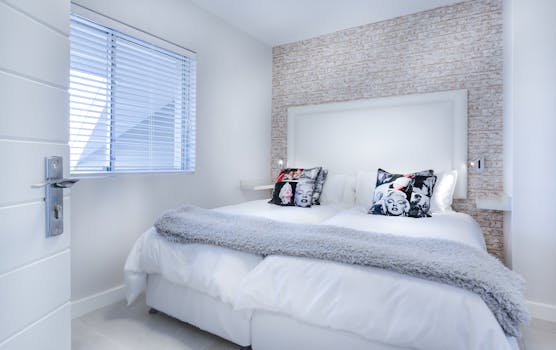
If you want a clear “do this first” approach, use this checklist aligned with an EMF mitigation bedroom setup prioritize strategy:
- Relocate or schedule wireless: Reduce Wi‑Fi and smart device transmissions during sleep hours.
- Remove close electronics: Keep chargers, speakers, and powered devices out of arm’s reach of the bed.
- Improve bed placement: Aim for at least 1 meter from the most outlet- and wiring-active wall when possible.
- Control power draw: Unplug charging bricks and reduce always-on devices near the bed.
- Check electrical integrity: If you suspect grounding or wiring issues, have an electrician evaluate safely.
- Use barriers as refinement: Consider shielding only after source control and distance changes.
When you prioritize this way, you’re not chasing every possible field. You’re reducing the most influential sources during the time that matters most—your sleep.
20.01.2026. 08:22