

HRV Flatline After Wearable: Sensor Fit Data Drift Fixes

What “HRV flatline” looks like after you put on your wearable
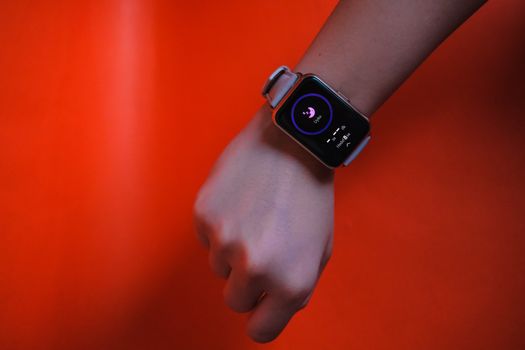
You notice your HRV trend has gone flat—often to a near-constant value—for hours, days, or specific sessions right after you start wearing your device. Sometimes the wearable still shows heart rate numbers, but HRV stops behaving like it normally does. You may also see a sudden drop in the “readiness” score, recovery score, or sleep HRV pattern.
In many cases, the wearable isn’t “breaking.” Instead, the sensor is measuring a less reliable signal. HRV is particularly sensitive to signal quality because it depends on accurate beat-to-beat timing. When the timing gets noisy or biased, the wearable may clamp HRV to a default-like value or produce a stable but incorrect output.
A real-world example: you swap straps, tighten the band for comfort, and start a new run. Later that evening, your HRV during sleep looks like a straight line—little variation from minute to minute. Your resting heart rate still fluctuates normally. That combination is a classic hint that the sensor fit and contact pressure changed enough to cause sensor fit data drift.
Why HRV flatline after wearable causes sensor fit data drift
The phrase “sensor fit data drift” describes a slow or abrupt change in how well the optical sensor couples to your skin. HRV flatlining after a wearable is often the result of one or more of the following causes.
1) Band position and contact pressure changed
Optical HRV depends on consistent light absorption and stable detection of pulsatile signals. If the band shifts even a few millimeters, the sensor can start sampling a different tissue depth or angle. Contact pressure matters too: too tight can compress tissue and alter pulse waveform shape; too loose can increase motion artifact.
Even small changes happen when you:
- Switch wrists or move the watch higher/lower on your forearm
- Change from a thin to a thicker sleeve or wear a different shirt cuff
- Adjust the band after sweating, washing, or changing activity
2) Skin oils, lotion, sunscreen, or sweat create a “moving optical surface”
When you apply lotion or sunscreen, the optical interface can become inconsistent. Sweat also changes the refractive properties and can trap micro-bubbles or create a thin film under the sensor. Over time, this can cause stable-looking but incorrect HRV readings.
If your HRV flatlines after you used a new skincare product, or after a hot day with heavy sweating, this is a likely contributor.
3) Dry skin or callus reduces signal quality
Counterintuitively, very dry skin can also degrade signal. If the sensor sits on rough or flaky skin, the optical contact becomes uneven. You might see “HR looks fine” but HRV becomes flat because the beat timing is less reliable.
4) Motion artifact during waking hours bleeds into calibration for HRV
Some wearables use rolling windows or adaptive filters. If your signal is frequently corrupted by motion—especially during workouts, commuting, or manual work—the device may struggle to lock onto clean pulse timing. HRV can then appear artificially stable for a period as the algorithm settles into a conservative output.
Clues include:
- HRV flatlining starting right after a high-motion activity
- HRV returning to normal the next night after you wear it more consistently
- Other metrics (like “signal quality” or “wear status”) showing intermittent issues
5) Battery, firmware, or sensor aging issues
If the wearable has been in service for a long time, the LED power, photodiode performance, or internal calibration can degrade. Firmware updates can also change how filtering is applied. Battery levels that are low can reduce LED drive or sensor performance. The result is often “less variation” in HRV.
6) “Good fit” on paper, but not good fit for your anatomy
Two people can wear the same device with identical band tightness and get different HRV reliability. Forearm shape, subcutaneous fat distribution, tattoos, scars, and hair density all affect optical sensing. If you have tattoos or a new skin marker over the sensor location, you can see HRV flatten even when the device seems secure.
Step-by-step troubleshooting and repair process
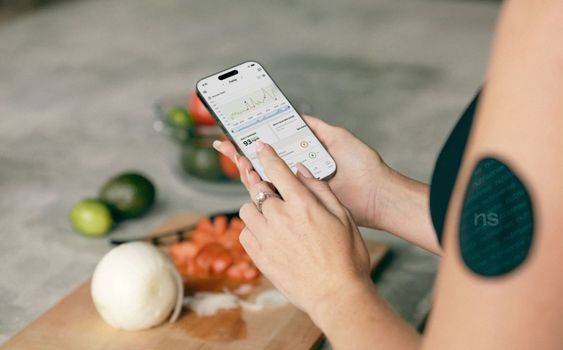
Work through these steps in order. Each step targets a common mechanism behind HRV flatline after wearable causes sensor fit data drift. You’ll know you’re improving things when HRV resumes normal variability within 30–120 minutes of consistent wear (often sooner during sleep, sometimes longer during the day).
Step 1: Confirm the wearable is actually measuring (not just displaying a number)
Open the app and check for indicators like “signal quality,” “wearing status,” “contact,” or “measuring.” Many apps show whether the device is actively tracking. If HRV is flat but the device shows “not enough signal,” treat this as a fit/contact issue first.
If your app doesn’t show signal quality, look for other signs: does the device stop tracking during certain times? Does HRV only flatten during specific activities? That pattern points to motion artifact or poor contact during movement.
Step 2: Remove the band and clean both the sensor and your skin
Do this even if the device looks clean. Optical sensors can accumulate residue that isn’t obvious.
- Wipe the sensor area gently with a dry microfiber cloth.
- If needed, use a lightly damp cloth with water, then dry completely.
- On your wrist/forearm, wash with mild soap and water. Avoid lotion or sunscreen for the next 2–4 hours.
Practical timing: after cleaning, wait 10–15 minutes before re-wearing so your skin returns to a normal temperature and dryness level.
Step 3: Refit using a consistent location and pressure
Refit matters more than most people expect. You want the sensor to sit where the pulse signal is strongest and the device stays stable.
- Put the device on the same wrist you used previously for good HRV results.
- Position it 1–2 finger widths above the wrist bone (or where it previously worked), keeping the sensor centered on the forearm.
- Adjust until you can fit one finger under the band with light resistance, then lock it in place.
Then test stability: move your wrist through a few motions (typing, turning a doorknob, light arm swing). If you feel the device “slides,” tighten slightly—small changes of 5–10 mm in strap length can matter.
Step 4: Check for interference from tattoos, hair, or skin products
Look at the sensor contact area. If you have a tattoo, new ink, a scar, or dense hair that wasn’t there before, HRV can flatten. Hair can act like a light diffuser and increase motion artifacts.
If you used a new skincare product (especially heavy moisturizers), clean and wait. For many users, HRV variability returns after 1–2 hours without product on the contact area.
Step 5: Restart the wearable and force a fresh measurement window
Restarting clears temporary sensor states and helps the device reinitialize its filtering. Then wear it continuously for at least 60–90 minutes.
For best results, choose a period with low motion: sitting, walking gently, or during your evening wind-down. If HRV variability returns quickly during low-motion periods, motion artifact was likely part of the problem.
Step 6: Update firmware and verify battery level
Check whether your wearable firmware is up to date. If it recently updated, the HRV flatline might be algorithm-related; if it’s outdated, signal processing could be less robust.
Also check battery health. If your device is consistently running low (for example, below 20% for long stretches), charge it fully and repeat the fit test. Many optical sensors reduce performance when battery is low.
After charging to full, wear it for a full session (ideally one sleep cycle) before judging HRV trends.
Step 7: Evaluate whether your strap change created a drift
If you switched straps, replaced the band, or changed from one wrist size/adjustment range to another, you may have altered sensor geometry. Even the same brand can have different thickness or stiffness that changes how the sensor sits.
Try returning to the original strap configuration if you can. If you don’t have the original strap, compare strap thickness and buckle position and aim for the same “sensor contact height” each time.
Solutions from simplest fixes to more advanced fixes
Start with the simplest interventions first. Most HRV flatline issues resolve with cleaning and refitting. If not, you’ll need to narrow down whether it’s an algorithm issue, a hardware wear issue, or an environmental factor.
Simplest fixes (often resolves within 1–2 hours)
- Clean sensor + skin: remove lotion/sweat residue. Recheck after 10–15 minutes.
- Refit with consistent placement: centered over the pulse area; avoid sliding. Adjust tightness in small increments.
- Reduce motion for a test window: sit quietly for 20–30 minutes and watch whether HRV begins to vary again.
- Avoid product on the contact area: no sunscreen/lotion 2–4 hours before wearing for HRV tracking.
If HRV variability returns during the low-motion test, you’ve likely corrected the sensor fit data drift. Keep the same fit for the next 24 hours and confirm the trend normalizes.
Intermediate fixes (use when simple refit doesn’t restore HRV variability)
- Try a different wrist: if your device supports it, switch wrists for 1–2 days. This helps rule out anatomy-specific signal quality.
- Change clothing sleeve interference: if a cuff rides up and pushes the device, wear a different sleeve style or ensure the cuff doesn’t press the band.
- Standardize sleep wear: wear it in the same position for sleep. For many users, nighttime HRV is more stable and easier to diagnose than daytime HRV.
- Check for firmware changes: if the issue started right after an update, keep the device on a stable fit for one full day and see if HRV returns to baseline by the next night.
Practical example: you refit after cleaning, but HRV stays flat during workouts. Then you wear it on the other wrist during the next workout. If HRV becomes more variable there, motion + fit geometry on your original wrist is likely the driver.
Advanced fixes (when you suspect hardware or persistent drift)
- Reset and re-pair: remove the device from Bluetooth settings and re-pair in the app. This can clear corrupted calibration states.
- Use a different band style: if available, test a strap with similar thickness and firmness. Some third-party or replacement bands change how the sensor loads against the skin.
- Inspect the sensor area for wear: check for scratches, clouding, or residue that won’t come off. If the sensor window is damaged, optical performance can degrade.
- Check environmental factors: extreme cold or very hot conditions can affect skin perfusion and signal stability. Warm up your wrist before wearing if you’ve been outdoors in freezing weather.
Soft product integration: accessories that can help stabilise contact
If you’ve tried cleaning and refitting but the device still shifts, you may benefit from a strap that improves stability. Many people find that a slightly firmer band or a strap with better micro-adjustment reduces sliding during sleep. If you use a wearable ecosystem (for example, a Garmin-style or Oura-style band), keep the sensor contact area consistent and avoid straps that change sensor angle.
For optical HRV devices, the goal isn’t “more tight.” It’s consistent contact. A good accessory is one that prevents drift without over-compressing your skin.
When replacement or professional help is necessary
Most HRV flatline after wearable causes sensor fit data drift issues resolve with fit and signal quality improvements. Replacement is usually last, but there are times you should escalate.
Consider replacement or warranty support if you see these patterns
- Persistent HRV flatline across multiple refits: after cleaning, refitting, switching wrists, and re-pairing, HRV remains flat for 3–7 consecutive days.
- Signal indicators show chronic poor quality: the app repeatedly flags “weak signal” even when you wear it correctly and motion is minimal.
- Physical sensor damage: the sensor window is scratched, clouded, or cracked. Optical sensors can’t perform reliably with damaged surfaces.
- HRV flatlines while heart rate looks normal: the device can still detect heart rate, but beat-to-beat timing is consistently unreliable—sometimes suggesting sensor performance degradation.
When to seek professional help
Professional help isn’t usually needed for the wearable itself, but it can be relevant if you notice health-related symptoms alongside abnormal readings. If you experience dizziness, chest pain, fainting, or severe shortness of breath, treat it as a medical issue first and contact a clinician promptly.
For troubleshooting HRV specifically, you can also consider discussing your findings with a healthcare professional if the device consistently reports abnormal recovery patterns and you have risk factors—especially if you’re using HRV to guide training decisions.
How to decide whether your issue is “data drift” vs “algorithm lock”
Use this decision rule during your troubleshooting window:
- If HRV variability improves within 60–120 minutes after cleaning and refitting, your issue is almost certainly sensor fit data drift.
- If HRV stays flat even during low-motion rest after correct refit, shift to deeper steps: restart, re-pair, update firmware, and test different strap/wrist.
- If none of that changes the pattern after several days, hardware performance or sensor aging becomes more likely.
A practical 48-hour troubleshooting plan you can follow
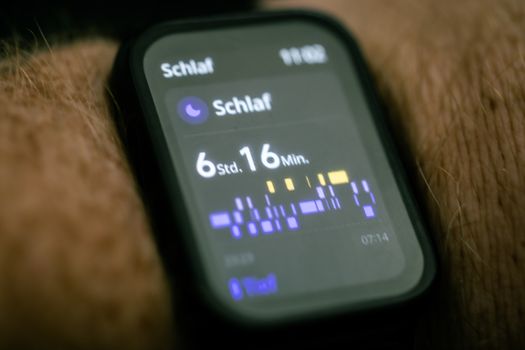
Here’s a concrete plan you can run without guesswork.
Day 1 (fit + signal quality)
- Morning: clean sensor and skin; refit in the same location; confirm the device shows active measurement.
- Midday test: sit quietly for 20–30 minutes. Watch whether HRV starts to vary rather than staying flat.
- Evening: repeat the refit if you notice any sliding. Avoid lotion/sunscreen on the contact area.
If HRV begins to behave normally, keep the same fit for the next night.
Day 2 (isolate motion + check firmware)
- Before workouts: ensure the band is secure and centered. Do a quick “wrist motion test” so it doesn’t slide.
- After firmware check: update if needed (or verify you’re already current). Fully charge the device if battery has been low.
- Night: wear it consistently. Sleep HRV should show natural variation if the sensor fit is stable.
If HRV remains flat through sleep and through multiple refits, move to re-pair and strap/wrist tests.
Common mistakes that keep HRV flat
These are the traps that prolong troubleshooting and make you think the wearable is failing when it’s really a fit or interface issue.
- Wearing it “where it feels comfortable” instead of where it’s stable over the pulse area.
- Over-tightening: it can reduce motion artifacts briefly but can also distort the pulse waveform through compression.
- Assuming cleaning is unnecessary because the sensor looks clean. Residue can be invisible but still affect optical coupling.
- Changing multiple variables at once: new strap, new wrist, new skincare, new activity. You can’t isolate the cause if everything changes.
- Judging HRV after a single short session: for some wearables, you need 30–120 minutes of consistent contact to see stable correction.
How to interpret recovery and HRV trends once the drift is fixed
When the sensor fit data drift is corrected, you should see HRV variability return. That doesn’t mean every number will match your past baseline immediately. Your body’s physiology changes day to day—stress, sleep quality, hydration, and training load all affect HRV.
Use the trend, not one datapoint. After you fix fit/contact, give yourself at least 1–3 nights and several measurement windows to confirm the pattern is consistent. If the wearable’s HRV returns to normal variability but your recovery score still looks off, that’s more likely physiological than sensor-related.
Bottom line: treat HRV flatline as a signal quality problem first
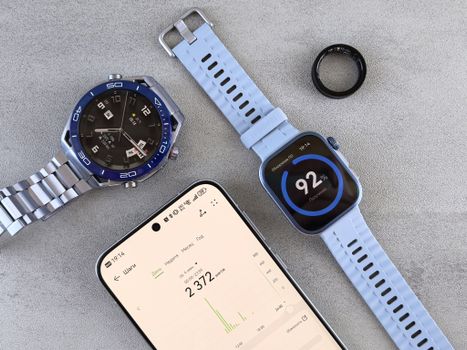
HRV flatline after wearable causes sensor fit data drift is usually not a mysterious health event. It’s most often a contact stability issue—position, pressure, skin interface, motion, or sensor performance. By cleaning the sensor and skin, refitting with consistent placement, and running a short low-motion test window, you can quickly determine whether you’re dealing with measurement drift.
If the readings stay flat despite correct fit, stable conditions, and fresh initialization (restart, re-pair, firmware update, and strap/wrist testing), then it’s reasonable to escalate to warranty support or replacement. Softly, you’ll save yourself days of confusion—and your HRV data will become usable again for tracking recovery.
19.05.2026. 07:06