

Accelerometer Training Load vs Soreness: Troubleshooting Mismatches

Overview: when accelerometer load and soreness don’t line up
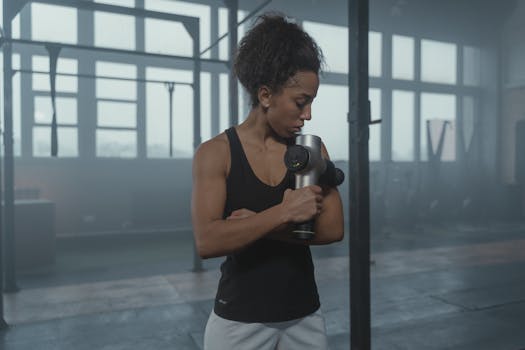
You expect a reasonable relationship between what your wearable records (accelerometer training load) and how you feel later (muscle soreness). When those signals disagree—high load with little soreness, or low load with significant soreness—it usually points to something specific: how the device estimates load, how the sensor is worn, what activity you actually did, or how your body is responding.
Common symptoms include:
- High training load but minimal soreness after the session.
- Low training load but noticeable soreness the next day or two.
- Large day-to-day load swings that don’t match perceived effort.
- Load spikes during non-training movement like commuting, yard work, or lifting.
- Inconsistent soreness timing (delayed soreness beyond what you’d expect from the same type of workout).
This guide focuses on troubleshooting the gap between accelerometer training load vs soreness—using a diagnostic, step-by-step approach that starts with the simplest checks and moves toward more advanced causes.
Most likely causes of mismatched accelerometer training load and soreness
Before changing anything, it helps to understand what accelerometer-based load can and cannot capture. Most watches and bands estimate training load from motion intensity and patterns. Soreness, meanwhile, is driven by muscle damage, metabolic stress, technique, and recovery—not just movement intensity.
The most common causes are listed below.
- Sensor placement and fit issues: a loose strap, a slightly rotated watch, or inconsistent placement can change how acceleration is measured.
- Activity type mismatch: accelerometers often estimate load differently across cycling, rowing, running, and strength training. Strength sessions may produce low accelerometer “impact” while still causing high muscle soreness.
- Non-exercise motion contaminating load: carrying groceries, stairs, walking at work, or shoveling can inflate load even when you didn’t “train.”
- Timing and recovery differences: soreness can peak 24–72 hours later and can be amplified by sleep debt, stress, low carbohydrate intake, dehydration, or prior training.
- Training stimulus changes: eccentric emphasis (downhill running, lowering phases of lifting, plyometrics) often causes more soreness than concentric-only work, even if accelerometer load looks similar.
- Device calibration and settings: incorrect body weight, stride length assumptions, or activity detection settings can skew estimates.
- Firmware or algorithm changes: updates sometimes modify how load is computed, which can temporarily break your personal expectations.
Use the troubleshooting steps below to isolate which category is responsible for your pattern.
Step-by-step troubleshooting: verify the device is measuring what you think
1) Confirm the sensor fit and placement are consistent
Start with the physical basics. Wearables that use accelerometers are sensitive to fit.
- Wear the device the same way each time (same wrist/hand, same height above the wrist bone).
- Ensure the strap is snug enough that the device doesn’t slide during running or lifting.
- Check for hair or clothing interference that can change how the device sits under load.
Diagnostic clue: if load values vary widely on similar workouts when your strap feels “looser” or the device rotates, the mismatch may be measurement noise rather than a true training difference.
2) Identify whether non-training activity is inflating load
Many training load metrics include all-day movement and then try to separate “workouts” from general activity. If the separation is imperfect, you can see load that doesn’t match soreness.
- Review the activity timeline for the day: look for long stretches of high motion outside structured training.
- Pay attention to manual tasks (cleaning, carrying, yard work) and long commutes.
- Compare with a day when you felt sore but were sedentary outside training—does the wearable still show a high load?
What to do: for the next 2–3 sessions, keep everything else as consistent as possible (or at least note major non-training movements) so you can interpret the load values correctly.
3) Check whether your activity type selection matches the workout
Accelerometer load estimation depends heavily on the activity profile. If you choose the wrong mode, the device may apply the wrong model.
- For strength training, ensure you’re using a strength or gym activity mode rather than a generic “walk” or “cardio.”
- For cycling, confirm the mode is set to cycling (even if your device doesn’t use power data, mode selection can change how it interprets motion).
- For intervals, make sure the workout is started promptly and ended correctly so the device doesn’t treat parts of it as general movement.
Diagnostic clue: if soreness is high after sessions that were logged as a low-impact activity, the mismatch is often an activity classification problem.
4) Verify timing: match soreness onset to the session window
Soreness usually peaks later than the training event. If you evaluate soreness immediately after training, you’ll misattribute the cause.
- Track soreness for 48–72 hours after key sessions (legs, back, shoulders—whatever you trained).
- Note whether the soreness appears after the “highest load” day or after a prior session.
- Account for travel days or late nights, which can shift soreness timing.
Diagnostic clue: if the wearable shows a moderate load but you’re sore 2 days later, the actual stimulus may be the earlier session with delayed recovery effects.
5) Look for eccentric and technique differences that don’t show up as “impact”
Accelerometers are good at capturing motion intensity and impact, but soreness is strongly influenced by eccentric loading.
- Were you doing more lowering phases, slower reps, downhill work, or plyometrics than usual?
- Did you change form (longer strides, heavier weights, deeper range of motion)?
- Did you switch surfaces or shoes for running?
Interpretation: a session that feels “controlled” can still cause high soreness if it’s eccentric-heavy, even when accelerometer load seems modest.
Solutions from simplest fixes to more advanced fixes
Start with the basics: reset your measurement consistency
- Re-fit the device (snug, consistent placement).
- Use the correct workout mode when you start training.
- Keep strap tension and wrist position consistent across days.
After making these changes, evaluate over 2–4 weeks rather than 1 day. Wearables can be sensitive to small differences, and soreness is rarely caused by a single session alone.
Reduce load contamination from everyday motion
- When possible, separate “training days” from high non-training movement days.
- For strength sessions, consider logging them as a dedicated strength activity so the wearable can focus on workout context.
- If your device allows it, confirm that “auto-detected workouts” are enabled and that manual workout start/stop is accurate.
If the mismatch disappears when you isolate training from daily motion, you’ve found the root cause.
Align device settings with your body and activity
Many accelerometer load systems rely on user profile inputs and internal assumptions.
- Confirm your body weight/height are correct in the wearable app.
- Check activity detection settings (especially for strength and interval logging).
- Review firmware settings that influence load calculations or recovery estimates.
Diagnostic clue: if the wearable only matches soreness after you adjust settings, your previous configuration likely skewed the algorithm.
Update firmware carefully and re-calibrate expectations
Firmware updates can change how accelerometer signals are converted into training load. If your mismatch began after an update:
- Update fully (don’t leave the device half-upgraded).
- Allow a week for the system to stabilize its baseline (some apps learn your patterns over time).
- Rebuild your personal interpretation: don’t force the old relationship to hold immediately.
If the mismatch persists long-term after updates, proceed to the more advanced checks below.
Cross-check with a second measurement source
Accelerometers measure motion; they don’t directly measure muscle damage. If you have the option to add complementary data, use it to validate whether the load estimate is the problem.
- If your wearable supports it, compare with heart-rate-based training load for the same sessions.
- For strength training, use session notes: sets, reps, load, and especially eccentric emphasis (tempo) to see whether soreness correlates better with training stimulus than with accelerometer load.
Interpretation: if heart-rate load matches your perceived effort while accelerometer load doesn’t, the accelerometer model may be underestimating your stimulus style (common for lifting and eccentric work).
Inspect for hardware or sensor degradation
If the mismatch is consistent and extreme—such as near-zero load during workouts where you definitely moved intensely—hardware issues can be involved.
- Clean the sensor area according to the manufacturer’s instructions (dirt, sweat residue, and skin oils can interfere).
- Check for physical damage to the housing or strap that could affect sensor contact.
- Test the device on a simple controlled activity (e.g., a consistent run or brisk walk) and compare the load behavior to your usual pattern.
Diagnostic clue: if load is erratic across all activity types and doesn’t resemble your baseline, hardware performance may be degraded.
When replacement or professional help is necessary
Most accelerometer training load vs soreness mismatches are resolved through fit, logging, and interpretation. Replacement or professional help becomes relevant when the device shows persistent measurement failures.
Consider replacement or a service request if:
- The wearable records obviously incorrect data (e.g., training load spikes during stillness, or near-zero load during clear workouts).
- Cleaning and re-fitting do not restore consistent behavior over multiple weeks.
- There are repeated sensor-related errors in the app (sync failures, calibration warnings, or missing motion data).
- You’ve ruled out activity logging and settings issues, but the discrepancy remains extreme across different workout types.
If you’re using a dedicated wearable like an accelerometer-based training tracker (including common brands in the running and general fitness space), the manufacturer’s support process is usually the fastest route when hardware faults are suspected. If the device is functioning correctly but soreness patterns remain unpredictable, the issue may be biological (recovery, sleep, nutrition, stress) rather than technical—so focus on training stimulus and recovery tracking rather than forcing the wearable to “agree.”
In short: treat accelerometer training load as an estimate of movement intensity, not a direct readout of muscle damage. With careful troubleshooting—fit, activity mode, contamination, timing, and settings—you can usually narrow the gap and interpret your wearable more accurately.
03.03.2026. 20:37