

Wearable Sensor Accuracy Protocol for HRV, Respiration & Activity

Goal: produce reliable HRV, respiration, and activity data from wearables
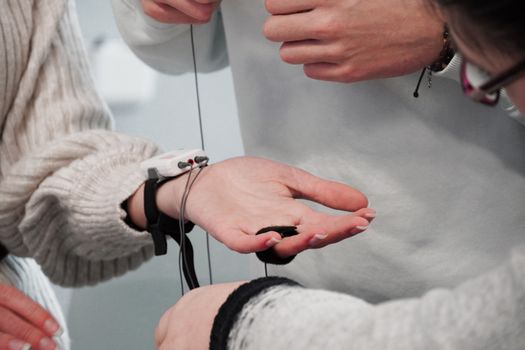
Wearables can capture HRV, respiration-related signals, and activity patterns continuously—but accuracy depends heavily on sensor fit, signal quality, and how you structure data collection. This protocol is designed to help you standardize conditions so your HRV and respiration outputs are consistent across days and meaningful for training, recovery, and research-style self-monitoring.
You’ll follow a repeatable routine: set up your device, verify placement and skin contact, run short calibration checks, define “good data” criteria, and troubleshoot common failure modes. The result is a practical workflow you can apply every time you start a measurement period, whether you’re assessing morning readiness, tracking sleep trends, or logging a training block.
Preparation: what you need before you start
Before running the protocol, gather the essentials and reduce sources of variability.
- Wearable device(s): ideally one primary wearable you’ll use consistently for HRV and respiration. If you use multiple devices, treat them as separate measurement systems and don’t mix data without acknowledging differences.
- Chest strap (optional but strongly useful): for validating HRV and beat-to-beat timing when you want a reference-quality signal. Many athletes use a chest strap because it typically improves ECG-like timing compared with wrist-only PPG.
- Clean, well-hydrated skin: avoid heavily moisturized or oily skin that can reduce optical sensor contact. If you sweat a lot, consider a quick wipe and dry the area before measurements.
- Consistent placement: most wrist devices perform best when worn snugly on the same wrist and positioned correctly (often slightly above the wrist bone). Decide the placement and keep it consistent.
- Time windows: choose specific periods for HRV and respiration measurement (e.g., morning seated baseline, bedtime window, or post-exercise recovery). Consistency matters more than length.
- Power and data sync: ensure the device has sufficient battery and that you can sync and review the raw or quality metrics after the session.
Recommended setup habits: wear the device for a few days before formal data collection so you can learn your fit and watch for skin irritation. If your wearable supports it, enable features that improve signal quality (for example, “continuous HR” or “sleep monitoring” modes), but keep settings stable across sessions.
Step-by-step wearable sensor accuracy protocol for HRV, respiration, and activity
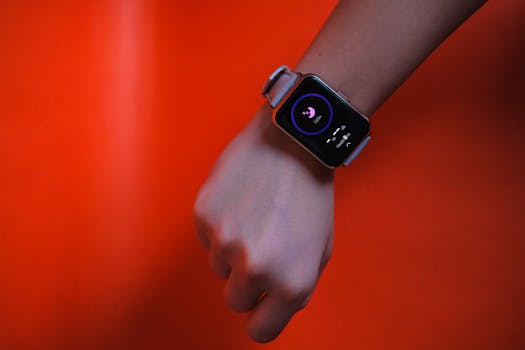
1) Standardize device settings and measurement mode
Accuracy starts with configuration. Decide what you will measure and keep the settings fixed.
- Set the device to the measurement mode you plan to use most often (sleep tracking, continuous HR, or activity tracking).
- Verify HRV settings if available. Some platforms allow HRV calculation windows or “readiness” features; keep them consistent.
- Confirm timezone, clock accuracy, and user profile details (age, sex, height/weight). Incorrect profile data can affect derived metrics and normalization.
Practical example: If you’re collecting morning readiness, always use the same “morning window” logic in the app (or manually note the start time) and keep the device mode unchanged.
2) Fit the wearable to minimize motion artifacts
Most HRV and respiration errors come from motion, poor contact, or inconsistent placement. Your job is to reduce those variables.
- Put the band on snugly—snug enough that the sensor doesn’t shift when you move your wrist, but not so tight that it causes numbness or marks.
- Position the sensor correctly relative to the wrist bone. If your device has a recommended fit marker, use it every time.
- Check for sensor slip during normal movement (typing, walking, lifting a light object). If the device slides, tighten slightly or adjust placement.
- After 2–3 minutes, re-check tightness. Some bands loosen slightly after initial wear.
Common signal-quality cue: if the app shows low-quality heart rate or frequent “signal lost” indicators, treat that as a fit problem first—not a data problem.
3) Prepare skin contact for consistent PPG and respiration sensing
Respiration signals derived from wrist PPG (or sensor fusion) are especially sensitive to contact quality. Do a quick skin preparation step before your measurement window.
- Clean the sensor area with a mild wipe if you’ve been sweating or have lotion residue.
- Dry the skin thoroughly. Wet skin can cause optical scattering and unstable contact.
- Avoid measuring immediately after applying heavy moisturizers or sunscreen to the sensor site.
- If you have very dry skin, a small amount of skin-safe barrier (used consistently) can help stability—test it once and keep the routine constant.
4) Run a short “signal lock” check before you start collecting HRV
Instead of starting measurement immediately, confirm the device is producing stable beat detection and stable respiration-related signals.
- Start the measurement session in your chosen mode.
- Remain still for 3–5 minutes (seated, relaxed posture, minimal arm movement).
- Watch for quality indicators: stable HR reading, fewer dropouts, and a respiration trace that appears continuous (if your app visualizes it).
- If the wearable supports it, check HRV readiness or signal quality scores. If quality is low, stop and fix fit/contact before continuing.
Practical example: For morning HRV, sit quietly before the baseline window. If the device struggles during the first minutes, adjust the band position and wait for signal stabilization before logging the baseline.
5) Define your HRV collection conditions and keep them consistent
HRV is highly sensitive to activity, posture, and breathing patterns. Use controlled conditions so your measurements reflect physiology rather than measurement variability.
- Choose a posture: seated or lying down for baseline HRV. Avoid standing unless you intentionally track orthostatic HRV.
- Control movement: keep the same arm and minimal gestures. Even small wrist motions can degrade PPG timing.
- Control breathing: for baseline comparisons, avoid intentional breath holds or unusual breathing patterns.
- Use a consistent time of day when possible (circadian effects are real). Morning baselines are common because they reduce confounders.
Data rule: if you experience coughing fits, significant talking, or a sudden movement during the HRV window, treat that segment as non-comparable and exclude it from trend analysis.
6) Collect respiration data using a repeatable breathing and posture protocol
Wrist-derived respiration metrics can be influenced by movement and changes in breathing depth. Standardize your respiration conditions so “respiration activity” reflects respiratory behavior rather than artifacts.
- Set posture: seated or lying down, same position each time for comparability.
- Keep arm still and avoid talking during the respiration measurement window.
- Breathing: use natural breathing for baseline respiration activity. Avoid deliberate deep breathing unless you’re testing a specific intervention.
- For training-day respiration tracking, record the exact activity phase (warm-up, steady work, cool-down). Don’t mix phases in analysis.
Practical example: If you track evening recovery, do it after a standardized cool-down and rest period. Start the measurement after you stop walking and remain still for a couple of minutes.
7) Validate wearable HRV and respiration quality with a reference check
Validation doesn’t require lab equipment. You can perform practical checks to understand how your wearable behaves for your body and your habits.
- If you have a chest strap, run a short session (10–20 minutes) in a controlled posture.
- Compare overall HRV trend direction and stability rather than obsessing over exact numeric matching. The goal is to confirm your wearable is responsive and consistent.
- For respiration, compare general breathing rate patterns when you can observe your own breathing frequency, or use a respiration reference if you have one.
- Repeat validation on another day. If results vary wildly, treat it as a fit/contact problem or a behavior confound.
Important mindset: wearables differ in signal processing. Validation is about knowing your device’s reliability under your protocol, not forcing identical outputs to a reference at all times.
8) Verify activity tracking alignment with HRV and respiration windows
Activity influences HRV and respiration; if activity and HRV/respiration windows overlap inconsistently, your conclusions will be noisy.
- Start activity logging at the same moment each session (or use a consistent app workflow).
- For recovery HRV, separate the measurement window from active phases by a fixed rest period (for example, after you stop moving).
- For post-exercise respiration activity, segment by exercise phases rather than using one continuous block that includes warm-up and cool-down.
- Review whether the wearable’s “active” detection matches your expected behavior. If it marks rest as activity, your baseline HRV and respiration analysis will degrade.
Practical example: If you run intervals, don’t compute “readiness” metrics during the cooldown walk. Instead, define a clear rest window after you stop moving.
9) Apply a “data quality gate” before using HRV and respiration outputs
Even with good fit, some segments will be unusable. Create a simple quality gate to protect your analysis.
- Exclude windows where the wearable reports poor signal quality, frequent dropouts, or “signal lost.”
- Exclude windows with obvious motion artifacts: sustained wrist movement, fidgeting, or device shifting.
- For HRV trend analysis, use only segments that meet the wearable’s internal quality criteria (if shown in the app).
- For respiration activity, exclude segments where the respiration trace is discontinuous or highly erratic in a way that doesn’t match your behavior.
Practical rule: keep a simple log of what you were doing during the window. When something looks odd, the log often reveals why (sleep interruption, device shift, stressor, or unusual movement).
10) Troubleshoot common issues systematically
When accuracy drops, avoid random fixes. Use a structured approach: identify whether the cause is fit/contact, motion, physiology, or settings.
- Problem: HRV values jump erratically day to day
- Check band tightness and placement. Compare how it looks in the same mirror position each time.
- Confirm you’re using the same posture and time window.
- Look for confounders: caffeine timing, alcohol, illness, poor sleep, or unusually intense activity the day before.
- Problem: respiration activity looks noisy or unrealistically fast/slow
- Minimize wrist motion and talking during the window.
- Verify skin contact: sweat residue and lotion can destabilize optical sensing.
- Use a consistent posture and avoid bedding shifts or restless movements during sleep if possible.
- Problem: frequent “signal lost” during still periods
- Reposition the sensor slightly above the wrist bone and re-check snugness.
- Try the other wrist if the device supports it, but keep it consistent once you choose.
- Check for skin conditions (dryness, irritation, scarring) that interfere with contact.
- Problem: activity data doesn’t match what you did
- Ensure the activity mode is started correctly and that GPS (if used) is enabled when needed.
- For workouts with low arm swing (cycling, rowing with controlled hands), consider how the wearable detects motion and confirm it’s capturing the intended activity.
Common mistakes that reduce HRV and respiration accuracy
- Changing band position between sessions: even a small shift can alter optical path length and beat detection quality.
- Measuring right after a shower or applying lotion: residue can create inconsistent sensor contact.
- Starting HRV/respiration windows while still moving: the first minutes often include stabilization artifacts.
- Mixing posture types: seated baselines won’t match lying baselines because autonomic tone differs.
- Using low-quality segments: if the device indicates poor signal or dropouts, including those segments will corrupt trends.
- Over-optimizing for “numbers”: different devices output HRV with different algorithms; focus on stable measurement under your protocol.
- Ignoring recovery confounders: sleep disruption, stress, fever, and medication can change HRV and respiration regardless of sensor accuracy.
Additional practical tips and optimization advice for better sensor performance
Use consistent timing for baseline and recovery windows
Pick a stable routine. For example, measure HRV baseline in the morning after waking, after bathroom use, and before major movement. For sleep, keep bedtime and wake time consistent so the wearable’s respiration and HRV segments correspond to similar physiological states.
Control motion during respiration-focused sessions
If you’re specifically tracking respiration activity, treat it like a measurement: sit quietly, keep your forearm supported, and avoid gesturing. Even if the wearable tracks HR continuously, respiration extraction can still suffer from motion artifacts.
Consider validation sessions when you change something
Any change can affect accuracy: swapping wrists, changing band tightness, switching to a new band material, or modifying how you wear the device (for example, sleeve position). Run a short validation check after the change so you can confirm that your protocol still produces stable signals.
Track skin tolerance and adjust contact strategy
Better contact often means snug fit. But skin irritation can worsen signal quality. If you notice redness or itching, reduce wear time on the irritant side temporarily, then return to the same fit strategy once skin stabilizes. Consistency beats improvisation.
Segment your analysis by context instead of averaging everything
Activity, stress, and breathing patterns change the physiology you’re measuring. Rather than averaging across very different contexts, segment your data: baseline seated HRV, post-exercise recovery HRV, and respiration activity during rest versus during steady training.
Use a repeatable log of behaviors and events
A simple notes habit prevents false conclusions. Record: caffeine timing, late meals, unusual workouts, poor sleep, travel, and any device-related issues (band shifted, signal lost, skin irritation). When you see a surprising HRV or respiration pattern, your log helps you decide whether it’s physiology or measurement quality.
When you need higher confidence, add a reference sensor for short periods
If your goal involves decision-making or research-like monitoring, use a reference-quality HR signal periodically. A chest strap can help you verify HRV stability and beat timing during a short session while you keep the rest of the protocol consistent. For respiration, if you have access to a respiration reference method, validate a few sessions to understand how wrist-derived respiration tracks your actual breathing.
Choose one primary device and keep the workflow stable
Wearables differ in sensor hardware and processing pipelines. To minimize variability, select one primary device for your HRV and respiration protocol and use it consistently. If you must use multiple devices (for example, one watch and one tracker), treat them as separate datasets and validate each with the same steps.
How to apply the protocol in real-world scenarios
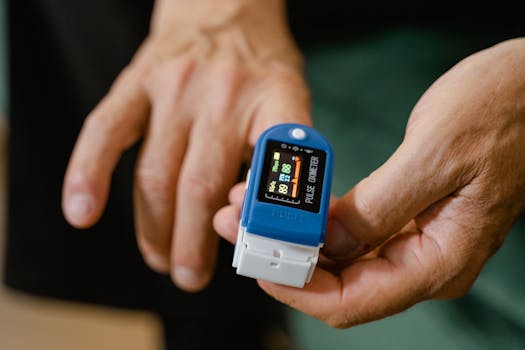
Morning baseline readiness routine
- Wear the device in the same wrist and position as usual.
- After waking, sit quietly for 3–5 minutes before starting the baseline window.
- Keep breathing natural and avoid talking or moving your arms.
- Confirm stable signal quality indicators.
- Log anything that could confound HRV (poor sleep, alcohol, illness, unusually intense late workout).
Evening respiration activity tracking
- Stop activity and settle into a consistent posture (seated or lying down).
- Minimize talking and keep your forearm supported.
- Start the respiration window after a brief stillness period to reduce motion artifacts.
- Exclude segments with obvious interruptions (coughing, strong arm movement, getting up).
Post-workout recovery HRV window
- Start activity logging correctly so the wearable knows when exercise ends.
- After the workout, rest for a consistent period before beginning HRV measurement (choose a fixed duration).
- Keep the arm still and avoid fidgeting during the measurement window.
- Use a data quality gate: if the device shows signal instability during rest, redo the measurement after fit/contact correction.
When the wearable struggles during sleep
- Before bedtime, ensure the band is snug but not overly tight.
- Check placement and avoid shifting the device during the evening routine.
- If your sleep involves frequent arm movement, consider how that affects sensor contact and plan your analysis to focus on the most stable sleep segments.
- If possible, run a validation session on another night where you can observe whether the issue is fit/contact versus normal sleep movement.
Final checklist to confirm measurement reliability
- Settings are unchanged across sessions.
- Band placement and snugness are consistent and verified after a few minutes.
- Skin contact is clean and dry at the sensor site.
- You run a short signal lock check and wait for stable quality indicators.
- HRV windows use consistent posture, minimal movement, and controlled time-of-day.
- Respiration activity windows use consistent posture and natural breathing without talking or arm motion.
- Activity windows are segmented so HRV/respiration analysis doesn’t mix contexts.
- You exclude low-quality segments using the wearable’s signal indicators and observable artifacts.
- You troubleshoot systematically when accuracy drops instead of changing multiple variables at once.
By following this wearable sensor accuracy protocol HRV respiration activity workflow, you create a repeatable measurement system. That consistency is what turns raw wearable outputs into data you can trust for trends, comparisons, and informed decisions—without chasing unrealistic expectations of perfect lab-level agreement.
24.03.2026. 21:04