

HRV vs Resting Heart Rate Disagree: Troubleshooting Guide

When HRV and resting heart rate disagree, what’s going on?
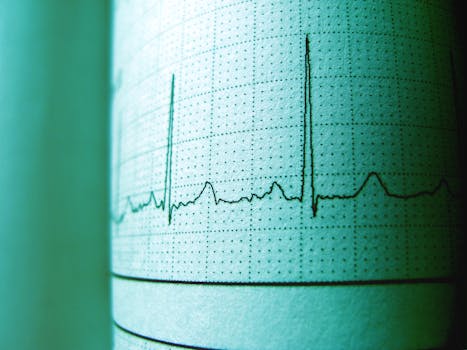
It’s common to notice a mismatch between HRV (heart rate variability) and resting heart rate. For example, your resting heart rate may rise while HRV drops, suggesting stress or recovery problems. But sometimes the opposite happens: HRV improves while resting heart rate increases, or HRV declines while resting heart rate stays stable. This can feel confusing, especially if you use these metrics to track recovery, training load, illness risk, or sleep quality.
The key is that HRV and resting heart rate are related but not measuring the same physiological “signal.” When they disagree, the most likely causes are not usually mysterious biology—they are often measurement timing, sensor quality, signal processing differences, or short-term factors that affect one metric more than the other.
This troubleshooting guide focuses on practical checks you can do step by step, from the simplest fixes to more advanced investigations, so you can interpret the data more reliably.
Most likely causes behind HRV vs resting heart rate disagreement
Before you change training or lifestyle decisions, rule out the common reasons the metrics look contradictory.
- Different measurement windows and conditions. Resting heart rate is often calculated over a broader “rest” period, while HRV is typically computed from a narrower segment of clean R-R intervals (often during sleep). If the device samples at different times or under different motion/quality conditions, they can diverge.
- Sensor contact and skin perfusion changes. Poor electrode contact, loose watch fit, dry skin, sweat, cold hands, or movement artifacts can distort HRV more than resting heart rate. HRV is sensitive to signal quality because it depends on accurate beat-to-beat timing.
- Sleep disruption vs daytime recovery. HRV is strongly influenced by sleep quality and autonomic state. If you had fragmented sleep, alcohol, late meals, stress, or illness symptoms, HRV may drop even if your resting heart rate doesn’t change much yet—or vice versa.
- Hydration and electrolyte effects. Dehydration and electrolyte imbalance can raise resting heart rate and lower HRV, but the timing can vary. Some people see resting heart rate changes first; others see HRV changes first.
- Training load and fatigue dynamics. High-intensity sessions, long endurance days, or heavy strength training can affect HRV and resting heart rate differently. HRV may reflect parasympathetic recovery sooner, while resting heart rate may lag or respond more to overall sympathetic tone and thermoregulation.
- Normal day-to-day variability and “baseline drift.” HRV naturally fluctuates with respiration patterns, stress, and circadian rhythm. Resting heart rate can also vary with temperature, caffeine, and sleep duration. If you’re looking at a single day, disagreement may simply reflect normal variance.
- Algorithm differences across devices and apps. Even when two metrics both claim to be “HRV,” they may use different methods (time-domain vs frequency-domain, different artifact rejection, different sampling windows). If you changed devices, firmware, straps, or settings, disagreement can appear abruptly.
Step-by-step troubleshooting and repair process
Use this sequence to isolate the cause. The goal is to determine whether the disagreement is primarily a measurement problem, a timing/context problem, or a real physiological shift.
Step 1: Confirm you’re comparing the same type of HRV
Check your app for whether it reports HRV during sleep, HRV “resting,” or a daily summary. Resting heart rate may be calculated differently (for example, during “inactivity” windows). If your device allows it, look at the HRV method or the sampling period. If the HRV is computed from a short sleep segment while resting heart rate is averaged over a longer window, disagreement is more likely.
If you recently changed watch placement, firmware, measurement mode, or moved to a different app, treat the mismatch as potentially algorithmic until the next several nights confirm the pattern.
Step 2: Improve sensor quality for 3–5 days
HRV is often the first metric to suffer from signal issues. Do these checks consistently for several nights:
- Wear fit: Ensure the sensor sits firmly against the skin without being painfully tight. If you can slide it easily, it may lose contact during sleep.
- Skin prep: Clean the skin and remove lotion residue. If you have very dry skin, lightly hydrate the area beforehand.
- Temperature and circulation: Cold environments and poor peripheral circulation can reduce signal quality. Warm up before bed and avoid wearing it over thick hair or scar tissue.
- Motion artifacts: If your sleep is restless, HRV may be computed from fewer clean intervals. Many apps show a “data quality” indicator—use it.
- Consistent placement: Keep the watch in the same position each day (often 1–2 finger widths above the wrist bone) and avoid switching wrists.
After you stabilize the sensor setup, compare trends rather than single-day values. A true physiological change should usually persist across multiple days, while sensor artifacts often create abrupt, inconsistent swings.
Step 3: Align your interpretation with timing
Ask what changed in the hours before the measurement. Try to match the HRV window to your behaviors:
- Evening alcohol: HRV often shows impairment during sleep even when resting heart rate looks only mildly affected.
- Late caffeine or stimulants: Resting heart rate may rise while HRV may show mixed results depending on sleep timing.
- Stress and mental load: HRV can drop quickly, sometimes without an immediate resting heart rate increase.
- Illness onset: HRV may fall first during early immune activation; resting heart rate may lag.
- Heat exposure: Resting heart rate can rise from thermoregulation even with preserved HRV.
If your resting heart rate increased after a hot day or a late meal, but HRV remained stable, that may reflect temperature and circulation effects more than recovery status.
Step 4: Check for “data quality” flags in your app
Most reputable wearable ecosystems include some form of confidence score, signal quality indicator, or notes about insufficient data. If HRV is computed from low-quality data, disagreement with resting heart rate becomes more likely.
When you see low-quality HRV or missing segments, prioritize sensor fixes over interpretation. If your resting heart rate looks normal but HRV is low-quality, treat HRV as less trustworthy for that day.
Step 5: Evaluate recovery context using a simple 3-factor triage
Instead of relying on a single metric, triage the likely physiological direction with three practical checks:
- Sleep continuity: Did you wake up more than usual, get less total sleep, or feel unrefreshed?
- Autonomic stressors: Alcohol, caffeine timing, major work stress, and heavy training in the last 24–48 hours.
- Body stress signals: Soreness, perceived fatigue, unusual soreness in tendons/muscles, or early cold/fever sensations.
If HRV is low but you also slept poorly and feel run down, the disagreement likely reflects real strain. If HRV is low but sleep and stressors were normal and sensor quality is good, the cause may be measurement noise, respiration changes, or a transient factor.
Solutions from simplest fixes to more advanced fixes
Start with the simplest: stabilize the measurement setup
- Keep the watch position consistent. Small placement changes can alter optical readings.
- Use the same wrist and avoid swapping. If you must swap, expect a short adjustment period.
- Ensure good contact overnight. Tighten slightly if HRV looks erratic; loosen slightly if you see skin marks or discomfort that increases movement.
- Clean the sensor and skin. Sweat residue and lotion can degrade signal quality.
This is the highest-yield fix because HRV is especially sensitive to beat-to-beat detection quality.
Next: smooth interpretation by using multi-day patterns
- Compare against your own baseline. A one-day mismatch is less meaningful than a sustained pattern.
- Look for persistence. If HRV improves for three or more nights while resting heart rate remains elevated, consider that the elevated resting heart rate may be from heat, hydration, or circadian factors rather than poor recovery.
- Track the “directional” mismatch. If it flips every day (HRV up/down while resting heart rate up/down), measurement quality or inconsistent sleep conditions are likely.
Then: adjust the most common lifestyle drivers
- Hydration check: If resting heart rate has been higher and HRV is inconsistent, improve fluid intake and consider electrolyte balance (especially after sweating). Note that electrolyte strategies should be individualized, particularly if you have kidney or cardiovascular conditions.
- Caffeine timing: Move caffeine earlier in the day. If your resting heart rate rises in the evening and HRV drops at night, this often improves within days.
- Alcohol reduction: If HRV is unexpectedly low after drinking, reducing alcohol (or avoiding it entirely during a test week) can clarify whether the mismatch is behavioral.
- Evening meal timing: Late heavy meals can worsen sleep quality and reduce HRV even when resting heart rate is not dramatically changed.
More advanced: verify whether HRV is being computed from clean data
If your wearable supports it, inspect the breakdown of the HRV calculation. Some apps show whether HRV is derived from a sleep stage (like light vs deep sleep) or whether the data segment had poor signal.
If you repeatedly see HRV that seems physiologically implausible—large drops with good sensor quality and stable resting heart rate—consider a short cross-check:
- Use a chest strap HR monitor for comparison. Chest straps typically provide more accurate R-R intervals than wrist optical sensors. If HRV from a chest strap aligns with your physiology while wrist HRV does not, the disagreement is likely sensor-related.
- Compare the same night with consistent conditions. Don’t change multiple variables at once. Keep bedtime, caffeine, and sensor placement as stable as possible.
For many users, a brief validation period with a higher-accuracy method is enough to decide whether to trust the wearable HRV readings.
Advanced troubleshooting: rule out device settings and algorithm changes
- Firmware/app updates: After updates, HRV processing can change. If disagreement begins suddenly after an update, treat it as an algorithmic shift until trends stabilize.
- Measurement mode changes: Some devices offer different HRV logging modes or “auto tracking” behaviors. Ensure you’re using consistent settings.
- Respiration or motion features: Some platforms incorporate breathing or motion compensation. If you enabled or disabled features, the HRV estimate may shift.
This is particularly relevant if you’ve migrated to a different app, connected the wearable to a new platform, or changed watch models.
When replacement or professional help is necessary
Most HRV vs resting heart rate disagreements can be resolved with measurement stabilization and context checks. However, there are situations where you should escalate.
Consider replacement or warranty support for the device
- Persistent poor signal quality: If HRV and/or heart rate readings are erratic even with excellent sensor contact and consistent wear for multiple days.
- Hardware wear issues: If the sensor window is damaged, the strap no longer holds contact properly, or charging/battery instability causes measurement interruptions.
- Sudden ongoing changes after no lifestyle change: If HRV becomes consistently abnormal relative to your other signals and sensor quality remains low, the device may need service.
Seek professional help when medical red flags appear
Wearable metrics are not diagnostic tools. Still, professional evaluation is appropriate if you have symptoms that don’t match the usual recovery story, such as:
- Chest pain, fainting, severe shortness of breath, or sustained palpitations
- Fever or signs of infection with a marked decline in HRV or a large persistent rise in resting heart rate
- Unexplained fatigue, dizziness, or persistent abnormal heart rhythm
- Known cardiac history where wearable trends correlate with symptoms
If you’re seeing persistent and substantial changes for more than several days alongside symptoms, contact a clinician. In those cases, the priority is health assessment, not interpreting HRV patterns.
Practical interpretation rule: treat disagreement as a clue, not a verdict
When HRV and resting heart rate disagree, the most productive approach is to verify measurement quality first, then interpret the mismatch through timing and context. HRV is often more sensitive to sleep disruption, sensor signal quality, and autonomic state. Resting heart rate can respond strongly to temperature, hydration, and general physiological load. If you stabilize the sensor and look at multi-day trends, most “contradictions” become explainable.
Once you’ve ruled out measurement artifacts and aligned your interpretation with your evening and overnight conditions, you can use the combined picture to guide recovery decisions more confidently—without overreacting to a single day’s mismatch.
22.01.2026. 11:06