

Interpreting Wearable Trends: Causation vs Correlation Causal Loops

Overview of the problem symptoms users may experience

Wearables can make patterns feel obvious: sleep duration drops, stress rises, heart rate variability changes, and suddenly you connect the dots. The problem is that wearable “trends” often blend multiple mechanisms—some causal, many merely correlated. When you interpret them incorrectly, you can trigger a causal loop: an action is taken based on a misleading signal, the action changes the sensor readings, and the new readings appear to confirm the original interpretation.
Common symptoms include:
- You see a strong trend after a change (new exercise routine, different caffeine timing, altered bedtime) but the effect reverses when you stop paying attention or when conditions shift slightly.
- Your wearable reports worsening readiness, sleep score, or recovery after you “fix” the behavior, even though the change seems beneficial in other ways.
- Multiple metrics move together in ways that don’t match your lived experience (e.g., you feel calm but the device flags high stress).
- Different days with similar behavior produce different outcomes, suggesting hidden variables (workload, hydration, temperature, illness, medication timing).
- You keep adjusting one lever—bedtime, workouts, supplements—trying to “optimize,” but the system becomes harder to stabilize.
- You notice a repeating sequence: the moment you check the app more often, stress indicators rise, sleep quality looks worse, or resting heart rate trends upward.
In systems biology terms, your wearable is a sensor in a feedback system. If you treat the sensor output as a direct causal readout, you can mistakenly close the loop around correlation. This is the core issue behind interpreting wearable trends causation vs correlation causal loops.
Explanation of the most likely causes
Most misleading wearable interpretations come from a small set of causes. Identifying which one fits your situation makes troubleshooting faster.
1) Correlation from shared drivers
Two metrics can change together because they share upstream drivers, not because one causes the other. For example, both sleep disturbance and higher resting heart rate can be driven by an underlying stressor (workload, illness onset, travel jet lag). The wearable then shows “your change” coinciding with “your outcome,” even if the change had no causal role.
2) Sensor and algorithm artifacts
Wearables estimate physiological states using models. Those models can be sensitive to motion, skin contact, ambient temperature, wrist position, and sensor placement. If the device’s signal quality changes (looser band, different watch position, sweat/skin oils, different band material), the trend may reflect measurement drift rather than biology.
3) Time-lag mismatches
Physiological effects often lag behind behaviors. Sleep debt might affect next-day recovery, while training load affects heart rate and HRV over multiple days. If you interpret “yesterday’s action” as the cause of “today’s change” without considering lag, you can infer causation incorrectly.
4) Feedback loops created by your own interventions
When you respond to a wearable reading, you are part of the system. The reading triggers an action, and the action changes the reading. This can produce a causal loop that makes the original correlation appear stronger. Examples include:
- Checking sleep stages frequently leads to more awakenings (light exposure, anxiety, phone use), which worsens sleep; the worse sleep then increases device stress flags.
- Adjusting training intensity based on readiness scores causes alternating undertraining and overcompensation, creating oscillations in resting HR or HRV.
- Using recovery metrics to decide on supplements or caffeine timing leads to short-term improvements in one metric while shifting another metric in the opposite direction.
5) Non-stationary context
Your body and environment are not constant. Seasonal allergies, menstrual cycle phase, new medications, hydration changes, changes in commuting route, and work stress can all alter outcomes. If your wearable trend is non-stationary, short windows will mislead you.
Step-by-step troubleshooting and repair process
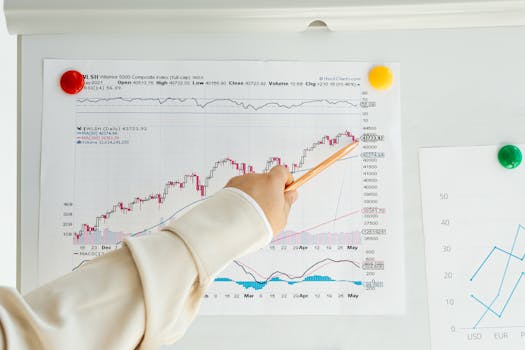
Approach this like a data-quality and causal-inference problem. The goal is to separate measurement issues from biology and to break accidental feedback loops.
Step 1: Freeze the intervention for one short window
For troubleshooting, stop making multiple changes at once. Choose a short “observation window” (for example, 7–10 days) where you keep bedtime timing, caffeine timing, and training structure as consistent as possible. If you are currently making daily adjustments based on the app, pause those changes long enough to see baseline behavior.
This reduces the chance that you are amplifying a causal loop while you’re trying to diagnose it.
Step 2: Verify sensor signal quality
Check whether the device is measuring reliably during the periods you’re analyzing.
- Wear the device consistently (same wrist, similar tightness, and stable position).
- Ensure the sensor area is clean and dry before use; avoid heavy lotions directly on the sensor.
- Confirm that the device reports good signal quality during sleep and workouts (many apps surface this).
- Review whether data gaps cluster around certain times (e.g., during long workouts or when the band is loose).
If signal quality is inconsistent, treat the trend as potentially artifactual until corrected.
Step 3: Align events with plausible biological lag
Instead of asking “did my action cause the same-day change,” map actions to plausible windows:
- Training load often affects recovery markers across 24–72 hours, sometimes longer.
- Sleep quantity and quality influence next-day resting heart rate trends and perceived energy.
- Caffeine and alcohol can affect sleep architecture and next-day HR/HRV indirectly.
Use a consistent lag window for your own analysis. If an effect only appears when you look at the “wrong” time alignment, it’s often correlation.
Step 4: Look for “regime shifts” rather than single-day spikes
Identify whether the trend changes after a clear context shift (travel, illness, schedule change) rather than after a small behavior tweak. Wearables are noisy; causal signals usually persist across multiple cycles unless the cause is strong.
When you see a sharp change after a single day, consider measurement issues, an untracked stressor, or a one-off physiological event.
Step 5: Test whether your interpretation is driving the system
Ask a direct diagnostic question: “Did I change behavior because of the wearable reading, and did that change likely affect the same metric?”
- If you increased bedtime monitoring, reduced screen time, or changed workout timing in response to the device, you may have closed the loop.
- If you changed caffeine because of perceived stress, you may be altering the very pathway the device is measuring.
To break the loop, choose one metric to ignore for a few days while you observe the system’s natural direction.
Step 6: Separate measurement metrics from decision metrics
Many apps show both estimated states (like “sleep stages” or “stress”) and derived scores. Decision-making should be based on stable signals (e.g., consistent sleep duration trends, resting heart rate trends, or HRV trends) after verifying signal quality. If you base decisions on a highly algorithm-dependent score, you increase the chance of acting on correlation.
Solutions organised from simplest fixes to more advanced fixes
Work through these in order. Stop when the trend stabilizes and your interpretations become consistent with your lived experience.
Simple fixes: remove obvious sources of noise
- Stabilize device wear: keep band tightness and placement consistent. If you switch wrists or tighten/loosen frequently, measurement drift becomes more likely.
- Improve skin contact: clean sensor area; avoid heavy oils under the sensor. For watches worn during workouts, ensure the band stays snug when your skin sweats.
- Standardize sleep routine: keep wake time consistent first. Bedtime changes can work, but inconsistent wake time often confounds sleep metrics.
- Reduce “app interaction” before sleep: if stress metrics rise when you check the app, treat that as a causal loop input. Put the phone away during the wind-down window.
- Log a minimal context set: note illness symptoms, travel, major schedule changes, and unusual caffeine/alcohol days. You don’t need a full journal—just enough to explain regime shifts.
Intermediate fixes: correct analysis logic
- Use multi-day baselines: compare weeks to weeks, not single days to single days. Correlation often appears strongest in short windows.
- Apply lag-aware interpretation: when you test a hypothesis, look for effects in plausible windows (e.g., training affects recovery over 1–3 days). If there’s no consistent lag pattern, causation is less likely.
- Control one variable at a time: if you change bedtime and workout intensity on the same day, you cannot attribute outcomes. Choose one change per cycle.
- Prefer stable metrics over volatile scores: if “readiness” swings wildly while resting heart rate changes slowly, the readiness score may be algorithm-heavy. Use the more stable underlying signals to guide troubleshooting.
Advanced fixes: break causal loops and isolate mechanisms
- Run a structured “ignore-and-observe” test: for 3–7 days, do not change behavior based on the specific metric that is driving your decisions. Observe whether the trend continues in the absence of your intervention. If it does, the loop may be less about your actions and more about external drivers.
- Use external anchors: compare wearable trends to a non-wearable indicator. Examples include consistent morning energy ratings, symptom tracking for illness onset, or standardized workout performance. If wearable metrics shift while anchors don’t, measurement or algorithm artifacts are more likely.
- Check for non-stationary physiology: consider menstrual cycle phase, medication changes, allergy season, and hydration status. These can shift HRV and sleep quality without any direct linkage to your recent behavior.
- Model competing explanations: if sleep worsens and stress rises after caffeine changes, consider whether the same days also had increased workload or later meals. In systems terms, there may be multiple causal pathways converging on the same wearable outputs.
- Recalibrate your decision threshold: if you respond to tiny changes (e.g., small drops in HRV), you can create oscillations. Use larger, persistent changes as triggers, not day-to-day fluctuations.
Guidance on when replacement or professional help is necessary
Most wearable interpretation problems can be resolved through measurement stabilization and better causal reasoning. However, there are times when replacement or professional input is appropriate.
Consider replacement or repair if
- Signal quality remains poor consistently despite correct fit, clean sensor contact, and stable wear.
- Data gaps are frequent or the device fails to record sleep or heart data reliably across multiple days.
- Trends are internally inconsistent in a way that suggests hardware or firmware issues (for example, heart rate jumps when you’re completely still, or sleep is detected when you’re awake and moving normally).
- After updates, the device shows a step-change in behavior that persists across weeks and you’ve verified fit and context.
If you use devices such as an Apple Watch, Oura Ring, Fitbit, Garmin, or similar wearables, the first step is usually to check app settings, firmware updates, and wear position. If those do not restore reliable signal quality, device replacement may be the most efficient path.
Seek professional help if
- You observe persistent abnormal physiological patterns (e.g., unusually high resting heart rate trend over weeks, sustained sleep disruption, or repeated symptoms like dizziness, chest discomfort, fainting, or shortness of breath).
- Your wearable suggests a deterioration while you have new or worsening symptoms that warrant clinical evaluation.
- You suspect an underlying condition (arrhythmia, sleep apnea, anxiety disorder, medication side effects) and the wearable trend is reinforcing concern. In these cases, the wearable should support—not replace—medical assessment.
Wearables can be useful early signals, but they are not diagnostic tools. If your troubleshooting indicates that the data is consistent and your body is not, professional evaluation is the priority.
Interpreting wearable trends causation vs correlation causal loops: a practical decision rule
When you face a wearable trend, use a disciplined decision rule to avoid closing the loop around correlation:
- First verify measurement: confirm stable wear and signal quality. If measurement is unstable, causation claims are premature.
- Then test plausibility: ask whether the timing matches biological lag. If it doesn’t, treat it as correlation.
- Then check for shared drivers: consider schedule changes, illness onset, stress, and environment. Shared drivers are the most common reason for correlation.
- Finally watch your own feedback: if your response to the wearable likely changes the same metric, you may be creating a causal loop. Pause the intervention and observe.
This approach turns wearable interpretation from a cycle of reactive tweaking into a controlled troubleshooting workflow. Over time, you’ll get better at distinguishing true causal effects from the patterns that only look causal because the system—including you—is feeding back into the measurement.
02.02.2026. 00:04