

HRV Wearable Buying Guide: Choose the Right Device for You

Why you’re shopping for an HRV wearable (and what to expect)
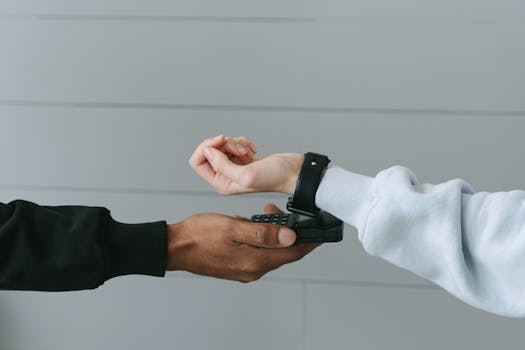
You’re not buying an HRV wearable just to see a number. You’re trying to make sense of how your body is coping—training stress, recovery, sleep quality, illness risk, and overall resilience. HRV (heart rate variability) can be a useful signal, but only if the wearable measures it consistently and you interpret it the right way.
The challenge: HRV isn’t a single, universal measurement. Devices vary in sensors, sampling methods, algorithms, and how they present “readiness” or trends. Some wearables give HRV in a way that’s helpful for day-to-day decisions; others produce values that are less reliable for your specific needs.
In this HRV wearable buying guide, you’ll learn what to look for before you spend money. You’ll also get a practical checklist to help you choose a device that fits your routine—whether you’re a runner tracking recovery, a cyclist planning harder days, or someone just trying to improve sleep and stress management.
Understand HRV basics before you compare features
HRV measures variation in the time intervals between heartbeats. It’s usually reported as an average over a period (often at night) rather than as a single instant reading.
Two points matter when you shop:
- HRV is not a direct “fitness score.” It’s a signal influenced by sleep, stress, training load, hydration, alcohol, caffeine, illness, and even travel.
- Consistency beats perfection. You care about trends over time more than the absolute number. If your device measures HRV consistently, your trend line becomes actionable.
Most consumer wearables focus on resting HRV or night HRV. Some also provide real-time HRV or “stress” estimates. Real-time values can be more sensitive to movement and sensor fit, so they’re best used with caution.
Key features and specifications to look for
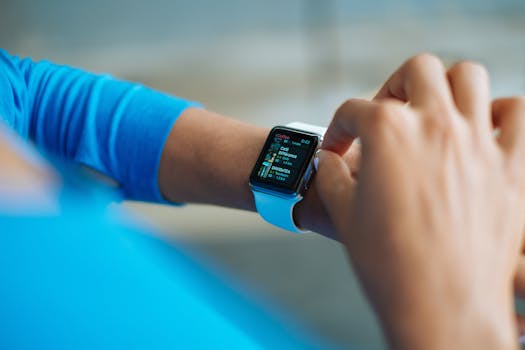
When you’re evaluating an HRV wearable, focus on the features that improve measurement quality and make your data usable.
1) Sensor type and measurement method
HRV is derived from heart rate interval data, which typically comes from optical sensors (photoplethysmography, or PPG) in the watch or band. In practice, the difference between “good HRV” and “meh HRV” often comes down to:
- Optical sensor quality and how well it tracks your blood flow through skin.
- Sampling and processing—how the device converts raw signals into HRV metrics.
- How the device handles motion (especially if you want HRV during workouts).
For most people, the biggest win is choosing a device known for stable heart-rate tracking during sleep, because that’s where HRV is usually most reliable.
2) Night HRV or resting HRV reporting
Look for explicit support for night HRV or resting HRV. If the wearable only provides a stress score without clearly stating how HRV is calculated, you may end up with a number you can’t interpret or compare to your own patterns.
Practical tip: if the device reports HRV daily and lets you view trends by week or month, it’s easier to make decisions like “I’ll take an easier session tomorrow.”
3) Data frequency and trend history
HRV value changes quickly when your sleep is disrupted or when you’re under stress. That’s why the device should store enough history.
- Try to find a device that keeps at least 90 days of HRV trends in the app.
- If the app only shows short-term graphs (like 7–14 days), you’ll struggle to see longer cycles.
Also check how often HRV is calculated. Devices may compute HRV as an overnight summary, as a morning metric, or as multiple segments. Overnight summaries are often more stable; multiple segments can be useful if you’re experimenting with sleep interventions.
4) Sleep tracking quality (HRV and sleep are linked)
HRV is heavily affected by sleep. So the wearable should also track sleep in a way that’s consistent. Look for:
- Sleep stages (even if they’re estimates)
- Sleep duration and sleep timing
- Night disruptions or movement/awakening indicators
If your sleep tracking is unreliable, it becomes harder to connect HRV changes to what’s happening in your night.
5) Readiness, recovery, and “stress” features (use them carefully)
Many wearables translate HRV into a readiness or recovery score. These features can be helpful, but you should treat them as decision support, not a medical diagnosis.
When you evaluate readiness metrics, consider:
- Does it show you the underlying HRV trend or only a single score?
- Can you see what inputs are used (sleep duration, resting heart rate, HRV, activity)?
- Does it allow you to understand changes without guessing?
A device that shows HRV plus context (sleep and resting HR) is usually more practical than one that only shows a “ready/not ready” badge.
6) Comfort, fit, and skin contact
HRV is sensitive to sensor fit. You want a wearable you’ll actually wear consistently.
- Band size and adjustability: choose one that sits firmly without cutting off circulation.
- Wearing style: some people get better readings by tightening slightly for sleep.
- Material: look for breathable straps if you sweat at night.
Real-world example: If you’re training for a marathon and you wear your watch loosely during sleep “because it’s more comfortable,” you may see HRV drop for several nights in a row. The drop might reflect poor sensor contact, not your recovery. A simple fix—wearing it snug for sleep—often improves data quality within 1–3 nights.
7) Battery life and charging habits
HRV is mostly useful when you track it consistently over time. If your wearable forces you to charge every 1–2 days, you’ll miss data during busy weeks.
As a rule of thumb:
- Choose a device with at least 3–5 days of battery life if you want continuous sleep tracking.
- If you prefer longer gaps between charges, aim for 7+ days (depending on features enabled).
Also check whether fast charging is available, and whether turning off features (like always-on display) significantly affects HRV tracking.
8) App experience, data export, and interpretability
The wearable itself matters, but the app is where you’ll actually make decisions. Look for:
- Clear charts for HRV trends (daily values and rolling averages are ideal)
- Ability to correlate HRV with sleep duration, bedtime, resting heart rate, and training days
- Data export if you plan to analyze trends in a spreadsheet later
If you want to go beyond the basics, some platforms integrate with third-party tools. You don’t need advanced analytics on day one, but you should avoid a device that locks your data in a way that makes future analysis frustrating.
9) Compatibility with your phone and lifestyle
Check whether the app works smoothly on your phone, and whether you can receive notifications without opening the app constantly. If you’re using HRV to adjust training, you’ll want quick access to the previous night’s HRV and the context that explains it.
What you should prioritize when choosing an HRV wearable
Not every feature is equally important. Prioritize based on how you plan to use HRV.
If your goal is recovery and training decisions
Prioritize:
- Night/resting HRV with daily reporting
- Sleep tracking (duration and disruptions)
- Resting heart rate alongside HRV
- Trends over 4–12 weeks
Practical approach: after you set up your device, give it 10–14 days before you judge it. Your body’s baseline and your sensor fit stabilize over time. Then start adjusting training—like swapping a hard interval session for a recovery ride when HRV drops and sleep quality worsens.
If your goal is stress and sleep improvement
Prioritize:
- Sleep stage and bedtime consistency
- Night HRV trends (not just a daytime stress score)
- Useful sleep insights (like late-night activity or shortened sleep)
Real-world example: You drink coffee after 2:00 pm on weekdays. After a week, your night HRV trends downward and your sleep latency increases. You cut caffeine after noon and, over the next 7–10 nights, HRV stabilizes. The wearable didn’t “fix” anything—it helped you connect a behavior to a measurable outcome.
If you plan to use HRV during workouts
Prioritize:
- Motion-tolerant heart rate tracking
- Clear guidance on when HRV is reliable
- Consistent sensor contact (tight fit during exercise may be necessary)
Be realistic: many wearables are better at HRV during rest than during intense movement. If your main use case is in-workout HRV, you may want to consider a chest strap HR system paired with an app that calculates HRV more accurately from interval data. Not every wearable supports this workflow, so check compatibility before buying.
If you want the simplest path to results
Prioritize:
- Reliable night HRV
- Good battery life for uninterrupted sleep tracking
- An app that makes trends obvious without forcing you into settings menus
For most people, a dependable night HRV metric is more valuable than a feature-heavy device that’s harder to interpret.
Common purchasing mistakes and misunderstandings
HRV wearables can be great tools, but buyers often run into predictable problems.
Mistake 1: Treating HRV as a single “good vs bad” score
HRV changes for many reasons. A lower HRV might mean recovery is needed, but it can also reflect poor sleep, alcohol, dehydration, travel, or even a cold starting. Use HRV as a signal in context, not a verdict.
Mistake 2: Buying for HRV without checking sleep tracking
If the device’s sleep tracking is inconsistent, your HRV trend will be harder to interpret. Since night HRV is usually the most stable, sleep tracking quality is often a deciding factor.
Mistake 3: Expecting immediate “personal baseline” results
You typically need 1–3 weeks of consistent wear to establish a baseline. Early readings can be noisy due to sensor fit, skin adaptation, and normal day-to-day variations.
Mistake 4: Wearing it too loosely at night
Loose contact can cause missed or low-quality heart rate data. That can lead to HRV gaps or odd swings. If you see sudden HRV drops on nights when you know you slept well, check fit first.
Mistake 5: Ignoring battery and data gaps
If you miss sleep tracking on multiple nights, your trend line becomes less meaningful. Choose a wearable you can keep running during normal weeks.
Mistake 6: Assuming all HRV values are calculated the same way
Even when two devices both say “HRV,” they may use different metrics or algorithms. Don’t force direct comparisons between brands. Instead, stick with one device long enough to learn your personal patterns.
Your HRV wearable buying checklist (decision framework)
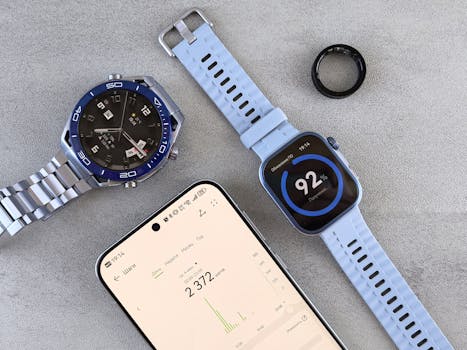
Use this checklist to narrow your options quickly. If you can answer “yes” to most of these, you’re likely making a solid purchase.
- Night/resting HRV is clearly reported in the app (not only a vague readiness score).
- HRV trends are shown daily and you can view at least 30–90 days of history.
- Sleep tracking is included with sleep duration and disruptions.
- Resting heart rate is available alongside HRV.
- Battery life supports sleep tracking (aim for 3–5 days minimum, 7+ days if possible).
- The band fits securely and you can wear it comfortably while sleeping.
- The app makes trends easy to interpret without constant guessing.
- Data reliability controls are available (for example, the device indicates poor sensor contact or missing data).
- You’re not locked out of your data if you want to export or analyze later.
- Phone compatibility is confirmed and notifications/apps don’t require constant tinkering.
Quick decision rule: If you’re buying primarily for recovery and sleep, prioritize night HRV + sleep + battery + app clarity. If you’re buying for workout HRV, verify motion tolerance and whether the device supports the type of HR data you want.
Final guidance: how to recommend the right HRV wearable for your situation
To choose the right HRV wearable buying guide outcome for you, start with your intention:
- If you want actionable recovery insights, pick a device that reports night HRV consistently and pairs it with sleep and resting heart rate.
- If you want stress and sleep improvements, prioritize sleep tracking quality and clear HRV trends over time.
- If you want HRV during training, confirm measurement reliability under movement and consider whether you may need a more robust heart-rate setup.
As you narrow down options, it’s also worth looking at well-established wearable ecosystems that offer strong sleep tracking and app-based trend visualization. Many people find that mainstream smartwatch platforms—such as Apple Watch models with health features, Garmin fitness watches with sleep and recovery analytics, and Fitbit devices with sleep and HRV-related metrics—provide a practical starting point because the apps are designed for daily interpretation. If you’re shopping for more specialized training data, Garmin’s recovery-oriented approach and training integrations can be a good fit. If you’re focused on broad health tracking and simplicity, an Apple Watch can be a convenient choice due to tight iPhone integration. If you want an approachable sleep-first experience, Fitbit-style ecosystems can be easier to live with.
No matter which wearable you choose, your first two weeks matter. Wear it consistently, ensure good sensor contact during sleep, and give yourself time to establish a baseline. Then use HRV as a guide for decisions like adjusting training intensity, improving bedtime routine, or recognizing when sleep disruption is affecting your recovery.
If you follow the checklist and prioritize reliable night HRV plus clear trends, you’ll avoid most of the common disappointments. You’ll also end up with a device that helps you make better choices—without turning HRV into a confusing, noisy metric.
06.05.2026. 09:36