

Low VO2max Trends on Wearables: Troubleshooting Guide

What “low VO2max trends” look like on your wearable
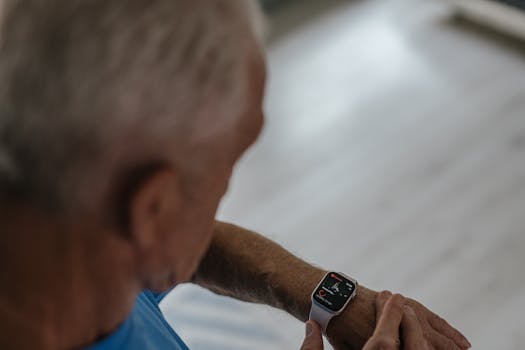
If your wearable’s VO2max estimate is trending downward over days or weeks, it can feel alarming—especially if your training load hasn’t changed much. The key is to interpret the trend as a signal that something about measurement conditions, data quality, or your actual physiology has shifted.
Common symptoms you may notice include:
- Your VO2max number drops by a noticeable margin (often 1–3 points on some displays) over 1–4 weeks.
- The trend line becomes “stair-stepped” after specific workouts, with lower values logged despite similar effort.
- VO2max estimates stop updating entirely, or update only after long, hard sessions.
- Heart-rate readings look inconsistent during steady efforts (e.g., spikes during easy running or cycling).
- Different sensors (wrist HR, GPS pace, treadmill calibration) appear to disagree with what you feel.
Real-world example: you’ve been running three times per week, mostly at the same pace. After switching to a new watch band size, you notice your VO2max estimate drops for two consecutive update cycles. Your easy runs feel similar, but your wearable’s heart-rate graph shows more variability than usual. That pattern usually points to measurement quality issues before it points to true fitness loss.
Most likely causes behind low VO2max trends
VO2max on wearables is an estimated metric derived from heart-rate response and workload (often using pace, power, or movement data). When the estimate trends low, the wearable may be seeing either (a) data that doesn’t match its assumptions, or (b) a real change in your body’s ability to deliver oxygen under the conditions being sampled.
Start by considering these most common causes:
1) Sensor contact and skin conditions
Wrist-based optical heart rate is sensitive to pressure, band fit, sweat, hair, and skin temperature. Even small changes—like moving the watch up your wrist, wearing it over thicker fabric, or switching to a looser band—can reduce signal quality. Low-quality HR data can make the wearable “think” your heart is working harder for a given pace, which can lower VO2max estimates.
Also consider that cold weather reduces skin perfusion and can alter optical readings. If your VO2max trend drops mainly during winter runs, this can be measurement-related.
2) Poor GPS or inconsistent pace/workload inputs
Many VO2max algorithms use GPS-derived pace or movement patterns. If GPS quality is degraded—urban canyons, tall buildings, tree cover, or poor satellite lock—the workload input can be off. The wearable might pair the wrong pace with your HR response.
Similarly, treadmill running can be problematic if the watch isn’t calibrated or if you’re not using a mode that properly estimates speed.
3) Training changes that affect heart-rate dynamics
Even if your pace is similar, your heart-rate response may change due to:
- Heat exposure or humidity
- Dehydration
- Reduced sleep (even 1–2 nights of poor sleep can shift resting HR and submax HR response)
- Increased stress (work, travel, illness)
- Starting a new training block with more fatigue than expected
In these cases, VO2max may be legitimately lower—or at least appear lower—because your cardiovascular system is responding differently to the same external workload.
4) Data quality issues during workouts
VO2max estimates typically rely on periods of sustained effort and clean heart-rate curves. If your runs include frequent stops, heavy stride changes, or irregular cadence, the algorithm may have fewer “usable” segments.
For example, if you switch from continuous running to interval sessions with long walking recoveries, the wearable might not have enough steady-state data to update VO2max reliably.
5) Incorrect settings or mismatch between sensors and sport profile
A wearable can behave differently depending on sport mode. If you record an activity with the wrong profile (e.g., using “Outdoor Walk” for a run, or “Treadmill” when you’re actually outside), the algorithm may apply the wrong assumptions.
Other setting issues include incorrect weight, age, or sex entries—these can influence VO2max calculations indirectly.
6) Battery, firmware, or app sync problems
Low battery can degrade sensor performance and sometimes causes data drops or reduced sampling quality. Firmware updates can also change how VO2max is estimated. If the trend drops right after an update, it may be algorithmic rather than physiological—though you still need to validate sensor quality.
7) The estimate is noisy by nature
Even when the wearable is working perfectly, VO2max is an estimate. It can shift due to day-to-day variability. A consistent downward trend over multiple weeks matters more than a single low reading.
Step-by-step troubleshooting and repair process
Use a structured approach. You’re looking to answer two questions: “Is the wearable measuring correctly?” and “Is my body responding differently?” Follow these steps in order, because the simplest fixes often resolve the issue quickly.
Step 1: Confirm the trend is real and not a display or sync artifact
Before changing anything, verify that the wearable is actually updating VO2max and that your device and phone are syncing consistently.
- Check that your wearable has synced within the last 24 hours.
- Open the companion app and confirm that the activity you expect is present with heart-rate and pace/power data.
- Look for missing segments: if heart-rate is blank or shows large gaps, the VO2max estimate is likely based on incomplete data.
- If you recently changed phones or reinstalled the app, re-pair and allow a full sync.
Timeframe guidance: if syncing issues are present, you may see missing updates within 1–2 days. Fixing sync typically stabilizes the trend within 1–7 days as new data populates.
Step 2: Check band fit and sensor contact quality during a short test
Do a 5–10 minute “signal check” before you interpret VO2max. You want stable heart-rate readings while you walk, then while you lightly jog.
- Wear the watch snugly—snug, not tight. You should be able to slide it slightly but it shouldn’t flop.
- Place it about 1–2 finger widths above your wrist bone.
- On the next workout, ensure the sensor area is clean and dry (wipe off lotion or sweat film).
- For hairy wrists, consider that optical sensors can be less reliable; you may need to test whether a chest strap produces more consistent HR.
Real-world scenario: if your heart-rate graph shows repeated “flat lines” or sudden jumps during easy jogging, the sensor contact is likely poor. Adjusting fit often improves the signal immediately.
Step 3: Validate workload inputs (GPS vs treadmill vs indoor)
VO2max estimates depend on workload. If your pace input is unreliable, the estimate will drift.
- If you run outdoors, confirm GPS is acquiring quickly. Start your run with GPS lock before you begin moving.
- If you use a treadmill, ensure the treadmill mode is correct. Some watches need calibration or consistent belt speed to estimate workload properly.
- If you cycle, verify that you’re recording with the correct sport profile and that power meters (if you have them) are functioning and sending data reliably.
Practical check: run the same 20–30 minute route at an easy-to-moderate effort for two sessions in similar conditions. If VO2max estimates drop during one route but not the other, GPS or environmental factors may be the culprit.
Step 4: Review the last 3–7 activities that produced VO2max updates
Don’t treat the wearable’s VO2max number as a single data point. Look at the activities that likely fed the estimate.
- Were those workouts unusually hot, humid, or performed with poor sleep?
- Did your heart rate stay unusually high for the same pace compared with earlier weeks?
- Was the activity type consistent (e.g., mostly steady runs vs lots of stop-and-go)?
- Did you switch shoes, bike setup, or cadence patterns significantly?
If your heart rate response is consistently elevated during the “update” workouts, your low VO2max trend may reflect fatigue, dehydration, or illness—not a sensor failure. If heart rate looks erratic (spikes, dropouts) the sensor is more likely.
Step 5: Confirm your personal data and settings are correct
In the app, verify your profile details. Wrong age, weight, or sex entries can skew calculations.
- Check your age and weight match your current values.
- Confirm the correct units (metric vs imperial) if your device uses them.
- Verify sport profiles: make sure “Outdoor Run” vs “Treadmill” matches reality.
Also check whether you changed settings such as heart-rate source (optical vs external) or GPS accuracy mode.
Step 6: Battery and firmware housekeeping
Low battery can reduce reliability. Firmware can also change estimation behavior.
- Charge the device fully and avoid running it near 0%.
- Install firmware/app updates if available, then monitor the trend for 1–2 weeks.
- If the trend changed immediately after an update, use the sensor contact and GPS checks above to ensure nothing else is wrong.
Solutions from simplest fixes to more advanced fixes
After you run through the steps, apply fixes in this order. Stop when the trend stabilizes rather than continuing to make changes.
Simple fixes (often resolve the issue within days)
- Re-fit the watch and clean the sensor area: snug placement and clean optics can improve HR stability immediately.
- Standardize workout recording: use the correct sport mode every time and avoid mixing treadmill and outdoor runs without calibrating.
- Improve GPS acquisition: start recording, wait for GPS lock (even 30–60 seconds), then begin moving.
- Warm up consistently: optical HR needs time to settle. A 5–10 minute warm-up with steady movement can improve the signal used by the algorithm.
- Reduce cold-weather signal issues: keep the watch snug and consider warmer sleeves to reduce temperature swings.
If your VO2max trend is driven by sensor noise, you typically see stabilization after 2–5 sessions (roughly 3–10 days depending on how often you train).
Intermediate fixes (when the trend stays low despite good habits)
- Use an external heart-rate source for validation: if your watch supports it, pair a chest strap or external sensor for 1–2 weeks. If VO2max estimates rebound while external HR is used, the wrist optical readings are the limiting factor.
- Check for band wear damage: stretched bands or worn-out straps can loosen contact. Replace the band if it no longer holds snugly.
- Adjust training session structure: include at least a few steady segments (for example, 20–30 minutes at a controlled effort) rather than only stop-and-go sessions. VO2max estimates tend to be more stable when the wearable has continuous data.
- Control day-to-day recovery variables: for two weeks, aim for consistent sleep and hydration. If resting heart rate is elevated and VO2max drops during the same period, you may be under-recovering.
Practical example: you switch to steady tempo runs twice per week for 14 days, keep band fit consistent, and ensure GPS lock. If your VO2max trend stops falling and begins to level off, you’ve likely improved data quality and provided the wearable with usable measurement conditions.
Advanced fixes (when you need to isolate the cause)
- Test the wearable with a controlled protocol: choose one route and one effort level. Repeat it 2–3 times over a week. Track whether heart-rate curves are consistent and whether VO2max updates align with those sessions.
- Compare different activity types intentionally: if your wearable estimates VO2max from running, test running versus cycling (if you do both). If the trend is low only on one sport, the workload input may be wrong for that sport profile.
- Recalibrate or reset relevant measurement modes: if you use a treadmill, follow the device’s calibration steps for speed or ensure it’s set correctly. If you use power, verify the power sensor calibration and connection stability.
- Re-pair and re-sync: if you suspect corrupted data or persistent sync gaps, remove and re-pair the device and allow a full sync. This is especially relevant after phone OS changes.
- Assess whether the estimate is lagging behind true changes: VO2max estimates can be slow to reflect improvements after a training block, and they can drop quickly after illness. If you recently had a respiratory infection, a temporary decline is plausible for 2–8 weeks.
Advanced steps are worth doing when the issue persists beyond 3–4 weeks or when multiple sensors show poor consistency.
When replacement or professional help is necessary
Most low VO2max trends can be resolved by improving sensor contact, GPS/inputs, and recording habits. But there are cases where you should escalate.
Consider replacement or repair if you see persistent hardware failure signs
- Heart-rate readings frequently show dropouts, flat lines, or unrealistic spikes even after tightening fit and cleaning the sensor.
- GPS performance is consistently poor indoors and outdoors across multiple locations and after firmware updates.
- Charging behavior is erratic (battery drains unusually fast or the device powers off unexpectedly during workouts).
- External heart-rate sensors work fine, but the wearable’s optical sensor never stabilizes.
Timeframe guidance: if after 2–3 weeks of careful troubleshooting (fit, cleaning, GPS lock, correct sport modes) the signal remains unreliable, hardware may be the limiting factor.
Seek professional help if the trend aligns with genuine performance or health changes
Wearables can be early indicators of physiological stress, but they are not diagnostic tools. Get medical guidance if low VO2max trends coincide with symptoms such as:
- Unexplained shortness of breath at low effort
- Chest discomfort, dizziness, fainting, or palpitations
- Persistent fatigue that doesn’t improve with rest
- Fever or illness symptoms that linger
Also consider professional evaluation if you’ve had a recent infection and your recovery is slower than expected. A clinician can assess whether your cardiovascular response is within normal range.
Use performance benchmarks to decide whether it’s measurement or physiology
If you want a practical way to separate measurement problems from real decline, compare wearable trends with how you perform:
- If your pace at a given heart rate is the same or improving, a low VO2max trend is more likely measurement-related.
- If your heart rate is higher at the same pace, and your subjective effort increases, physiology may be involved.
- If both your wearable metrics and your training feel worse, treat it as real until proven otherwise.
For example, if you can complete your usual 30-minute tempo run with the same splits but the VO2max estimate drops, focus on sensor and workload inputs. If you can’t match your splits and your heart rate is elevated, prioritize recovery and consider medical advice if symptoms are present.
How to prevent low VO2max trend problems going forward
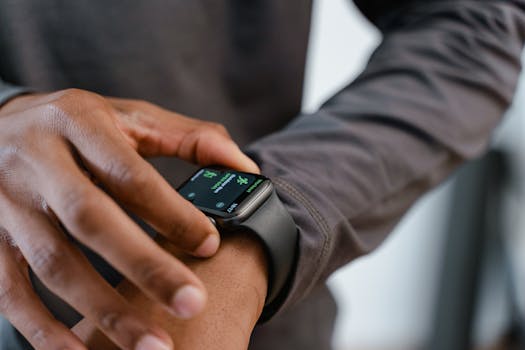
Once you’ve stabilized the trend, prevention matters. VO2max estimation relies on consistent, clean data. Small habits reduce noise and make the trend more meaningful.
- Keep the band fit consistent—especially after washing, after workouts with heavy sweat, or when switching wrist position.
- Use the correct sport mode and match it to how you train (outdoor vs treadmill vs cycling).
- Start GPS recording early enough to get reliable lock.
- Train with some steady segments when you want the estimate to be most stable.
- Watch your recovery variables: sleep and hydration are not just training factors; they affect heart-rate dynamics that feed VO2max estimates.
If you’ve recently changed training intensity, you may see a short-term dip. That doesn’t necessarily mean your VO2max is permanently falling. It often means your heart rate response and workload pairing are different during that phase. Stabilize measurement conditions first, then interpret the trend over several weeks.
With consistent troubleshooting and a careful look at data quality, low VO2max trends on wearables become actionable information rather than a confusing alarm.
31.03.2026. 02:39