

How to Validate Wearable HRV Accuracy: Troubleshooting Guide

Overview: what unreliable HRV readings look like
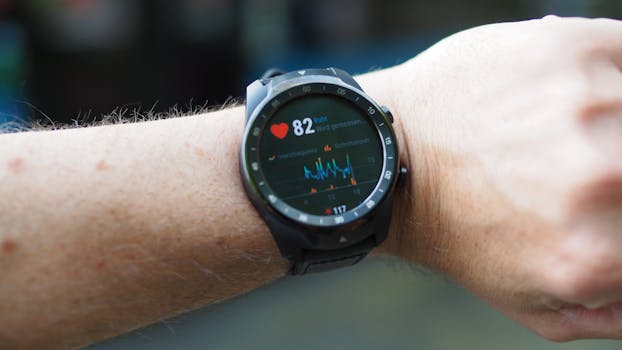
Wearable heart rate variability (HRV) is often used to estimate recovery, stress, and autonomic balance. The challenge is that HRV is sensitive to measurement quality. When a wearable HRV signal is inaccurate, the results may look inconsistent, jumpy, or flatline in ways that don’t match how you actually feel.
Common symptoms that suggest you need to validate wearable HRV accuracy include:
- Large day-to-day swings without any obvious lifestyle or recovery changes.
- HRV trends that contradict other signals you trust (sleep quality, perceived stress, resting heart rate, training load).
- Frequent gaps where HRV is missing or reported as very low confidence.
- Unusually stable HRV (near-identical values) across long periods, which can indicate a sensor tracking issue or overly aggressive filtering.
- HRV spikes during movement (walking, workouts, chores) that don’t align with your physiology.
- Different values between devices used side-by-side, even when both are worn correctly.
Before you assume the device is “wrong,” treat HRV like a measurement system: it needs stable contact, consistent conditions, and correct interpretation. The goal of troubleshooting is to confirm whether the readings are accurate enough for your use case, or whether the wearable is capturing poor-quality signals.
Most likely causes of HRV inaccuracies on wearables
HRV is derived from the timing between heartbeats. Wearables estimate those intervals using optical sensors (typically green/red/infrared light) and algorithms that detect pulse peaks. Small errors in signal quality can produce big errors in HRV. The most common causes fall into a few categories.
1) Poor optical contact and inconsistent skin coupling
If the sensor isn’t consistently pressed against the skin, the device may misread pulse peaks. This can happen with a loose strap, a watch worn too high/low on the wrist, dry skin, or hair or tattoos interfering with light transmission.
For many people, the most visible sign is erratic heart rate during the same time window. Even if the heart rate looks “reasonable,” HRV can still be wrong because HRV depends on accurate beat-to-beat timing.
2) Motion artifacts during measurement
HRV is particularly vulnerable when you’re moving. Even “light” movement can distort the optical waveform. Some wearables try to filter motion, but filtering can still distort HRV metrics—especially if you’re trying to validate readings taken during the day rather than during stable rest.
3) Physiological conditions that change HRV quickly
HRV naturally changes with breathing patterns, caffeine, hydration, alcohol, stress, sleep stages, illness, and even room temperature. If you compare HRV across different times of day or after different routines, you may interpret normal physiological variation as inaccuracy.
4) Algorithm differences and metric confusion
Different wearables use different HRV definitions (for example, time-domain vs frequency-domain features) and different preprocessing steps. Some devices report HRV only during certain windows (overnight, resting sessions, or “readiness” periods). If you compare metrics without aligning measurement conditions, the results may appear inconsistent even when each device is internally consistent.
5) Incorrect settings or measurement mode
Some devices switch sampling strategies depending on whether you’re tracking workouts, using continuous HR, or doing sleep tracking. Notification settings, display brightness, power-saving modes, or “battery saver” features can affect sensor behavior. Firmware updates can also change algorithms and output behavior.
6) Sensor hardware issues
Worn-out sensors, damaged optics, persistent dirt on the lens, or a strap that no longer maintains tension can degrade signal quality. If the same issues persist after cleaning and re-wearing correctly, hardware or fit problems become more likely.
Step-by-step troubleshooting to validate wearable HRV accuracy
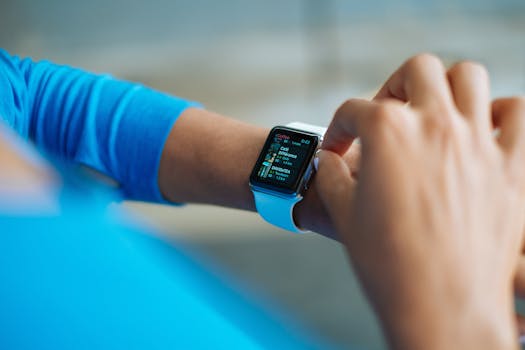
Use this process to determine whether your wearable is producing dependable HRV under controlled conditions. The aim is not to “force” agreement with another device, but to validate signal quality and measurement consistency.
Step 1: Confirm you’re using the same measurement window
Start by validating under the most stable conditions your wearable supports. Many devices produce the most consistent HRV during sleep or during a dedicated resting window. Choose one of these and stick to it for several days.
- If your device provides overnight HRV, use that for validation first.
- If it provides “readiness” or resting HRV, use the same trigger (for example, after a period of stillness).
- Avoid comparing HRV taken during workouts to HRV taken at rest.
Consistency matters because HRV is a time-series feature. If you change context, you’ll change HRV.
Step 2: Check sensor contact quality before every test
Do not skip this step. Before you begin a validation session, look at the fit and skin conditions.
- Clean the sensor lens with a soft, lint-free cloth. Remove sweat residue and skin oils.
- Reposition the device slightly: many users get better readings when the sensor sits about one to two finger widths above the wrist bone.
- Tighten enough to prevent movement, but avoid discomfort or numbness. The device should not slide around when you flex your wrist.
- Consider skin conditions: dry skin can reduce optical coupling; lotion can help if it doesn’t leave residue on the lens. If you have heavy body hair, try changing placement or strap tightness carefully.
If your wearable shows a heart rate confidence indicator or a “signal quality” status, use it. Low confidence readings are a strong sign that HRV will be unreliable.
Step 3: Run a controlled “stillness” test
Choose a time when you can sit quietly. HRV is easiest to validate when you’re not moving and when your breathing is not wildly changing.
- Sit comfortably with your arm supported.
- Stay still for 5–10 minutes.
- Note the wearable’s reported HR and any HRV output window (if it outputs live HRV, watch for stability rather than single values).
During a good signal session, you should see steadier heart rate and fewer gaps in HRV availability. If the wearable frequently loses the signal or outputs HRV only intermittently, you likely have a contact or motion artifact problem.
Step 4: Validate against reproducible routines
Repeat the same routine for several sessions. For example:
- Same time of day
- Similar caffeine timing
- Similar sleep window (if validating overnight)
- Same placement and strap tension
HRV should not be identical every time, but the pattern should be plausible. If the device reports HRV on some days and not others with no change in conditions, that suggests measurement quality issues rather than “real” physiology.
Step 5: Compare internal consistency, not just absolute values
To validate accuracy, look at whether the wearable responds sensibly to known changes:
- After a poor night’s sleep, HRV often trends lower (not always, but commonly).
- After intense training or illness, HRV can drop.
- After relaxation and good sleep, HRV often trends higher.
If HRV changes in ways that are consistently disconnected from your recovery experience, the wearable may be capturing noisy data or using a metric that doesn’t align with your context.
Step 6: Check for firmware or settings changes
If your HRV output suddenly changed after an update, you may be seeing algorithm revisions. Review your device settings:
- Confirm continuous HR or sleep tracking is enabled as intended.
- Disable aggressive battery saver modes during validation.
- Check whether the device has separate HRV modes (resting vs overnight vs workout).
Also ensure the device is fully charged before sleep tracking. Low battery can reduce sensor performance.
Solutions from simplest fixes to more advanced fixes
Work through these options in order. Many HRV problems resolve with contact and routine changes. More advanced steps address algorithm behavior and potential hardware problems.
Simple fixes: lens, fit, and measurement conditions
- Clean the optical sensor and the underside of the strap. Sweat residue and dust are frequent culprits.
- Re-fit the wearable and stop it from sliding. If it moves when you type, drive, or swing your arm, HRV will suffer.
- Use the correct placement (often slightly above the wrist bone). Many people get markedly better HRV by shifting position by a few centimeters.
- Validate during rest first. Try overnight HRV or a quiet seated window before judging day-time HRV.
- Standardize your routine. Compare like with like: same time window and similar pre-test behavior.
These steps are the fastest path to validating wearable HRV accuracy because they directly improve the quality of the underlying pulse detection.
Intermediate fixes: reduce motion and stabilize physiology
- Avoid validating during workouts unless your device explicitly supports HRV during activity. Motion artifacts can be too strong for reliable beat timing.
- Minimize arm movement during the stillness test. Support your forearm on a table.
- Control breathing variability for validation sessions. For example, avoid intentionally changing breathing patterns during the test.
- Time caffeine and alcohol consistently. If you’re comparing HRV across days, keep these variables similar.
- Check temperature and circulation. Cold hands can reduce peripheral blood flow and degrade optical signal quality.
Advanced fixes: align measurement modes and interpret outputs correctly
- Confirm the HRV metric type your wearable reports. Some devices provide multiple HRV metrics or use different methods across modes. You may be comparing different features without realizing it.
- Use the app’s signal quality indicators if available. If the device flags low confidence, treat that data as lower reliability.
- Limit comparisons across devices unless you can align measurement windows and metrics. Two wearables rarely use identical algorithms, and HRV is not a single universal number.
- Recalibrate placement using multiple wrist checks. If you suspect fit issues, do a structured placement comparison: wear it in position A for two nights, then position B for two nights, keeping all else constant.
- Update firmware deliberately. If an update changes HRV behavior, give it several days to settle before concluding accuracy issues.
At this stage, you’re not just “fixing” the sensor—you’re validating that the wearable is measuring the right thing under consistent conditions.
Most advanced troubleshooting: rule out hardware or persistent signal failures
- Try a different strap if your model supports it. A degraded strap can lose tension and fail to maintain contact.
- Inspect for sensor damage. Scratches on the lens, cracked housing, or persistent misalignment can reduce optical performance.
- Test with a different wrist if your wearable can switch sides. Some people have better signal on one side due to artery anatomy and movement patterns.
- Perform a factory reset only after you’ve saved critical settings and noted your baseline behavior. After reset, re-pair and recheck HRV output during the same validation routine.
- Contact the manufacturer support channel with signal logs if available. Provide details like dates, time windows, and how often HRV confidence is low.
If HRV remains missing or low-confidence even when the fit is correct and you validate during stillness, the device may have a hardware fault or compatibility issue with your use patterns.
When replacement or professional help is necessary
Most wearable HRV problems resolve through cleaning, fit changes, and consistent measurement routines. Replacement or professional help becomes appropriate when the problem persists despite correct troubleshooting, or when a broader health concern is present.
Replace the wearable (or seek repair) if these patterns persist
- HRV is frequently unavailable or marked as low confidence for multiple days even with a stable fit and overnight conditions.
- Heart rate signal quality is consistently poor (for example, repeated dropouts) despite correct placement and cleaning.
- HRV behavior changes dramatically after a hardware-related event (impact, strap damage, lens scratch) and does not recover after firmware updates.
- Multiple fit strategies fail (different wrist, different strap position/tension, stillness tests show the same unreliable signal).
Seek professional help when HRV concerns overlap with health symptoms
HRV readings are not a diagnostic tool. However, if you observe symptoms such as chest pain, fainting, severe shortness of breath, sustained palpitations, or you receive alerts indicating significant rhythm irregularities, treat it as a medical issue rather than a sensor accuracy problem.
In such cases, professional evaluation matters more than validating wearable HRV accuracy. A clinician can assess rhythm using medical-grade tools and determine whether symptoms require immediate attention.
Use cautious interpretation when validating HRV for training decisions
If you’re using HRV to adjust training, avoid making major changes based on one or two questionable days. Validate over multiple sessions and prioritize consistency. If you can’t get stable, plausible HRV even after troubleshooting, it’s safer to rely on broader recovery indicators such as sleep duration, resting heart rate trends, perceived exertion, and how you feel during training.
Practical checklist to confirm you’ve validated HRV accuracy
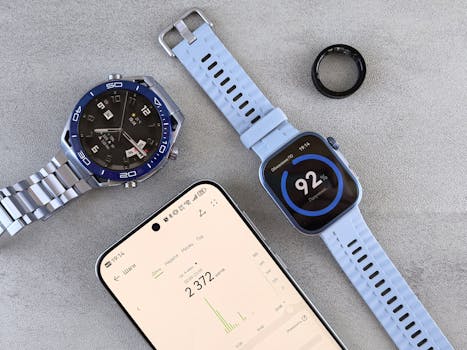
- Your wearable’s HR signal is stable during the validation window (especially overnight or stillness).
- You cleaned the sensor and verified contact with the skin.
- You used consistent wrist placement and strap tension across sessions.
- You validated using the same metric/mode and the same time window.
- HRV trends respond plausibly to changes you can explain (sleep loss, illness, recovery days).
- You confirmed settings and firmware changes didn’t unintentionally alter measurement behavior.
If you can check these items, you’ve done the core work required to validate wearable HRV accuracy. If you cannot, the remaining issue is likely measurement quality or hardware performance, and further action (repair, replacement, or support) is justified.
16.03.2026. 10:28