

How to Choose a CGM for Glycemic Control

Choosing a CGM when glycemic control is your goal
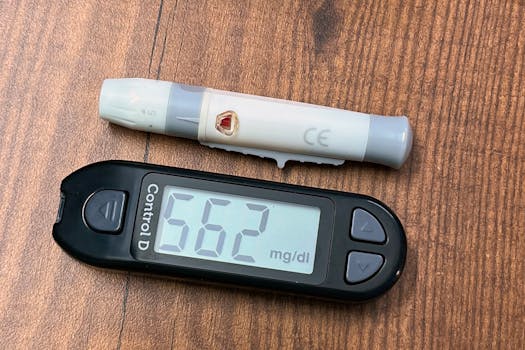
If you’re looking for better glycemic control, a CGM (continuous glucose monitor) can be one of the most practical tools you add to your diabetes routine. Instead of relying only on finger-stick checks, a CGM tracks glucose trends throughout the day and night—helping you spot patterns like post-meal spikes, overnight lows, or recurring highs around a specific activity.
But “best CGM” depends on your real life: your phone, your comfort with sensors, your need for alarms, and how you prefer to act on the data. The wrong CGM can mean missed alerts, extra hassle, or data you can’t use consistently. This guide walks you through what to look for so you can choose a CGM for glycemic control with confidence.
Start with the basics: what a CGM actually measures
A CGM measures glucose in your interstitial fluid (fluid between cells), not directly in your bloodstream. That’s why it shows trends and direction, not instant “finger-stick equals exactly now” numbers. Most modern CGMs are designed to reduce the lag, but the time delay still matters when you’re deciding whether to treat a low or correct a high.
Before you buy, make sure you understand these common terms:
- Time in Range (TIR): the percentage of time your glucose stays within a target range (often 70–180 mg/dL for many adults). Higher TIR generally means better control.
- Time Below Range (TBR): how often glucose drops too low (for example, below 70 mg/dL).
- Time Above Range (TAR): how often glucose rises too high (for example, above 180 mg/dL).
- Trend arrows: show whether glucose is rising or falling and how quickly.
- Alarms: alerts for predicted lows/highs or current threshold crossings.
When you shop, focus on whether the CGM helps you improve TIR and reduce TBR—not just whether it displays a number.
Accuracy and calibration: what to verify before you commit
Accuracy is important, but it’s not the only factor. Still, you should check how the CGM handles calibration and how it performs in real conditions.
Calibration style: factory-calibrated vs. user-calibrated
Many CGMs are factory-calibrated, meaning you usually don’t need finger-stick calibration to get started. Others may require occasional calibrations, especially during the first day or if readings seem inconsistent. If you want a low-maintenance setup, prioritize a system that’s largely factory-calibrated.
For example, some people dislike the “extra steps” of finger-sticks just to keep the sensor accurate. If that sounds like you, choose a CGM that minimizes calibration demands.
Lag time and how alarms handle it
CGM lag (often around 5–15 minutes depending on conditions) is a reason to treat alerts thoughtfully. Look for CGM alarms that can warn you about predicted lows or highs, not only current readings. Predicted alerts can give you extra time to act.
Practical example: you go to bed and your glucose starts trending downward after dinner. A CGM with predictive low alerts may wake you before you hit the threshold, helping you prevent overnight lows. A device that only alarms once you’re already low may be less useful for safety.
Sensor wear time and comfort: the “real-life” spec that matters
Sensor wear time affects cost, convenience, and consistency—three things that strongly influence glycemic control. If you dread sensor changes, you’re less likely to wear the CGM consistently.
When you compare CGMs, look at:
- Sensor lifetime: common durations include 7, 10, or 14 days depending on the system.
- Insertion comfort: consider whether you tend to have sensitive skin, and whether the inserter is simple or intimidating.
- Adhesion: if you sweat, swim, or work out daily, choose a CGM with reliable wear and good staying power.
- Warm-up period: some sensors require a first period to stabilize after insertion. Plan around this so you don’t lose days of useful data.
If you’re choosing for a child or someone with limited tolerance for interruptions, shorter sensor wear time may be fine if sensor changes are quick and predictable. For others, longer wear time can reduce disruption.
Alerts, thresholds, and how you’ll actually use the data
Glycemic control improves when you respond to patterns quickly. That means the CGM must support alerts you can personalize and interpret.
Customizable alarms
Look for:
- Low and high alerts
- Predictive alerts
- Urgency and repeat options
- Vibration/sound options
As a buyer, you should ask yourself: will you notice a phone-only alert? If you sleep with your phone across the room or work where sound isn’t practical, choose a CGM that supports strong on-body notifications.
Data views that support decision-making
Numbers alone don’t improve control. You want a clear way to see what happened and what’s likely next. Good CGM apps typically include:
- Current glucose and trend
- Graph history (often 1, 3, 6, or 24 hours)
- Daily summaries and pattern insights
- Time-in-range metrics over days or weeks
If you’re actively adjusting meals, insulin timing, or activity, you’ll benefit from app features that help you connect glucose changes to real-world events.
Integration with your insulin plan, phone, and devices
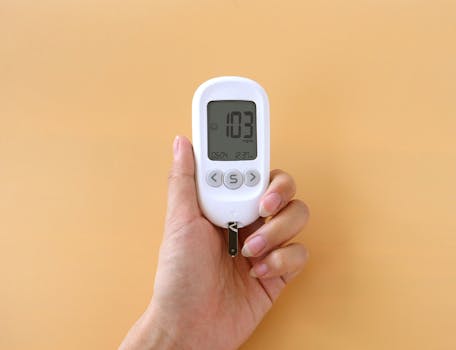
The best CGM is the one that fits your workflow. If you’re on insulin, you’ll want the CGM to support the way you dose and correct.
Phone compatibility and app reliability
Check whether the CGM app supports your phone model and operating system. Also consider:
- How reliably the CGM connects via Bluetooth
- Whether readings continue if you temporarily lose connection
- Whether you can view data on a wearable or separate receiver
Many people choose a CGM based on the app experience. If your phone battery dies quickly or you frequently travel where connectivity is limited, choose a system that still works smoothly without constant internet access.
Compatibility with insulin pumps and automated systems
If you use an insulin pump or automated insulin delivery system, compatibility matters. Some CGMs integrate tightly with certain pump systems, while others can still be used but may not communicate directly for closed-loop control.
Even if you’re not using a pump now, consider your likely path. If you plan to start pump therapy within 12–24 months, it’s smart to choose a CGM that won’t become a “replacement project” later.
In the real world, many people use CGMs with insulin pumps such as the Dexcom G6 or Dexcom G7 depending on their setup, or systems like the FreeStyle Libre 2 / FreeStyle Libre 3 for day-to-day monitoring. Your best choice depends on your device ecosystem and how you want to receive alerts.
What buyers should prioritize for glycemic control
When you’re shopping with glycemic control in mind, prioritize features that help you change behavior—not just features that look good on a spec sheet.
1) Consistency and ease of use
A CGM that you’ll actually wear 80–100% of the time will usually outperform a “more advanced” device you avoid. Choose based on:
- Insertion simplicity
- Sensor lifespan and change routine
- Adhesion and comfort
- How quickly you can start using it after insertion
2) Time-in-range reporting that matches your goals
If your clinician targets a specific range, pick a CGM app that reports TIR, TBR, and TAR clearly. Some apps allow customizing targets; others follow default ranges. If you’re working toward a specific target range, you want the app to reflect it.
3) Alerts you can trust and act on
For glycemic control, alarms are a tool for preventing extremes—especially low glucose. Look for:
- Predictive low alerts
- Customizable thresholds
- Strong notifications (vibration and sound)
- Option to silence without losing important warnings
4) Data clarity for meal and activity patterns
Many people improve control by adjusting meals or timing based on patterns. Choose a CGM that makes it easy to review graphs and summaries, ideally with enough context to connect glucose changes to what you did.
If you tend to forget what you ate, you may still benefit from CGM trends—just consider whether the app supports logging meals or notes.
Common purchasing mistakes and misunderstandings
Avoid these pitfalls. They’re common reasons buyers end up unhappy after switching CGMs.
Buying only for “number accuracy”
Yes, accuracy matters. But if you can’t interpret trends, don’t receive alarms, or find sensor changes too difficult, the CGM won’t help your control.
Ignoring alert behavior in your daily routine
If you’re often in meetings, sleeping, or working out, phone-only alerts can be a problem. Make sure you’ll reliably hear or feel notifications—or that you have a receiver/watch option if that matters to you.
Not checking sensor availability and ongoing cost
Even the best CGM becomes frustrating if refills are hard to get or expensive. Before you buy, confirm:
- How often you’ll need to replace sensors (based on wear time)
- Whether your insurance covers sensors and transmitters (if applicable)
- Whether you can easily order replacements
For many buyers, supply logistics are as important as features.
Assuming CGM readings replace all finger-sticks
CGMs are powerful, but they aren’t always perfect in every moment. If your clinician recommends finger-sticks for confirmatory checks in certain situations (such as symptoms that don’t match the CGM), follow that guidance. Treat the CGM as a trend tool and a safety tool—then confirm when needed.
Choosing based on marketing without matching your targets
If you’re aiming for a tighter range or have specific low-risk or high-risk thresholds, make sure the app supports targets you care about and that alarms can be set to those thresholds.
Practical buying checklist and decision framework
Use this checklist to narrow down your options quickly. You can do it in under 20 minutes.
- Define your control priorities: Are you mainly trying to reduce lows, reduce post-meal spikes, or improve overall time in range?
- Set your alert needs: Do you need predictive low alerts? Do you need vibration or receiver support?
- Check sensor wear time: Are you comfortable changing sensors every 7 days, 10 days, or 14 days?
- Assess comfort and skin tolerance: Do you have sensitive skin or a history of irritation? Will you use skin prep or patches?
- Verify phone/device compatibility: Does the app work with your phone model and operating system? Will you have reliable notifications?
- Consider your insulin setup: If you use a pump or automated system, confirm CGM compatibility so you don’t create extra work later.
- Review how the app reports TIR/TBR/TAR: Can you see trends over 7, 14, and 30 days? Can targets be customized?
- Plan your refill logistics: Can you get sensors easily and afford them monthly?
- Decide how you want to start: Do you want a quick start with minimal calibration steps? If yes, prioritize systems that are factory-calibrated.
Quick example: Suppose you’re a working adult who experiences overnight lows about 3 nights a week. You want sleep-protecting alerts, clear trend arrows, and easy sensor changes because you don’t want to interrupt your schedule often. In that scenario, you’d prioritize predictive low alerts, strong notifications (not just phone sound), and a sensor wear schedule you can maintain consistently—then confirm the app gives you overnight trend review and TBR reporting.
Final guidance: choosing the CGM you’ll stick with
When you’re trying to improve glycemic control, don’t treat CGM selection like a one-time tech purchase. Treat it like choosing a daily tool you’ll rely on for safety and decision-making. The “right” CGM is the one that:
- Fits your comfort and lifestyle (so you wear it consistently)
- Gives you actionable alerts when you need them
- Reports time-in-range metrics clearly
- Works smoothly with your phone and any insulin devices you use
- Is realistically affordable and easy to refill
If you want a straightforward starting point and you’re comparing mainstream options, you’ll often see systems like the Dexcom G7 or FreeStyle Libre 3 used for day-to-day monitoring, with features that many people find easier to live with. If your current setup includes a compatible ecosystem (like certain pumps or integrated workflows), that can narrow the choice quickly—often more than minor differences in reported specifications.
Before you finalize, check sensor availability through your preferred pharmacy or supplier, confirm app compatibility, and make sure you understand the alert and warm-up behavior. Once you do, you’ll be in a much better position to use the CGM data to improve TIR, reduce highs and lows, and make your diabetes management feel more predictable.
24.04.2026. 08:36