

Wearable Respiratory Rate Accuracy: Troubleshooting Guide

Overview of the problem symptoms users may experience
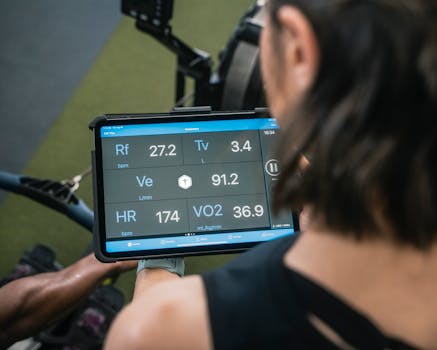
Wearable respiratory rate accuracy issues are usually noticed when the numbers look unstable, lag behind breathing changes, or appear implausible compared with how you feel. Unlike heart rate, respiratory rate is more sensitive to motion, sensor fit, and signal quality—so the same device that tracks your pulse reliably can struggle with breathing measurements in real-world conditions.
Common symptoms include:
- Respiratory rate jumps by several breaths per minute (bpm) without any obvious change in activity or breathing effort.
- Values stick at a single range for long periods, then suddenly change.
- Large delays where the displayed respiratory rate updates only after you stop moving.
- Frequent “low confidence” behavior, such as missing readings, long gaps, or intermittent estimates.
- Unrealistic readings (for example, very low or very high rates) that don’t match your breathing pattern.
- Different results across sessions even when the device is worn similarly.
It’s important to treat these as measurement quality problems first. A wearable respiratory rate is typically an estimate derived from biosignals (often motion/impedance, optical signals, or other sensor fusion). The device may be working as designed, but the input signal may be degraded.
Explanation of the most likely causes
Most respiratory rate inaccuracies come from a small set of controllable factors. Understanding the likely cause helps you troubleshoot efficiently rather than changing multiple variables at once.
1) Sensor signal quality is poor
For wrist wearables, respiratory rate often depends on subtle physiological and motion-related signals. If the sensor can’t “see” a stable skin interface, the algorithm has less reliable data to estimate breathing rate. Signal quality can degrade due to loose fit, dry skin, sweat buildup, or hair interfering with contact.
2) Motion and posture introduce noise
Breathing itself is rhythmic, but everyday movement (walking, typing, fidgeting, talking, adjusting posture) creates competing patterns. Some devices perform better when you’re still or when readings are captured during rest. If you’re moving, the device may interpret motion artifacts as part of the breathing waveform.
3) Timing and measurement mode mismatch
Many wearables measure respiratory rate continuously, but the display may update only under certain conditions (for example, during sleep, during a “rest” window, or when the algorithm reaches sufficient confidence). If you compare readings taken during activity with readings taken during sleep, you may see apparent “accuracy” problems that are actually differences in measurement conditions.
4) Skin temperature, circulation, or vasoconstriction effects
Cold environments, vasoconstriction, and changes in skin perfusion can affect how well sensors capture the underlying signal. You may notice better readings when you warm up or when you wear the device slightly higher/lower on the wrist depending on your anatomy.
5) Device placement and fit mechanics
Even when a watch feels “comfortable,” small placement changes can matter. A slightly rotated sensor, uneven strap tension, or placing the device over a bony area can affect contact pressure and the stability of the detected waveform.
6) App settings, firmware, or data processing differences
Respiratory rate estimations can change after firmware updates or app updates. Additionally, some apps allow toggling measurement features or adjusting which sensor streams are used for analysis. If the problem started after an update, the cause may be configuration or a temporary processing issue.
7) Battery health and sensor power management
Low battery or aging batteries can reduce sensor performance or change power management behavior. This can show up as lower measurement confidence, more gaps, or more erratic estimates.
Step-by-step troubleshooting and repair process
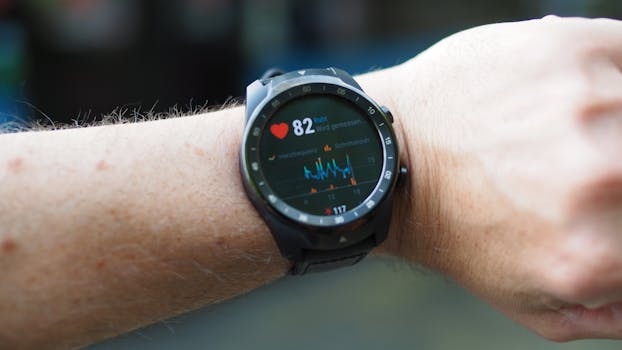
Use this process in order. Each step is designed to isolate a specific failure mode (fit, motion, settings, or device health). If you jump around, it becomes harder to know what actually improved the measurement.
Step 1: Check whether the reading is being produced reliably
Start by observing how the wearable behaves over a short window.
- Look for gaps or readings that appear only occasionally.
- Note whether the device reports low confidence or similar indicators (some apps show a quality state).
- Record the respiratory rate trend while you remain still for 1–2 minutes.
If readings are missing or extremely inconsistent even while stationary, skip ahead to sensor fit and device maintenance steps.
Step 2: Stabilize the measurement conditions (motion control)
Before changing anything, test under controlled conditions.
- Sit upright, shoulders relaxed, and keep your arms still.
- Breathe normally for about 60–90 seconds.
- Watch whether the displayed respiratory rate settles into a plausible range and then tracks your breathing pattern without large spikes.
If the numbers stabilize during stillness but drift during activity, the issue is likely motion noise rather than sensor failure. In that case, focus on fit and how you interpret readings during different activities.
Step 3: Verify strap tension and sensor contact
Remove the device and re-wear it.
- Clean the sensor area with a soft, dry cloth to remove oils and sweat residue.
- Clean your skin where the sensor contacts (avoid harsh chemicals).
- Reattach the strap so it’s snug but not painful. You should be able to slide it slightly without it being loose.
- Try a small placement change: one finger width higher or lower on the wrist.
Many users see immediate improvement after cleaning and tightening, especially if the device was previously worn slightly looser during the day.
Step 4: Remove hair, dry skin, and interference
Hair under the sensor can reduce contact consistency. If you have noticeable hair where the device sits:
- Consider trimming hair in the contact zone (only where appropriate and safe).
- Ensure the skin is not covered with lotion right before wearing.
- If your skin is very dry, gently moisturize away from the sensor area and wait until it absorbs.
Step 5: Warm up if you’re in a cold environment
If the device has been exposed to cold, your skin circulation may be reduced. Move to a warmer room or wear the device after warming your hands for 5–10 minutes. Then repeat the stillness test.
If respiratory rate readings improve after warming, the underlying cause is likely sensor signal quality rather than incorrect device logic.
Step 6: Confirm you’re using the correct measurement window
Check how your wearable presents respiratory rate.
- During sleep, readings may be more stable because motion is reduced.
- During workouts, the device may show fewer updates or lower confidence.
- Some apps allow you to view respiratory rate only when the algorithm detects sufficient signal quality.
To troubleshoot, compare readings taken at rest (or during sleep) rather than during active periods.
Step 7: Review app settings and permissions
Open the companion app and check:
- Whether respiratory rate measurement is enabled.
- Whether any “battery saver” or “low power” mode is active.
- Whether the app has been updated and the wearable has synced recently.
If the issue began after a settings change or app update, revert to the prior configuration if you can.
Step 8: Restart the wearable and re-pair if needed
A restart can clear temporary sensor processing issues.
- Restart the wearable from its device menu (if available).
- Then force a sync with the app.
- If problems persist, unpair and re-pair according to the manufacturer instructions.
Re-pairing is a “repair” step for connection and data-stream issues, not a fix for physics. Use it once you’ve already checked fit and motion.
Step 9: Update firmware and the companion app
Respiratory rate estimation algorithms can change. If you haven’t updated recently:
- Install the latest wearable firmware.
- Update the companion app.
- After updating, repeat the stillness test for at least a few minutes.
If readings become worse immediately after an update, continue with the fit/cleaning steps and consider waiting for a follow-up patch before concluding hardware failure.
Solutions organised from simplest fixes to more advanced fixes
Below is a prioritized sequence. Stop as soon as the respiratory rate becomes stable under the test conditions you care about (rest, sleep, or specific activities).
Start with the simplest fixes (often resolve the majority of cases)
- Clean the sensor and skin contact area to restore consistent signal quality.
- Tighten the strap slightly and adjust placement by a small amount.
- Repeat measurement while still to confirm whether motion is the dominant problem.
- Avoid comparing active-period readings to sleep readings; evaluate windows with similar motion levels.
- Warm up in cold conditions and re-test.
Intermediate fixes
- Check app measurement settings and ensure respiratory rate is enabled.
- Disable “low power” modes temporarily to see whether measurement confidence improves.
- Restart the device and re-sync with the phone.
- Update firmware and the app (or, if the issue began after an update, confirm you’re on the latest version and wait for subsequent fixes).
Advanced fixes
- Unpair and re-pair to refresh the data pipeline between the wearable and the app.
- Inspect the strap and sensor module condition for wear that affects pressure (a stretched strap can lead to inconsistent contact).
- Check battery health by observing whether other sensors behave normally. If the device frequently reports low battery or powers down early, charge it fully and test again.
- Try an alternate wear position if the device supports multiple orientations or placements (for example, some users get better results on the dominant vs. non-dominant wrist).
If none of these steps improve stability during stillness, it becomes more likely that the sensor module is degraded or the device has a hardware fault.
Guidance on when replacement or professional help is necessary
Wearables are generally reliable, but respiratory rate measurement can fail due to hardware issues, persistent sensor degradation, or repeated signal-quality failures that don’t respond to troubleshooting.
Consider professional help or device replacement when:
- Respiratory rate readings remain erratic during prolonged stillness (for example, 5–10 minutes seated and relaxed) even after cleaning, fit adjustment, and warm conditions.
- Readings are consistently missing or show persistent low-confidence indicators across multiple days.
- The issue started after physical damage (drops, impact, water exposure beyond the device’s rating) and does not improve with software steps.
- Other sensor functions also degrade (heart rate quality, skin contact errors, or frequent sensor disconnects). This suggests a broader sensor/board problem.
- Firmware updates do not resolve the problem and the device behaves the same across multiple app versions.
When seeking help, be ready to describe what you tested: the stillness test results, strap fit changes, cleaning frequency, and whether the problem appears in sleep mode versus daytime. This makes it easier for support teams to determine whether the device needs service.
If you’re using respiratory rate data for health monitoring, also keep a sensible safety mindset: a wearable estimate is not a clinical instrument. If you have symptoms that concern you (shortness of breath, chest pain, fainting, or persistent abnormal breathing patterns), prioritize clinical evaluation rather than relying on the device reading.
Finally, remember that respiratory rate can be difficult to measure precisely in everyday conditions. Even with a correctly functioning wearable, accuracy can vary based on movement, skin contact, and individual physiology. The goal of troubleshooting is to ensure the device is producing stable, high-confidence estimates in the contexts you use most—sleep, rest, or low-motion activities.
Relevant devices and practical considerations
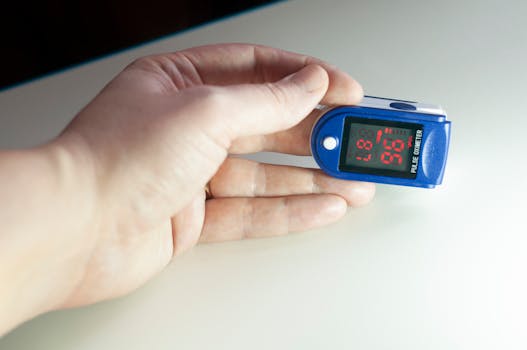
Different wearable categories use different sensors and algorithms, so the “best practices” are similar but not identical. In general, respiratory rate accuracy improves when the sensor has stable skin contact and when the wearer is relatively still. Wrist-based wearables like many smartwatches and fitness trackers often show their best respiratory rate stability during sleep. Some devices also provide guidance in the app about measurement quality; if your app offers a “quality” indicator, use it to decide when data is trustworthy.
If you’re testing a specific device model (for example, a popular smartwatch line or a fitness-focused tracker), focus first on the basics: strap tightness, sensor cleanliness, and measurement windows. If the device consistently fails even during stillness, treat that as a strong signal to pursue service rather than repeatedly reconfiguring settings.
20.01.2026. 00:49