

SpO2 vs ODI vs HRV Conflicting Signals: Troubleshooting Guide

What “conflicting signals” look like
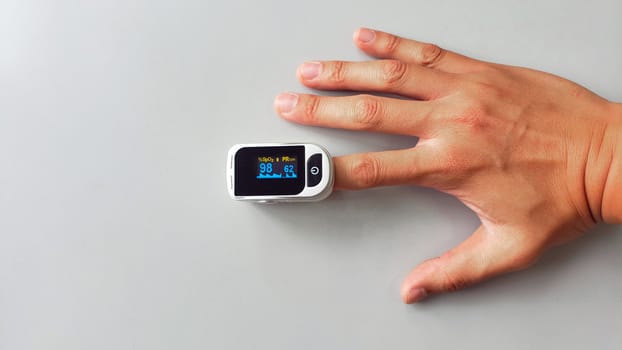
When you monitor sleep or respiratory status with wearable or home devices, it’s common to see metrics that don’t line up. The most confusing pattern is when SpO2 seems stable, but ODI (oxygen desaturation index) shows frequent events, while HRV drops or fluctuates in ways that don’t match how you feel.
Users typically report one or more of the following:
- SpO2 trace stays mostly steady, yet ODI reports a high number of desaturation events.
- HRV indicates stress or poor recovery (lower RMSSD/SDNN or frequent HRV dips), but SpO2 doesn’t show corresponding oxygen drops.
- SpO2 shows brief dips that appear “too frequent” or “too sharp,” while ODI either overcounts or undercounts events.
- HRV looks noisy or fragmented, especially during movement, and respiratory metrics appear inconsistent during the same windows.
- Different nights show large swings in ODI/HRV even when your sleep schedule and room conditions are similar.
These mismatches can be real physiology, but they are also frequently caused by measurement artifacts, signal processing differences, and incorrect sensor fit or placement. The goal of troubleshooting is to determine whether the device is seeing real physiology or unreliable signals.
Most likely causes of SpO2 vs ODI vs HRV disagreement
Conflicts between SpO2, ODI, and HRV usually come from one (or more) of these categories:
1) Pulse oximetry artifacts (SpO2/ODI)
ODI is derived from oxygen saturation changes over time. If SpO2 readings are distorted, ODI will be distorted too. Common artifact sources include:
- Loose or shifting sensor on the finger, wrist, or earlobe causing intermittent contact.
- Motion (rolling over, tapping, restless sleep) creating poor optical signal quality.
- Cold extremities reducing perfusion and increasing noise in red/infrared signals.
- Ambient light interference, especially with wrist devices.
- Low perfusion due to dehydration, illness, or peripheral vasoconstriction.
- Skin tone and anatomy effects that can reduce signal quality for certain optical setups.
- Incorrect device placement (e.g., finger not centered, wrist sensor over a bony area).
2) Heart rate variability sensitivity to non-respiratory stress
HRV responds to many influences beyond oxygenation:
- Movement and posture changes that degrade ECG/PPG-derived HR accuracy.
- Stress, caffeine, nicotine, alcohol, and late meals affecting autonomic balance.
- Temperature (cold or overheating) influencing HRV and comfort.
- Skin contact quality affecting PPG/ECG signals; HRV algorithms often become noisy when beat detection quality drops.
So it’s possible for HRV to change while SpO2 stays stable—either because the cause is non-oxygen-related, or because HRV itself is being misestimated from a noisy heart rate signal.
3) Different sampling rates and processing pipelines
Even when two devices measure “the same thing,” their internal definitions can differ:
- SpO2 smoothing and filtering can delay or blunt dips.
- ODI thresholds vary (for example, desaturation defined as a drop of a given percentage from baseline).
- Beat-to-beat HR estimation quality affects HRV computation (RMSSD/SDNN/other methods).
- Resampling and windowing can make metrics appear out of sync.
Conflicting signals aren’t always “wrong”; they can reflect how each metric is calculated from raw sensor data.
4) Real physiology: oxygen dips without obvious HRV changes (or vice versa)
In some cases the disagreement is genuine:
- Brief airway events may cause oxygen micro-drops that are detected by ODI but don’t strongly impact HRV if the autonomic response is subtle.
- Micro-arousals can reduce HRV without large oxygen desaturation.
- Baseline breathing pattern changes (e.g., sleep stage transitions) can alter HRV while SpO2 remains relatively stable.
- Cardiovascular factors can affect HRV independently of oxygenation (medications, hydration status, arrhythmia tendencies).
Because real physiology and artifacts can look similar, troubleshooting is essential before concluding anything about health.
Step-by-step troubleshooting and repair process
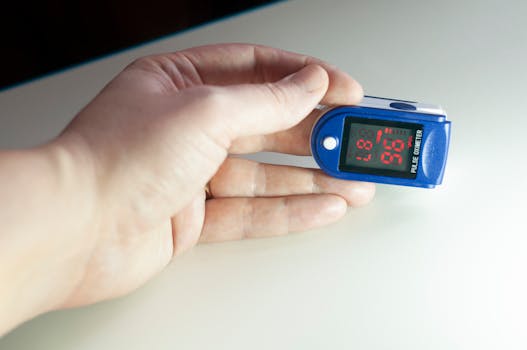
Use this sequence to isolate whether the conflict comes from sensor quality, data processing, or a real pattern.
Step 1: Confirm the device is reporting signal quality (not just the final chart)
Many platforms provide signal quality indicators (e.g., “good/poor,” “tracking,” “contact,” “confidence,” or raw waveform views). If your app offers these, check them for the time windows where SpO2/ODI/HRV disagree.
- If oxygen-related windows show poor signal quality, treat ODI as unreliable for those segments.
- If HRV windows show poor beat detection quality, treat HRV as potentially noisy.
If you can’t access signal quality, proceed with the physical checks below and then compare multiple nights.
Step 2: Improve sensor contact and placement
Start with the simplest physical fixes; most “conflicts” improve when the sensor reads cleanly.
- Wrist optical sensors: tighten the band slightly so the sensor maintains consistent pressure, but not so tight that circulation is hindered. Place it a finger-width above the wrist bone.
- Finger pulse oximeters: center the finger fully, remove nail polish if present, and avoid bending the finger during sleep. Keep the device still and aligned.
- Ear sensors (if applicable): ensure the sensor sits correctly with stable contact and avoid sleeping on that side.
Then re-run a night with careful placement. If you have access to raw traces, confirm that SpO2 and HR are smooth rather than jumpy during the same periods.
Step 3: Reduce motion and optical interference
- Sleep with the sensor side away from direct contact with the pillow when possible.
- Use a consistent sleep position for 1–2 nights to see whether the conflict correlates with movement.
- Lower ambient interference: dim strong lights, and avoid placing the device where bright sunlight hits the sensor.
- If using a finger device, secure it so it doesn’t slip when you turn over.
After the change, check whether ODI spikes still occur during the same time segments. If the spikes shift or disappear, the issue was likely motion/contact related.
Step 4: Warm the extremity and check perfusion
Low perfusion increases optical noise and can mimic desaturation events.
- Before bed, keep hands warm (avoid going to sleep with cold fingers).
- Hydrate normally and avoid heavy alcohol close to bedtime, which can worsen peripheral circulation for some people.
- If you’re ill or have cold hands at night, expect noisier SpO2/ODI and consider repeating measurements when you’re well.
If ODI remains high only on nights you’re cold, the conflict is likely measurement-related rather than a true oxygenation problem.
Step 5: Validate HRV reliability by checking heart rate signal stability
HRV depends on accurate detection of individual beats. When beat detection is unstable, HRV can look worse even if oxygenation is fine.
- Look for periods where HR readings are erratic or dropouts occur.
- If the app shows “low confidence” or similar, focus on nights with higher confidence.
- Ensure the sensor is clean and dry; sweat films can degrade optical readings.
If HRV worsens mainly during times of HR tracking instability, treat the HRV result as unreliable until sensor quality is improved.
Step 6: Check for calibration issues and battery/firmware stability
Manufacturers sometimes refine algorithms through firmware updates. Also, low battery can affect sensor performance.
- Charge fully and avoid running the device at very low battery during measurement.
- Update firmware/software if you haven’t in a while.
- Restart the device and ensure the sensor module is functioning correctly.
If the conflict started after an update, review release notes (if available) and compare data from before/after across similar nights.
Step 7: Compare multiple nights using the same routine
Single-night results can be misleading. Do a short “controlled” run:
- Use the same sensor placement and sleep position for 2–3 nights.
- Keep caffeine timing consistent.
- Avoid alcohol on one test night (or keep it consistent across nights) to see whether HRV patterns change.
- Keep room temperature stable.
If SpO2/ODI/HRV conflicts persist across clean-signal nights, you can shift attention from artifacts toward physiology or device limitations.
Solutions from simplest fixes to more advanced fixes
Work through these in order. Stop when the conflict pattern resolves or when you can clearly identify why it persists.
Simple fixes (often resolve the majority of conflicts)
- Re-seat and tighten the sensor so contact is consistent all night.
- Warm hands/fingers before measurement to improve SpO2 signal quality.
- Reduce motion by avoiding sleeping directly on the sensor side and keeping the device stable.
- Clean the sensor area (wipe sweat/lotions off; ensure the lens is clean).
- Repeat the measurement on 2–3 nights with the same setup.
Targeted adjustments when ODI is high but SpO2 appears stable
If ODI reports frequent desaturation events while the SpO2 chart looks steady, the ODI calculation may be capturing noise spikes or threshold crossings.
- Switch measurement mode or placement method if your device supports it (e.g., different strap position, slightly different finger angle).
- Inspect the oxygen waveform around ODI events. If you see abrupt, narrow spikes that coincide with motion or poor contact, treat them as artifacts.
- Try a different device or sensor type for confirmation. For example, if a wrist device is producing conflicting ODI, a finger pulse oximeter can sometimes provide a clearer signal—though it can still be affected by motion and cold.
Relevant examples of commonly used measurement hardware include wrist wearables that estimate SpO2 via optical PPG and standalone finger pulse oximeters. If possible, use a second method to verify whether desaturation events are reproducible.
Targeted adjustments when HRV is poor but SpO2 is normal
HRV can deteriorate due to non-oxygen factors or due to HR tracking errors.
- Improve heart rate signal quality: ensure consistent strap pressure, correct placement, and clean sensor surfaces.
- Stabilize sleep conditions: reduce late caffeine, avoid alcohol that night, and keep room temperature comfortable.
- Check for movement artifacts: if HRV dips coincide with restless periods, the HRV may be reflecting motion rather than autonomic stress.
If HRV remains consistently low across nights while SpO2 remains stable and sensor quality is high, that pattern is more likely physiological and worth discussing with a clinician.
More advanced checks when conflicts persist despite clean signals
If you’ve optimized sensor contact, reduced motion, warmed your extremities, cleaned the lens, updated firmware, and repeated measurements with consistent setup, persistent conflicts may come from device limitations or true sleep-disordered breathing patterns.
- Use a clinical-grade verification approach: a formal sleep study (polysomnography or home sleep apnea testing where appropriate) can clarify whether oxygen drops and arousals are occurring and how they relate.
- Record a symptom context log: note bedtime, wake time, alcohol/caffeine, illness, and perceived sleep quality. This helps determine whether HRV changes match behavioral or stress factors.
- Consider medication and medical conditions: beta-blockers, stimulants, anxiety, reflux, and cardiac conditions can influence HRV. These factors can produce “HRV-first” changes without large SpO2 shifts.
When replacement of the device or sensor is necessary
Replacement becomes reasonable when you see repeated evidence of unreliable sensing:
- SpO2 signal frequently drops out or becomes erratic even when placement/contact are optimized.
- ODI remains implausibly high on multiple nights with good signal quality indicators.
- HRV shows persistently noisy tracking that does not improve with strap/placement changes.
- The device fails self-checks, or you observe hardware issues (damaged sensor window, loose sensor module, worn strap that no longer holds consistent pressure).
Before replacing hardware, confirm that the issue isn’t caused by the environment (cold, motion, ambient light) and that you’re using the correct placement for your specific model.
When professional help is necessary
Use professional guidance when the conflict pattern suggests a possible health issue and cannot be confidently explained by sensor artifacts.
Seek timely medical input if you have concerning symptoms
- Frequent or loud snoring with witnessed breathing pauses.
- Unexplained daytime sleepiness, morning headaches, or falling asleep unintentionally.
- Shortness of breath, chest pain, or irregular heartbeat sensations.
- Consistently low oxygen saturation readings (especially if confirmed across nights and with reliable signal quality).
- Severe fatigue that doesn’t improve and appears to correlate with nocturnal events.
Escalate even without symptoms if the pattern is persistent and reproducible
If you consistently observe high ODI with credible signal quality, or persistently abnormal HRV alongside other risk factors, it’s prudent to involve a clinician. A sleep specialist can interpret whether the pattern fits sleep-disordered breathing, autonomic dysfunction, or another cause.
Bring your troubleshooting evidence
When you contact a professional, it helps to summarize what you already ruled out:
- How you improved sensor contact and placement.
- Whether ODI spikes aligned with motion or poor signal quality.
- Whether the conflict persisted across multiple nights with consistent setup.
- Any relevant lifestyle factors (caffeine timing, alcohol, illness).
This turns the conversation from “the numbers conflict” into “we tested the measurement reliability and the pattern persists,” which is more actionable.
Practical checkpoints to keep the next measurement trustworthy

After you resolve the conflict or narrow down the cause, lock in a reliable measurement routine so future nights are interpretable.
- Use consistent sensor placement and pressure.
- Ensure the sensor area is clean and dry.
- Warm hands/fingers before starting the recording.
- Avoid strong ambient light hitting optical sensors.
- Repeat measurements for at least 2–3 nights before drawing conclusions.
If SpO2, ODI, and HRV still conflict after these steps—and especially if you have symptoms—consider that the mismatch may be telling you something real, but it’s not safe to assume that without confirmatory evaluation.
22.02.2026. 12:47