

Wearable Sensor Accuracy Check: HRV, SpO2, Skin Temperature Protocol

Why sensor accuracy maintenance matters for HRV, SpO2, and skin temperature
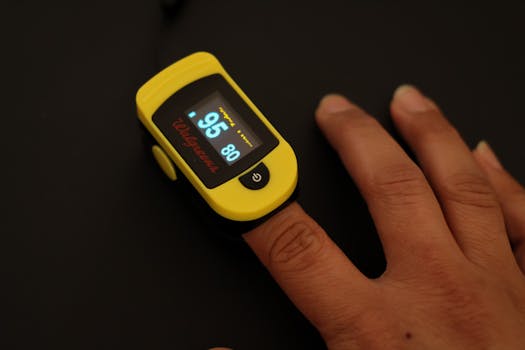
Wearable sensors are only as reliable as their day-to-day condition and the way they’re maintained. HRV, SpO2, and skin temperature are all derived from signals that can be distorted by sweat residue, skin oils, inconsistent fit, optical interference, and sensor drift. When accuracy slips, your trends can become noisy or misleading—even if the device still “looks” like it’s working.
Maintenance isn’t just about cleanliness. It also includes checking wear position, managing skin prep, verifying the sensor window is unobstructed, and establishing a repeatable routine that reduces variability. This is especially important for HRV (sensitive to motion and contact stability), SpO2 (sensitive to optical clarity and pressure), and skin temperature (sensitive to airflow, insulation, and thermal contact).
This guide provides a maintenance-first protocol for performing a wearable sensor accuracy check focused on HRV, SpO2, and skin temperature.
Pre-check setup for a consistent wearable sensor accuracy check
Before you clean or adjust anything, standardize the conditions. A sensor accuracy check is only meaningful when you control the variables that commonly change readings.
- Choose the same location and time: Perform checks under similar lighting and ambient temperature, ideally at the same time of day.
- Use the same body site: Keep the sensor on the same wrist/arm position and the same orientation.
- Minimize movement: For HRV, you’ll want low motion and a relaxed posture during the acquisition window.
- Control temperature exposure: Avoid comparing readings right after coming inside from cold air or right after a hot shower.
- Wear with consistent tightness: Ensure the sensor is in stable contact without excessive compression.
Once your environment and wear conditions are consistent, you can clean and maintain the parts that most affect signal quality.
Step-by-step cleaning process for optical and thermal sensor performance
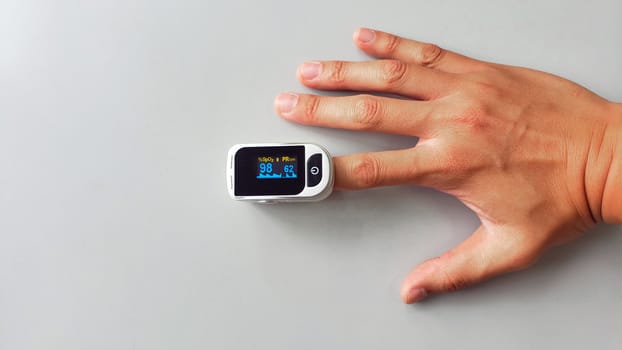
Optical sensors for HRV and SpO2 rely on clear light transmission through the sensor window and consistent contact with the skin. Skin temperature sensors depend on stable thermal coupling. Cleaning should remove sweat salts, oils, and buildup without damaging sensor surfaces.
1) Remove the device and inspect the sensor window
Take the device off and look for residue on the sensor window and around the edges. If you see a film, visible smudges, or dried sweat, proceed to a careful cleaning cycle. If the sensor window is already clean, you can still wipe it to remove micro-residue that can affect optical coupling.
2) Clean with a safe, sensor-friendly method
Use a soft, lint-free cloth lightly dampened with clean water. If residue is stubborn, use a small amount of mild, non-abrasive soap on the cloth, then wipe again with a water-dampened cloth to remove soap traces. Avoid soaking the device unless the manufacturer’s water resistance guidance explicitly allows it.
- Sensor window: Wipe gently in one direction, then repeat with a clean section of the cloth.
- Contact surface and strap area: Remove buildup where the strap meets the skin.
- Drying: Pat dry with a dry lint-free cloth and allow full air drying before re-wearing.
3) Verify the sensor window is free of haze
After drying, check the sensor window again. Even a thin haze can change the optical signal. If haze remains, repeat the wipe using a fresh cloth. Do not scrape the surface with tools.
4) Clean the strap and keep skin contact consistent
Strap materials can hold oils and sweat. If the strap isn’t cleaned regularly, the sensor area can develop uneven contact. Clean the strap according to its material type and the guidance for that specific design. If the strap is washable, rinse thoroughly and dry completely before use.
5) Maintain thermal contact for skin temperature stability
Skin temperature readings can drift if the device is insulated from skin by residue, trapped air gaps, or a loose fit. After cleaning, ensure the sensor area sits flat against the skin. If you notice persistent irritation or a rash, pause use and address skin health; compromised skin can also alter thermal readings.
Step-by-step HRV, SpO2, and skin temperature accuracy checks after maintenance
Cleaning improves signal quality, but the accuracy check confirms whether the wearable is producing stable, plausible data. Use a repeatable routine so you can tell the difference between “normal variation” and “maintenance-related drift.”
HRV stability check (low-motion acquisition)
- Wear correctly: Place the sensor where it sits consistently on the arm. Avoid sliding during the check.
- Relax before starting: Sit quietly for a few minutes to reduce motion artifacts and stabilize circulation.
- Start acquisition: Begin the HRV capture window and keep your arm still.
- Repeat after maintenance: Run the check again after cleaning and drying, ideally under the same conditions.
What you’re looking for: smoother, more consistent HRV trend behavior and fewer abrupt spikes caused by unstable contact. If HRV remains erratic after cleaning, the issue is often fit, strap tension, or motion during acquisition—not just residue.
SpO2 optical quality check (consistent contact and reduced interference)
- Ensure stable pressure: The sensor should maintain contact without feeling overly tight. Too much pressure can alter local circulation; too little can break optical contact.
- Avoid immediate post-exercise checks: Wait until heart rate and breathing settle. Rapid changes can make SpO2 fluctuate.
- Keep the arm still: Motion can cause optical misalignment.
- Confirm sensor readiness: If your wearable indicates weak signal or poor contact, adjust fit before trying again.
What you’re looking for: fewer periods of unstable SpO2 readings and improved consistency over multiple short captures.
Skin temperature stability check (thermal environment and coupling)
- Standardize the environment: Perform checks in the same room temperature range when possible.
- Allow settling time: After putting the device on, wait for readings to stabilize. Skin temperature can take time to reflect true coupling.
- Minimize airflow: Avoid placing the arm under a fan or direct air stream during the check.
- Keep the fit consistent: The sensor must stay flat against the skin.
What you’re looking for: a calmer temperature curve with less abrupt step-changes that often indicate poor contact or local cooling/heating due to airflow or loose fit.
Recommended maintenance schedules and routines
A sensor accuracy check becomes far more effective when it’s paired with a realistic schedule. The goal is to prevent residue buildup and contact drift before they affect readings.
Daily routine (2–3 minutes)
- Visual inspection: Quick look at the sensor window for smudges or dried sweat.
- Wipe the sensor area: Use a lint-free cloth lightly dampened with water if you notice residue.
- Check strap cleanliness: Look for sweat accumulation around the strap edges.
- Skin check: Note redness, irritation, or persistent marks; compromised skin can change thermal and optical signals.
After-sweat cleaning (immediately after workouts)
- Rinse and wipe: If you sweat heavily, wipe the sensor window and strap contact area right after the session.
- Dry fully: Let the device air-dry before storing.
- Resume normal wear only when dry: Moisture trapped at the strap can affect optical clarity and comfort.
Weekly cleaning cycle (10 minutes)
- Full wipe-down: Clean sensor window, strap contact surfaces, and edges using the safe method described earlier.
- Inspect for wear: Look for strap cracking, sensor window scratches, or buildup that doesn’t come off easily.
- Run a quick accuracy check: Perform short HRV stability, SpO2 consistency, and skin temperature settling tests under similar conditions.
Monthly verification (calibration-like behavior check)
Most wearables don’t require user calibration in the traditional sense, but you can verify whether the system behaves consistently. Once a month:
- Repeat the accuracy routine: Clean first, then run the three checks in the same order.
- Compare trend quality, not single values: Focus on stability and signal quality patterns (fewer unstable segments) rather than expecting identical numbers day to day.
- Check fit habits: Ensure you haven’t developed a habit of wearing the device looser/tighter than before.
After any event that disrupts sensor contact
- New skin products: Sunscreen, lotions, or oils can interfere with optical coupling.
- Skin irritation: If you have redness or rash, stop wear until it resolves, then clean thoroughly and reassess fit.
- Device drop or scratch: Optical sensors can be affected by damage; if readings degrade persistently, maintenance may not be enough.
Prevention methods to reduce future HRV, SpO2, and temperature problems
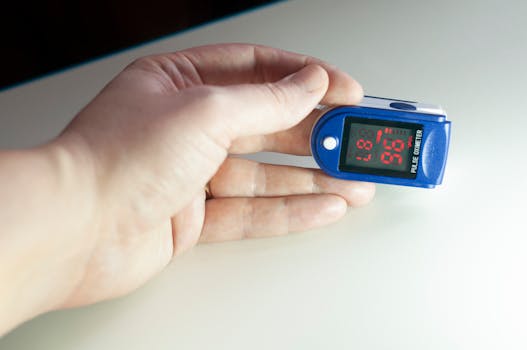
Prevention is where most accuracy issues are won or lost. Many problems come from habits that slowly degrade contact quality or introduce optical interference.
Optimize fit and wear position
- Keep the sensor centered: Avoid wearing it too far toward the palm or too close to the wrist joint.
- Maintain a consistent tension: A strap that gradually loosens during the day can cause intermittent optical contact.
- Don’t over-tighten: Excess pressure can change local blood flow and worsen signal artifacts.
Manage skin oils, sweat, and residue
- Clean before applying lotions: If you use skincare products, put the wearable on after the product fully absorbs.
- Dry thoroughly: Sweat residue is a common cause of SpO2 instability and HRV noise.
- Rotate wear if needed: If you’re prone to irritation, occasional breaks can help skin recover and stabilize thermal behavior.
Control thermal environment for skin temperature stability
- Avoid direct airflow: Fans, vents, and cold drafts can quickly cool the skin and create misleading temperature drops.
- Be cautious after temperature shocks: Coming in from outdoors can produce temporary transients. Allow settling before using temperature data for decisions.
- Use consistent clothing: Sleeve insulation can change how quickly the skin warms or cools.
Reduce motion artifacts for HRV and SpO2
- Choose quiet periods for HRV: HRV is sensitive to movement and posture changes.
- Keep the arm still during short checks: Small wrist motions can disrupt optical alignment.
- Secure the strap before running: If the strap shifts during activity, contact quality will vary.
Common maintenance mistakes and how to avoid them
Even careful users can accidentally create accuracy problems through maintenance choices. Avoid these pitfalls.
Using abrasive materials or harsh chemicals
Scrubbing with rough cloths, paper towels, or abrasive cleaners can scratch the sensor window and trap residue in micro-grooves. Harsh chemicals can degrade coatings or leave films that affect optical transmission.
- Use lint-free cloths.
- Use mild soap only when needed, then rinse thoroughly.
- Never scrape the sensor surface.
Soaking the device or trapping moisture
Soaking can damage seals or leave water in areas that interfere with sensor contact. Moisture trapped under the strap can also create optical haze.
- Wipe and air-dry fully.
- Don’t store the device while damp.
Cleaning too aggressively or too frequently with residue left behind
Cleaning often fails when soap or cleaning solution is left on the sensor window. Even small residues can alter readings.
- After using soap, wipe again with a water-dampened cloth.
- Confirm the window looks clear and dry before re-wearing.
Changing fit after cleaning without re-checking
Some users clean, then wear the device looser/tighter due to comfort changes. That can shift HRV and SpO2 stability.
- Keep strap tension consistent after cleaning.
- Run the short accuracy checks immediately after maintenance so fit changes are accounted for.
Ignoring skin condition
Persistent redness, rash, or broken skin can affect optical and thermal signals and can also increase the risk of discomfort. Maintenance cannot compensate for compromised skin contact.
- If irritation persists, stop wear until resolved.
- When resuming, clean thoroughly and consider changing wear position slightly while maintaining stability.
Relying on one reading instead of signal stability
Accuracy checks should focus on stability and signal quality patterns. A single momentary value can be influenced by motion, airflow, or transient circulation changes.
- Look for fewer unstable periods and smoother behavior across repeated checks.
- Use consistent acquisition conditions.
Putting it all together: a maintenance protocol you can repeat
Use this repeatable sequence whenever you suspect accuracy drift or when you complete a cleaning:
- Step 1: Standardize conditions (same time window, similar room temperature, minimal movement).
- Step 2: Clean sensor window and strap contact area with safe wipes and full air drying.
- Step 3: Confirm sensor window clarity and ensure the device sits flat.
- Step 4: Run HRV stability check in low-motion posture.
- Step 5: Run SpO2 consistency check with stable contact and relaxed breathing.
- Step 6: Run skin temperature settling check without airflow and after a short stabilization period.
- Step 7: Record what improved (signal stability, fewer interruptions, smoother temperature trend), rather than chasing exact matching numbers.
When you maintain cleanliness and contact quality consistently, HRV, SpO2, and skin temperature readings become more repeatable. That repeatability is the foundation for trusting your wearable’s trends and reducing false alarms caused by avoidable maintenance issues.
Minimal product mentions for maintenance materials
To support safe maintenance without overcomplicating the routine, keep a small set of basic tools available: lint-free cloths, mild non-abrasive soap, and clean water. If you use a strap cleaning solution, choose one designed for skin-contact materials and ensure it leaves no residue after rinsing and drying.
13.12.2025. 18:10