

Weekly Wearable Recovery Dashboard: HRV, RHR, Sleep, SpO2, ODI

Define the goal: turn wearable signals into a weekly recovery dashboard
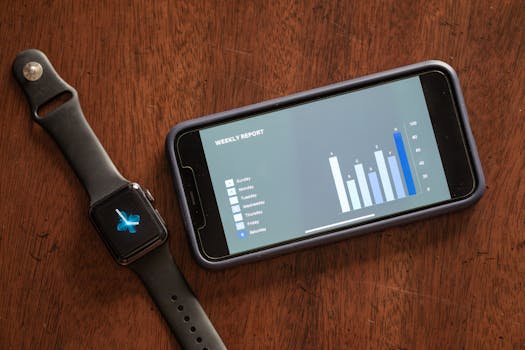
A weekly wearable recovery dashboard helps you answer one practical question: “How is my recovery trending over the last 7 days, and what should I adjust next?” Instead of looking at individual daily metrics in isolation, you aggregate key recovery markers—HRV, RHR, sleep, SpO2, and ODI—into a single weekly view. The result is a clearer picture of whether your body is absorbing training, accumulating stress, or showing early signs of sleep or breathing issues.
This guide shows you how to build that dashboard in a repeatable way, using data from your wearable and a simple tracking setup. You’ll also learn how to clean the data so the dashboard reflects real physiology rather than measurement noise.
Gather what you need: wearable data, a tracking place, and a simple baseline
Before you start, collect the essentials. You don’t need a complex system, but you do need consistent inputs and a place to store them.
- Wearable data access: Exportable weekly or daily data for HRV, resting heart rate (RHR), sleep stages or duration, and oxygen metrics (SpO2). If ODI (oxygen desaturation index) is available, ensure you can export it or view it in a way you can record weekly values.
- A place to build the dashboard: A spreadsheet (Google Sheets, Excel, or similar) is usually enough. If you prefer a notes app plus a tracker, the key is that you can compute weekly averages and trends.
- A baseline window: Choose a reference period (commonly 4–8 weeks) when you were training consistently and not recovering from a major illness, travel disruption, or a long layoff.
- Time consistency: Decide on your “week start” (for example, Monday to Sunday). Use the same boundaries every week.
- Measurement quality rules: Plan how you will handle missing days, poor sensor contact, and nights with incomplete SpO2 or ODI coverage.
Step-by-step: build your weekly dashboard for HRV, RHR, sleep, SpO2, and ODI
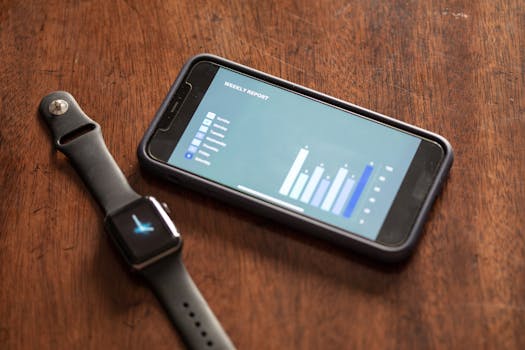
Follow these steps to create a dashboard that is stable week to week and actually useful for training decisions.
1) Export or record daily metrics
For each day in the week, capture these values:
- HRV: Use the wearable’s standard HRV measure (often RMSSD or similar). Record the daily value or nightly value as your wearable reports it.
- RHR: Record the daily resting heart rate (or the wearable’s “resting” reading).
- Sleep: Record total sleep duration and, if available, sleep efficiency or a consistent stage metric.
- SpO2: Record the nightly average SpO2 (or the metric your wearable provides consistently).
- ODI: Record the nightly ODI value if your wearable reports it (many consumer devices estimate oxygen desaturation events based on SpO2 patterns).
If your wearable provides “readiness” or “recovery” scores, don’t rely on them as your primary dashboard. Use the underlying signals so you can interpret changes directly.
2) Decide how to aggregate into weekly values
Weekly dashboards work best when the aggregation method is consistent. Use one method per metric:
- HRV weekly value: Average HRV across nights/days you successfully measured.
- RHR weekly value: Average RHR across days with a valid reading.
- Sleep weekly value: Average total sleep duration and track sleep consistency (for example, number of nights above a target duration).
- SpO2 weekly value: Average nightly SpO2 across nights with adequate data coverage.
- ODI weekly value: Average ODI across nights with valid ODI estimates.
If your wearable provides a “minimum nights” or data quality indicator, use it. If you don’t have that, create a simple rule like: only include nights where SpO2 data is present for most of the sleep window.
3) Create a weekly summary sheet layout
Set up one row per week. Use columns that mirror your metrics so you can scan trends quickly. A practical structure:
- Week start date / week end date
- Weekly average HRV
- Weekly average RHR
- Weekly average sleep duration (hours)
- Sleep consistency (nights meeting your target)
- Weekly average SpO2
- Weekly average ODI
- Notes (illness, travel, major missed sleep, unusual training load)
Keep the notes short but specific. Recovery signals are sensitive to context; even one line like “tough weekend travel + late nights” can explain a week of HRV drop or RHR rise.
4) Add baseline comparisons that match each metric’s direction
To interpret your week, you need baseline context. Compute a baseline average for each metric from your chosen reference window.
Then add simple derived fields:
- HRV delta: Weekly average HRV minus baseline average HRV (or percent change).
- RHR delta: Weekly average RHR minus baseline average RHR. Higher RHR often indicates elevated stress or incomplete recovery.
- Sleep delta: Weekly average sleep duration minus baseline average sleep duration.
- SpO2 deviation: Weekly average SpO2 compared to baseline.
- ODI deviation: Weekly average ODI compared to baseline (lower is usually better when ODI represents desaturation events).
Use the correct direction when you interpret changes. HRV often improves with recovery; RHR often rises when recovery is incomplete. Sleep duration is usually better when higher (within reason). SpO2 is generally better when higher, and ODI is generally better when lower.
5) Implement a “data quality gate” so one bad night doesn’t dominate
Wearables occasionally produce artifacts: loose strap contact, sensor drift, or partial-night recording. Without a gate, your dashboard can overreact.
Create these rules and apply them consistently:
- Minimum sleep nights: Require at least 4–5 nights with valid data to compute a weekly average.
- SpO2 coverage threshold: If your wearable supplies a “coverage” metric, use it. If not, exclude nights where SpO2 is missing for a large portion of sleep time.
- Outlier handling: If one day’s HRV or RHR is wildly inconsistent with your recent pattern and you know the sensor was loose, mark it as excluded instead of averaging it in.
- ODI reliability: If ODI is only available on some nights, compute weekly ODI from available nights but track how many nights contributed.
In your notes column, record when you had a sensor problem. This makes future interpretation more accurate.
6) Build a weekly “recovery read” from the signals
Your dashboard should do more than list numbers. Create a short recovery read that combines the signals into an actionable summary.
Use a rule-based approach so it’s transparent:
- Recovery likely good: HRV near or above baseline, RHR near or below baseline, sleep duration near baseline with good consistency, and SpO2/ODI stable or improved.
- Recovery likely strained: HRV below baseline and/or RHR above baseline for the week, especially if sleep duration is lower than baseline or inconsistent.
- Potential sleep/breathing disruption: SpO2 trending down and/or ODI trending up, even if HRV is not dramatically affected.
- Training stress + poor sleep: HRV down and RHR up alongside reduced sleep duration. This combination often indicates you need more recovery time, not just more training.
Write the read in one or two sentences in your notes column. Avoid over-interpreting a single week; instead, look for a pattern over 2–4 weeks.
Common mistakes that ruin weekly dashboards
These issues are common and can make your dashboard misleading.
- Switching aggregation methods mid-stream: If you average HRV one month and median the next, your trend can shift artificially.
- Ignoring data quality: A single night with poor sensor contact can pull HRV or SpO2 in the wrong direction.
- Comparing to the wrong baseline: If your baseline period included illness or a heavy travel week, your deltas will be biased.
- Mixing different HRV definitions: Some wearables report HRV at different times or using different algorithms. Stick to the same metric consistently.
- Over-weighting ODI without context: ODI estimates depend on the wearable’s ability to detect desaturation patterns. Track how many nights contributed to the weekly value.
- Changing strap fit or device placement frequently: Small fit changes can affect contact and data quality. Keep consistent placement and tightness.
Additional practical tips to optimize your dashboard
Once your weekly dashboard is working, you can improve accuracy and usefulness with a few targeted steps.
Use consistent “training context” notes
Add one line each week for training and life stressors: long sessions, missed sleep, alcohol, late nights, travel, or illness symptoms. This helps you connect physiological changes to real causes.
For example, a week with lower HRV and higher RHR might align with heavy intervals plus reduced sleep, while a week with stable HRV but worsening SpO2/ODI could point toward sleep-disordered breathing or room/environment factors.
Track sleep timing, not only duration
Weekly averages are valuable, but sleep timing affects recovery. If you can, record bedtime consistency or “time in bed” variability. Even a simple measure—like number of nights you went to bed within 60 minutes of your usual time—can explain HRV and RHR changes.
Watch for “recovery lag” across weeks
Some signals respond quickly (RHR can shift within days), while others reflect longer-term recovery (HRV trends often smooth over time). When interpreting your dashboard, look at 2–3 consecutive weeks rather than reacting to a single week’s delta.
Set practical thresholds that match your baseline noise
Wearables vary. Your dashboard becomes more useful when you define “meaningful” changes. Use your baseline data to estimate typical week-to-week variation.
For instance, if your HRV weekly average fluctuates by 5–8% even in normal weeks, treat smaller changes as noise and focus on larger deviations. Do the same for RHR, SpO2, and ODI.
Calibrate sensor setup to improve SpO2 and ODI stability
Because SpO2 and ODI depend on continuous optical readings, sensor stability matters. Use consistent strap tightness, keep the device in the same location on the wrist, and avoid wearing it too loosely during sleep.
If your wearable supports it, enable any sleep or oxygen monitoring settings recommended by the manufacturer. Keep firmware updated when appropriate, since algorithm changes can affect SpO2/ODI reporting.
Integrate the dashboard into your weekly decision process
Make the dashboard part of a repeatable routine:
- Once per week, compute weekly averages and deltas.
- Write a one-paragraph recovery read based on HRV, RHR, sleep, SpO2, and ODI.
- Adjust one variable for the coming week (for example, reduce training intensity, add an extra recovery day, or protect sleep timing).
Then observe whether the dashboard improves next week. This closes the loop between measurement and action without turning the system into guesswork.
Example workflow: what a complete weekly update looks like
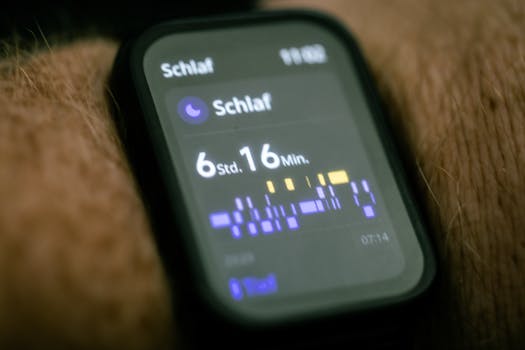
Here’s a practical example of using the dashboard in a real week.
- Monday–Sunday: Record daily HRV, RHR, sleep duration, and nightly SpO2/ODI when available.
- End of week: Compute weekly averages for HRV, RHR, sleep duration, SpO2, and ODI. Exclude nights with missing oxygen data.
- Compare to baseline: Calculate deltas vs your baseline averages from your reference period.
- Quality check: Confirm you have at least 4–5 nights of valid sleep/oxygen readings before trusting the weekly SpO2 and ODI values.
- Write the read: If HRV is below baseline and RHR is above baseline while sleep duration is also down, mark the week as “recovery strained” and plan for more recovery next week. If sleep duration is fine but ODI rises and SpO2 drops, mark “possible sleep oxygen disruption” and prioritize sleep environment and medical evaluation if symptoms persist.
This workflow keeps your dashboard consistent and actionable, while preserving the ability to interpret changes responsibly.
Use the dashboard responsibly when ODI or SpO2 trends are concerning
ODI and SpO2 patterns can be influenced by many factors, including device fit, skin temperature, altitude, and sleep position. If you see persistent ODI elevation or sustained SpO2 reductions over multiple weeks—especially alongside symptoms such as excessive daytime sleepiness, loud snoring, waking with breathlessness, or morning headaches—treat the dashboard as a trigger to seek clinical input. A wearable can help you notice trends, but it should not be the only basis for diagnosis.
In your notes, record which weeks show the pattern and include any context that could affect oxygen readings (travel altitude changes, alcohol use, illness, or changes in sleep schedule).
24.01.2026. 01:25