

Best Breathwork Apps and Timers: How to Choose the Right Setup

Breathwork feels simple—until you try to time it
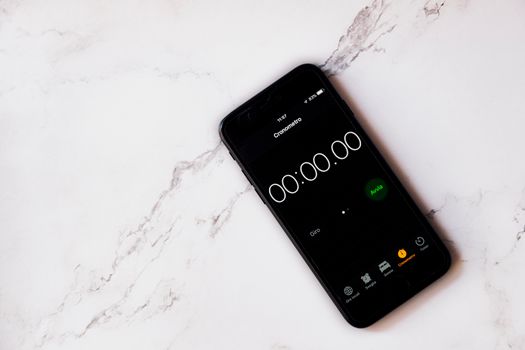
You can learn breathing techniques from a video in minutes. The hard part is doing them consistently, with the right pacing, and without losing track of time. That’s where breathwork apps and dedicated timers come in.
Whether you’re working on stress relief, sleep, workout recovery, or breath retention practice, the “timing layer” matters. A guided session with accurate inhale/exhale pacing can make the difference between feeling calm and feeling uncomfortable. And if you’re doing it on your own, a reliable timer prevents you from guessing.
This guide helps you choose the best breathwork apps and timers for your needs—so you can start using them immediately and keep improving your results.
What you’re really buying: guidance, timing, and feedback
Most breathwork apps combine three things:
- Session structure (warm-up, rounds, rest, cool-down)
- Breathing pacing (visual or audio cues for inhale/exhale lengths)
- Progress support (streaks, history, reminders, sometimes readings)
Dedicated breathwork timers are simpler. They focus on the timing engine—intervals, rhythm, and repeatable sessions—usually with fewer distractions. If you already know the technique, a good timer can be the most “no-friction” option.
Important features to look for in breathwork apps and timers

1) Timing accuracy and cue quality
Breathwork is all about ratios. Many sessions use patterns like 4-6 (inhale 4 seconds, exhale 6 seconds) or longer exhale techniques such as 4-8. If your app’s cues drift, you’ll feel it.
Look for:
- Clear inhale/exhale cues (visual animation, tone, or both)
- Consistent pacing during long sessions (15–30 minutes)
- Low-latency audio if you’ll rely on sound
- Ability to set custom intervals down to 1-second steps (or better)
Real-world scenario: You’re doing a 20-minute downregulation session before bed. If the app cues your exhale too early by even a second or two, you may start “rushing” the breath. That can leave you feeling wired instead of relaxed. A timer with stable interval timing and calm cues helps you stay on rhythm.
2) Customization options (not just presets)
Presets are great for beginners, but you’ll likely want to adjust. Good apps and timers let you:
- Set inhale, exhale, hold durations
- Choose round length (e.g., 5 rounds of 2 minutes)
- Include rest intervals between rounds
- Run sessions that loop without you starting over
If you practice breath retention (for example, controlled holds), you’ll want clear hold timing and the option to cap intensity. For safety and comfort, you should be able to scale down easily.
3) Guidance style that matches your learning level
There are two common styles:
- Guided: narration or prompts that tell you what to do and when to start
- Minimal: only cues for pacing, letting you focus on sensations
If you’re new, guided sessions can reduce mistakes. If you already know the technique, minimal cues are often better because you won’t get distracted mid-round.
Also check whether the app supports different cue modes (for example, sound only vs. visual only). If you’re doing breathwork in a dark room or you prefer quiet, cue flexibility matters.
4) Session library quality and variety
A strong session library saves time. You want categories that match real goals, such as:
- Sleep and wind-down (often 10–30 minutes)
- Stress and anxiety relief (often 3–12 minutes)
- Focus and productivity (often 2–10 minutes)
- Recovery for workouts (often 5–15 minutes)
- Breath retention or advanced patterns (only if you’re experienced)
But don’t buy solely for volume. Check that the sessions are consistent and that the pacing is clearly communicated.
5) Reminders, streaks, and habit tools
Breathwork works best when you do it regularly. If your app can remind you at a time you choose, it can be a real advantage.
Look for:
- Custom reminders (e.g., daily at 7:30pm)
- Streak tracking that doesn’t guilt-trip you
- Session history so you can see what you did last week
- Offline mode if you travel or don’t want to stream audio
6) Comfort features: audio controls and screen behavior
Small details matter when you’re lying down or sitting still for 15–25 minutes.
- Audio volume control and the ability to mute narration
- Dark mode for night sessions
- Screen dimming or lock-safe behavior (so the session doesn’t stop)
- Vibration support if you prefer tactile cues
If you plan to use your phone near your pillow, make sure the app won’t blast sound unexpectedly.
7) Device compatibility and sensor features (if you want them)
Some apps use device sensors for additional feedback. For example, certain programs can interpret breathing rhythm using a microphone or motion data. This can be helpful, but it’s not required for good practice.
Before you pay for sensor-heavy features, ask yourself: do you want accuracy feedback, or do you just need pacing cues? If you want a simple, reliable experience, a timer-first approach is often enough.
What you should prioritise based on your goals
Choosing the right setup is less about brand and more about matching your practice style.
If your main goal is sleep
Prioritise:
- Sessions that run 10–30 minutes with smooth pacing
- Quiet cue options (audio volume control, minimal prompts)
- Dark mode and screen behavior that won’t interrupt you
- Reliable inhale/exhale timing for longer exhale patterns
Practical tip: start with a short wind-down (5–10 minutes) for the first week. You’ll learn the rhythm faster, and you’ll avoid frustration if you’re sensitive to certain breath patterns.
If your main goal is stress relief during the day
Prioritise:
- Quick sessions (often 2–8 minutes)
- Easy start/stop with minimal setup
- Clear cues that work in noisy environments (sound + visual)
- Custom intervals so you can adapt (for example, 3-5 or 4-6)
Real-world scenario: you’re between meetings and feel tense. You need a session that starts instantly and guides you through 6–10 rounds without you hunting for settings. A timer that remembers your last pattern can be more useful than a complex meditation app.
If your main goal is focus and productivity
Prioritise:
- Short, repeatable sessions (often 3–12 minutes)
- Consistency—same pacing each time
- Minimal distractions (no long narration)
- Custom round counts so you can match your work blocks
Some people like a “reset” breath session before deep work. For example, you might do 6 rounds of 4-6 breathing, then start your task. The best app for you is the one that makes that routine effortless.
If your main goal is workout recovery
Prioritise:
- Long enough sessions to settle your breathing (often 8–15 minutes)
- Comfortable pacing that won’t make you feel lightheaded
- Rest intervals between rounds
- Ability to repeat the same program after training
Workout recovery breathwork usually benefits from calm, controlled exhale-led patterns. You don’t need complexity—you need stable timing.
If you want advanced patterns or breath retention
Prioritise safety-first features:
- Clear hold timing and easy scaling (shorter holds at first)
- Session previews that show the full structure
- Options to run fewer rounds
- Guidance that doesn’t push intensity too quickly
If you have any medical conditions or dizziness issues, consult a qualified clinician before practicing retention-heavy sessions. Breathwork can feel good, but it’s not a substitute for medical advice.
Common purchasing mistakes and misunderstandings
Buying based on aesthetics instead of timing control
A pretty animation is nice. But if the app doesn’t let you set precise inhale/exhale/hold durations—or if cues aren’t reliable—you’ll waste time each session. Prioritise control and clarity.
Assuming “guided” means “better” for you
Guidance helps beginners. However, after a few sessions, narration can become a distraction. If you already know the technique, look for minimal cue modes or timers that keep you focused.
Overcommitting to long sessions too soon
Many people start with 20–30 minute sessions and then stop because they feel uncomfortable. Better approach: start with 5–10 minutes for the first week and increase gradually. Your app should make that easy.
Ignoring audio and screen behavior
If you use your phone for sleep, screen brightness and audio volume matter. Some apps keep the screen on aggressively, which can disrupt your routine. Others stop when the screen locks. Check these details before you commit.
Confusing breathwork timers with generic interval timers
A standard interval timer can count seconds, but breathwork needs a specific inhale/exhale rhythm and cues. You want a tool designed for breathing cycles, not just stopwatch functionality.
Not checking subscription terms
Many apps offer free trials or limited free sessions. Then they move key features behind a subscription. Before buying, confirm whether:
- Custom sessions are included
- Offline use is allowed
- You can access the pacing engine without paying
Practical buying checklist and decision framework

Use this step-by-step checklist to choose the right breathwork apps and timers setup.
Step 1: Define your “must-do” session
Write down one session you plan to do weekly. Example:
- Goal: sleep
- Pattern: 4 seconds inhale / 6 seconds exhale
- Rounds: 10 rounds
- Total time: about 20 minutes
Now check whether the app or timer can match that structure exactly.
Step 2: Decide your cue preference
- If you’re lying down: prioritize quiet cues and dark mode.
- If you’re in public: prioritize clear sound + visual cues.
- If you hate audio: prioritize visual-only or vibration support.
Step 3: Test start speed and friction
During your trial (or free tier), time how long it takes to start your session. Can you launch it in under 10 seconds? If not, you may skip sessions when you’re busy.
Step 4: Verify customization depth
For your chosen session, confirm you can set:
- Inhale duration
- Exhale duration
- Optional hold duration
- Round count and/or total session length
- Rest between rounds
Step 5: Check reliability for your environment
- Will the session continue if your screen locks?
- Does your phone need internet?
- Does it keep time if you switch apps?
Step 6: Look at habit tools only after timing is sorted
Reminders and streaks are useful, but they shouldn’t replace timing quality. If the pacing is off, habit features won’t save your practice.
Step 7: Confirm safety and comfort controls
Especially if you’re experimenting with breath retention, confirm the tool lets you:
- Reduce intensity quickly
- Run fewer rounds
- Stop easily and restart when ready
Final buyer guidance and practical recommendations
So, what should you actually buy? Here’s a sensible approach that works for most people.
Choose an app if you want structured sessions and habit support
If you want guided programs, a library of sessions, and reminders, an app is usually the better fit. Many well-known breathwork platforms offer structured breathing schedules and a straightforward way to start a session without complex setup. Look for one that supports custom inhale/exhale timing and offers offline-friendly playback if you need it.
If you’re already using a meditation ecosystem, you may also find breathwork sessions inside broader wellness apps. For example, some people use Calm for guided breathing and sleep content, while others prefer Headspace for structured mindfulness sessions that sometimes include breath-based practices. If you already subscribe, it can reduce friction.
For dedicated breathwork practice, you might also look at apps that focus specifically on breathing rhythms and coaching. If you’re serious about breathwork, a breathing-first app can be more efficient than a general meditation app.
Choose a timer if you want minimal distraction and precise control
If you already know the technique and you want the most reliable timing, a dedicated breathwork timer can be a strong choice. Timers typically excel at:
- Custom inhale/exhale/hold cycles
- Repeatable rounds
- Low distraction
- Fast start
This is especially helpful if you practice multiple patterns in a week. You can set your 4-6 routine for stress relief, then switch to a longer exhale pattern for wind-down, without rummaging through menus.
Use a “two-tool” setup if you do multiple goals
Many buyers end up with a simple system: an app for guided learning and a timer for repeatable practice. For example:
- In the evening, you use an app’s sleep session (guided pacing, dark mode).
- During the day, you use a timer with your preferred 4-6 or 3-5 breathing pattern.
This reduces decision fatigue. You stop thinking about breathwork and start doing it.
What to do in your first week after purchase
- Day 1–2: Use a short session (5–8 minutes). Focus on comfort and consistency.
- Day 3–4: Increase to 10–15 minutes if you feel good.
- Day 5–7: Try one variation (e.g., slightly longer exhale) but keep total time manageable.
Track how you feel right after and 30–60 minutes later. Your best breathwork apps and timers are the ones that help you feel calmer, sleep better, or recover more—without leaving you uncomfortable.
Quick recommendation rule (simple and practical)
When you’re choosing between options, use this rule:
- If you need guidance and structure, pick an app with strong session pacing and habit tools.
- If you need precision and low distraction, pick a timer with custom inhale/exhale/hold cycles.
- If you’re doing both, use both—one for learning, one for repeatable practice.
That approach keeps your practice consistent and makes it far more likely you’ll stick with breathwork long enough to notice real benefits.
11.05.2026. 15:21